
NexGen Solutions
Project Issue Tracking
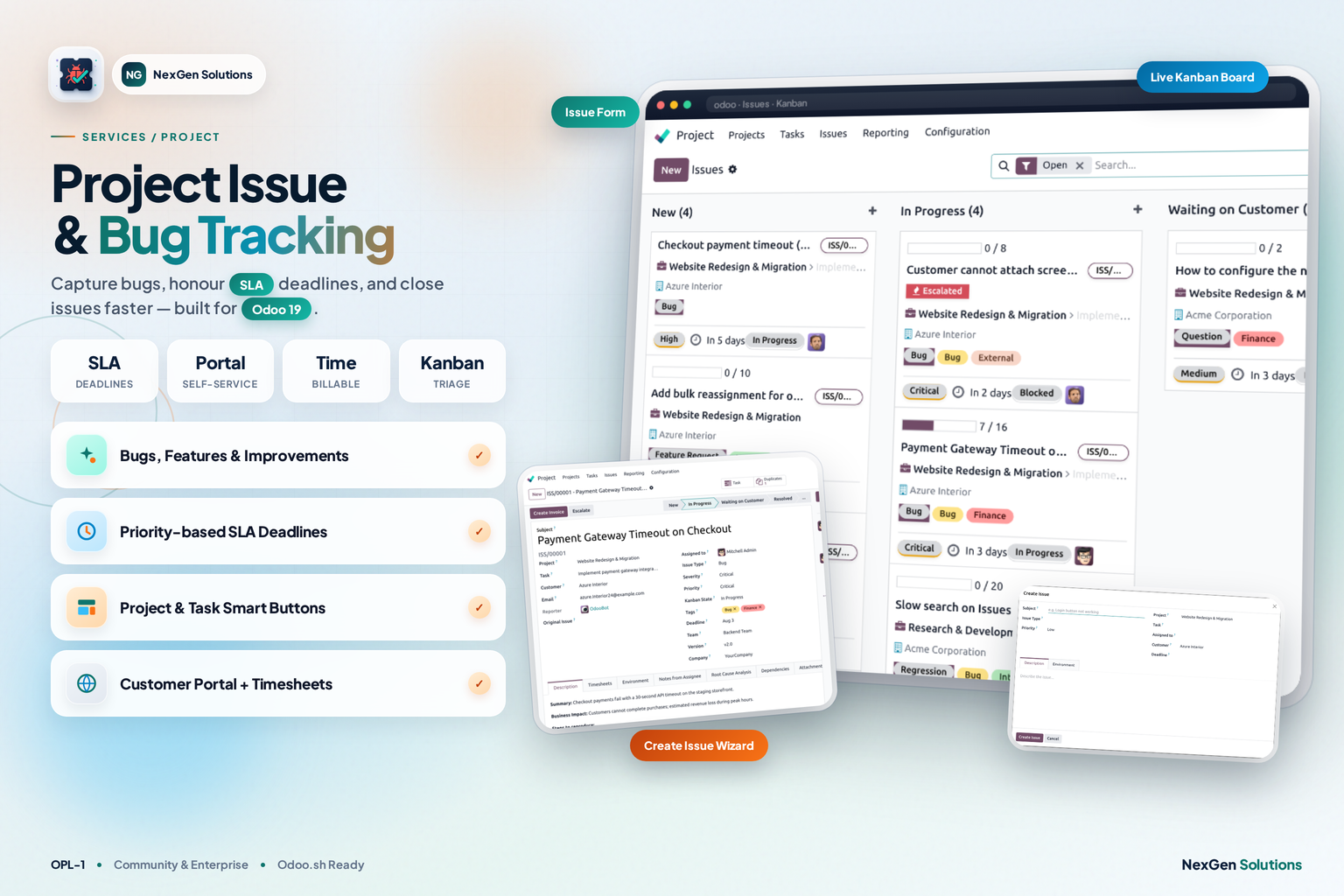
Capture bugs, feature requests and improvements from any Project or Task. Move them through kanban stages, honour SLA deadlines, log time, escalate critical cases — and let customers follow everything from the portal.
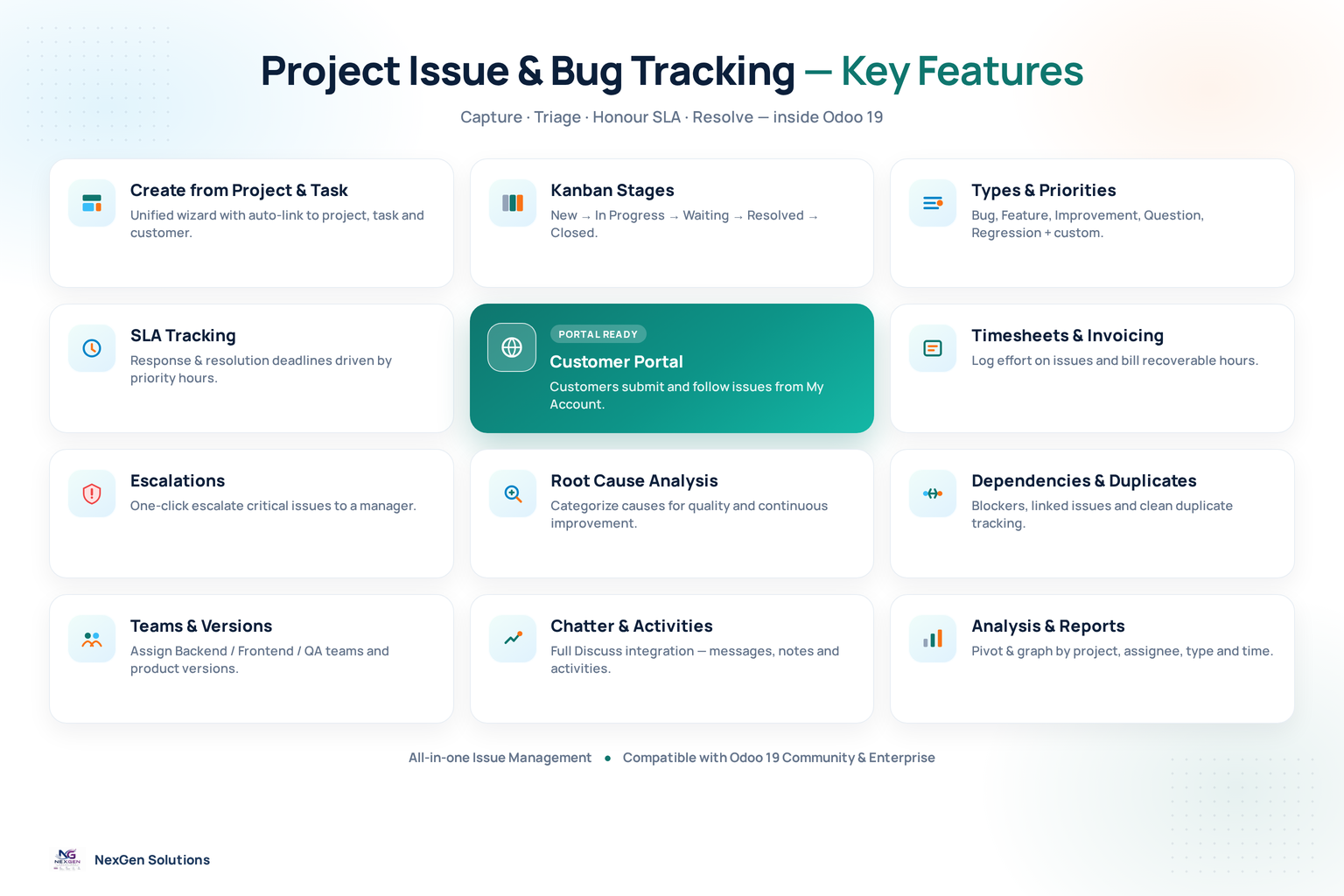
Project Issue & Bug Tracking feature map for Odoo
Explore every capability in one map — from intake wizards and SLA to portal, timesheets, escalations and reporting.
From first report to verified close — inside Odoo 19
One place to capture bugs, feature requests and improvements — linked to Projects and Tasks, with SLA, timesheets, escalations and a customer portal.
Install
Install the module and open the Issues app (or Project → Issues).
Configure
Set Types, Stages, Priorities (SLA hours), Teams, Versions and Root Causes.
Capture
Create issues from Project/Task wizards — or let portal users submit.
Deliver
Triage on kanban, honour SLA, log time, escalate and close with confidence.
Close issues faster with one connected workspace
Turn scattered chats and spreadsheets into a professional issue lifecycle inside Odoo — intake from Projects & Tasks, SLA timers, portal visibility, timesheets and invoice-ready effort.
Faster resolution
Priorities drive SLA response and resolution hours so critical bugs surface first.
- • Response & resolution timers
- • Kanban triage New → Closed
Clear ownership
Assign teams and users, escalate to managers, and keep blockers visible.
- • Teams, assignees & escalations
- • Dependencies & duplicates
Customer transparency
Customers submit and follow issues in the portal while your team works in Issues.
- • My Issues + Report an Issue
- • Waiting-on-customer stages
Billable accountability
Track allocated vs spent time, then convert recoverable effort with the invoice wizard.
- • Timesheets on issues
- • Invoice wizard for effort
One purchase vs typical split suites
Stop stacking separate trackers, portal forms and timesheet add-ons. Get intake, SLA, portal, timesheets, invoicing and reporting in one connected Issues workspace.
Project Issue & Bug Tracking
One module. One price. Full issue lifecycle inside Odoo Projects.
- ✓ Wizard intake from Project & Task
- ✓ SLA, portal, timesheets & invoice wizard
- ✓ Escalations, RCA, analysis & reports
Typical multi-app approach
Buy several apps, then stitch sheets, chats and trackers together yourself.
- ✕ Multiple separate trackers and portal extras
- ✕ Fragmented configuration & higher cost
- ✕ SLA, RCA or invoice tools often incomplete
Issues in action
Professional records from a real Odoo 19 database.
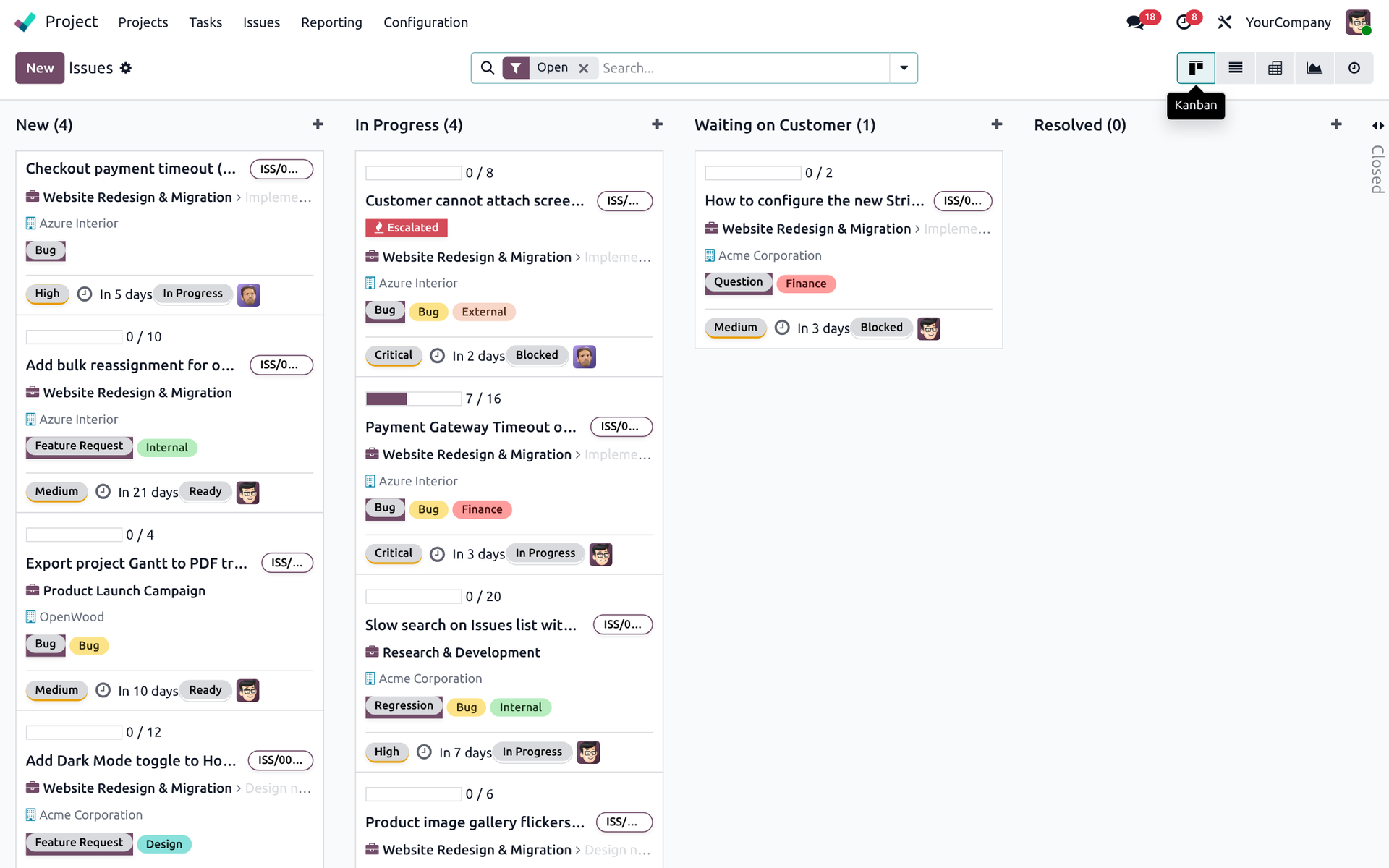
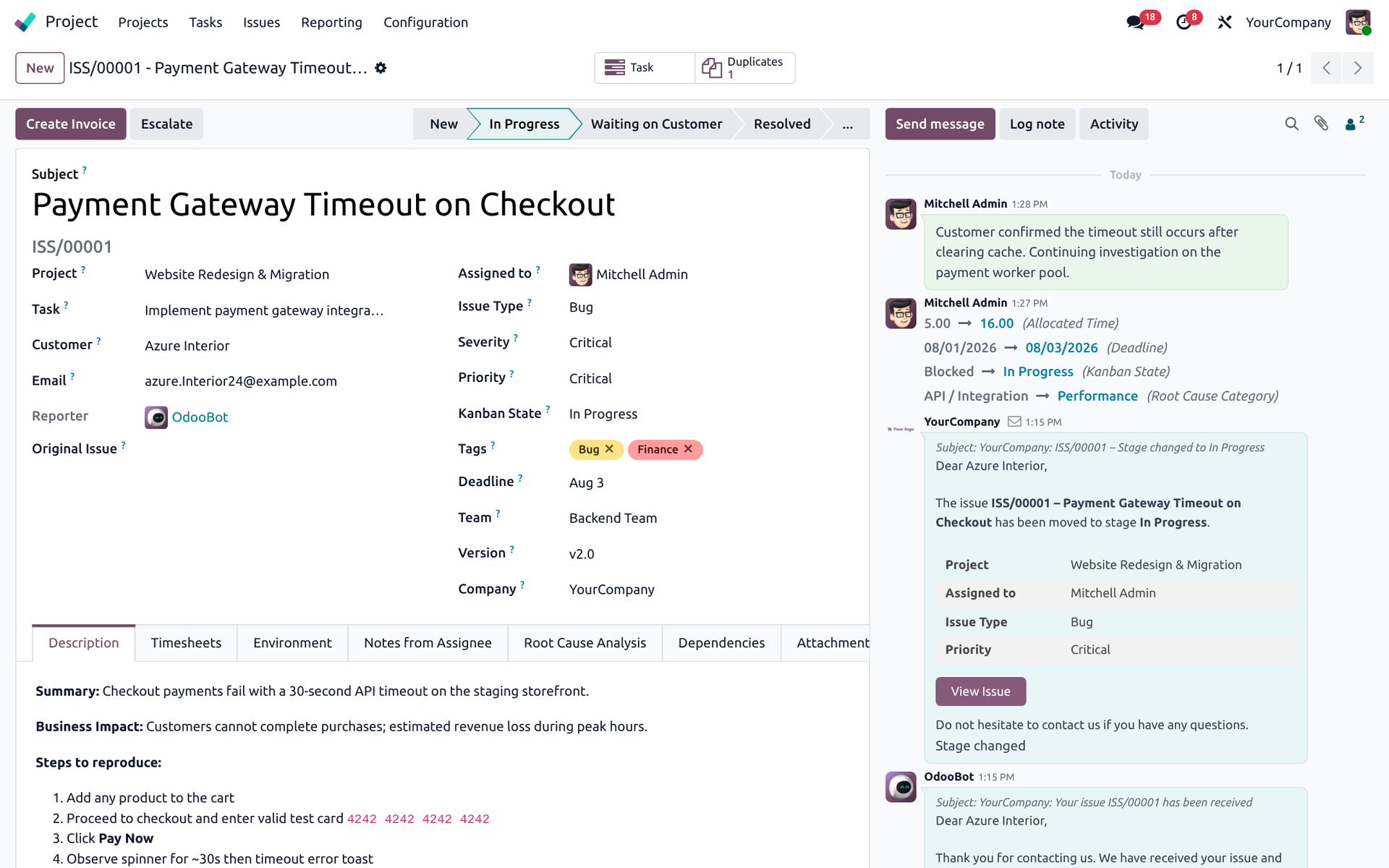
Issues Kanban Board
Triage open issues by stage with priority, tags, SLA countdowns, progress bars and assignee avatars.
Issues List View
Filter open issues, review reference, type, priority, stage, deadline and kanban state in one dense list.

Rich Issue Form
Full issue form with SLA timers, timesheets, environment, root cause, dependencies and chatter.
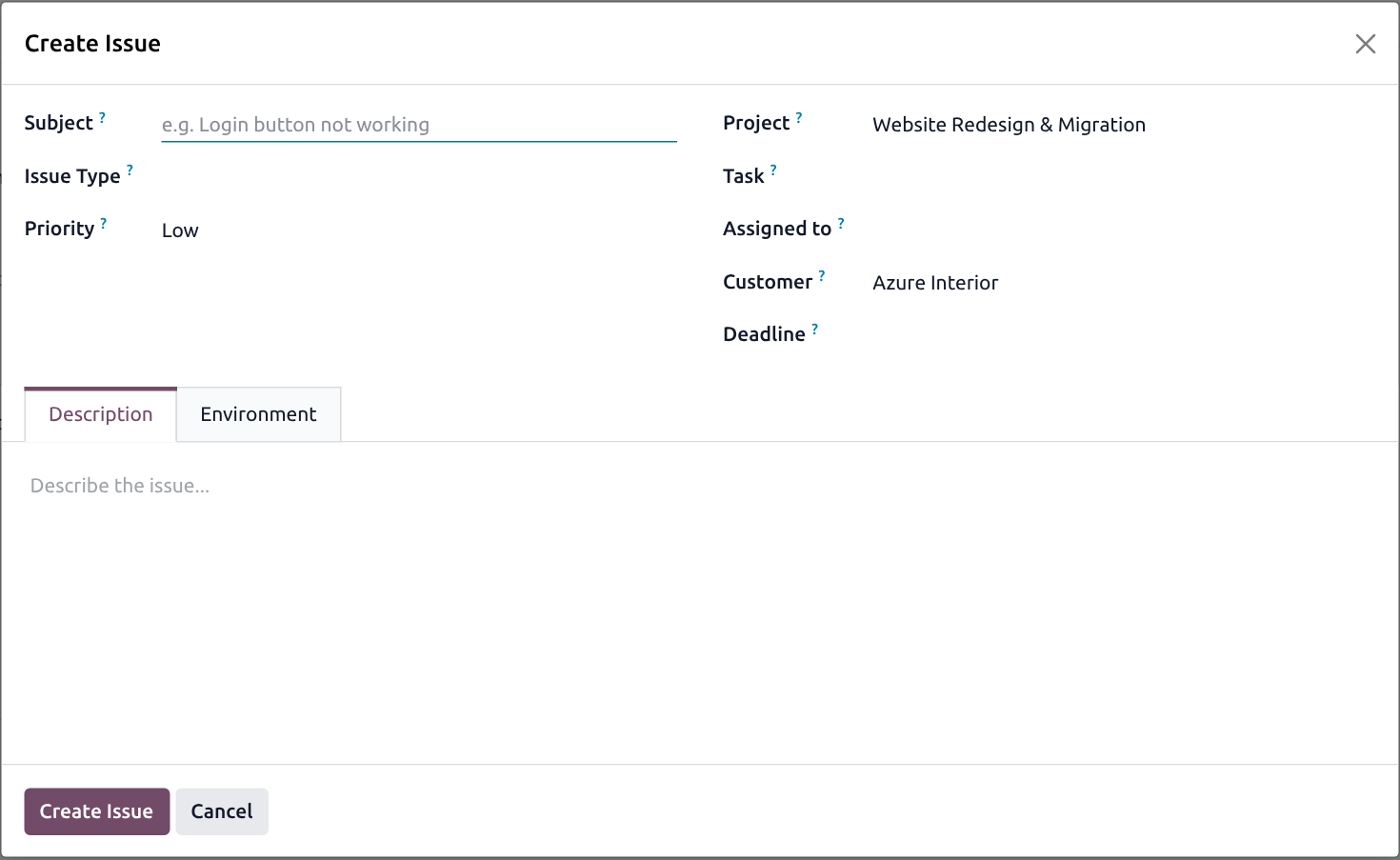
Create Issue Wizard
Raise a bug or request from any Project or Task header with context pre-filled.
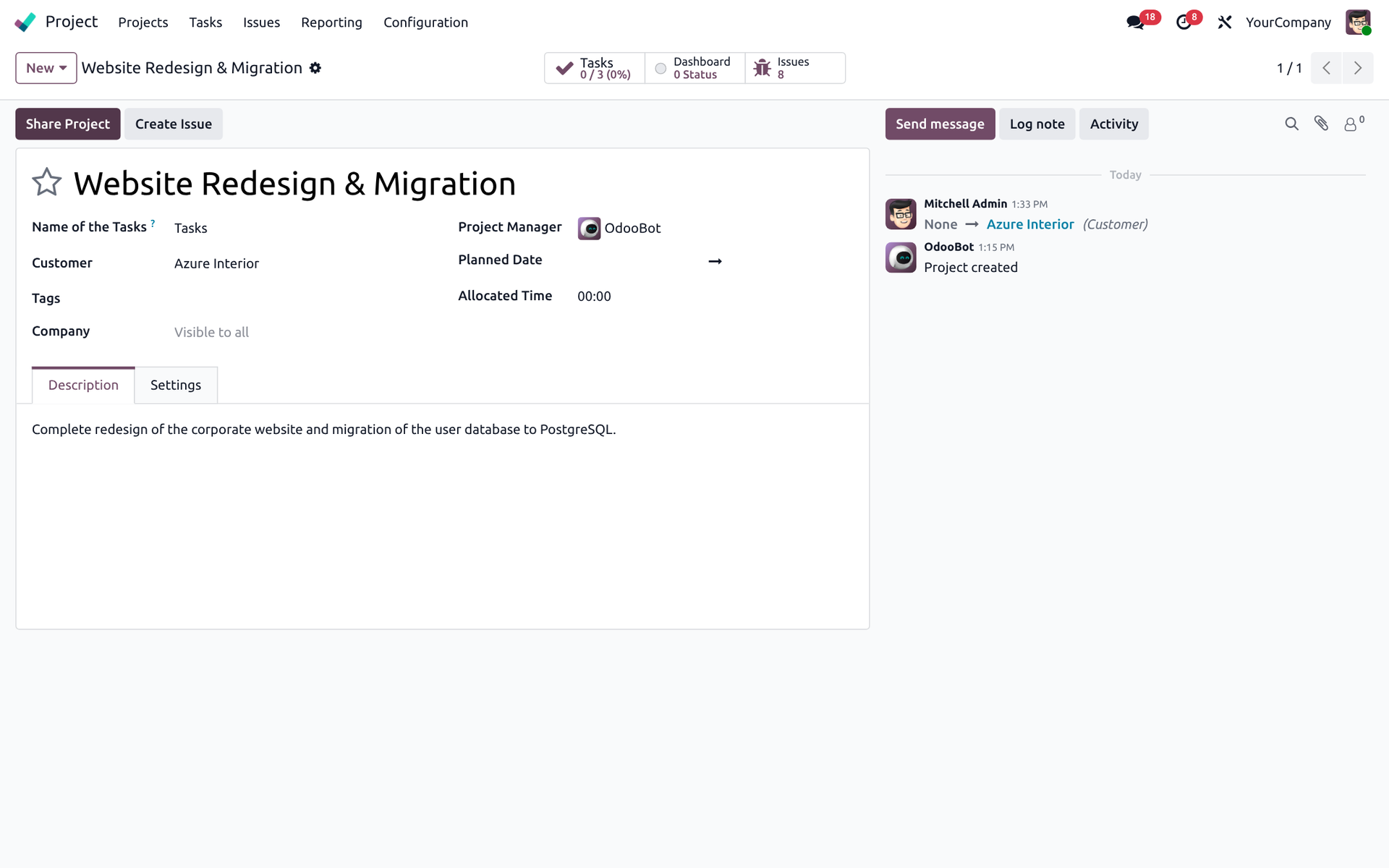
Create Issue from Project
Project form shows an Issues smart button and a Create Issue action.
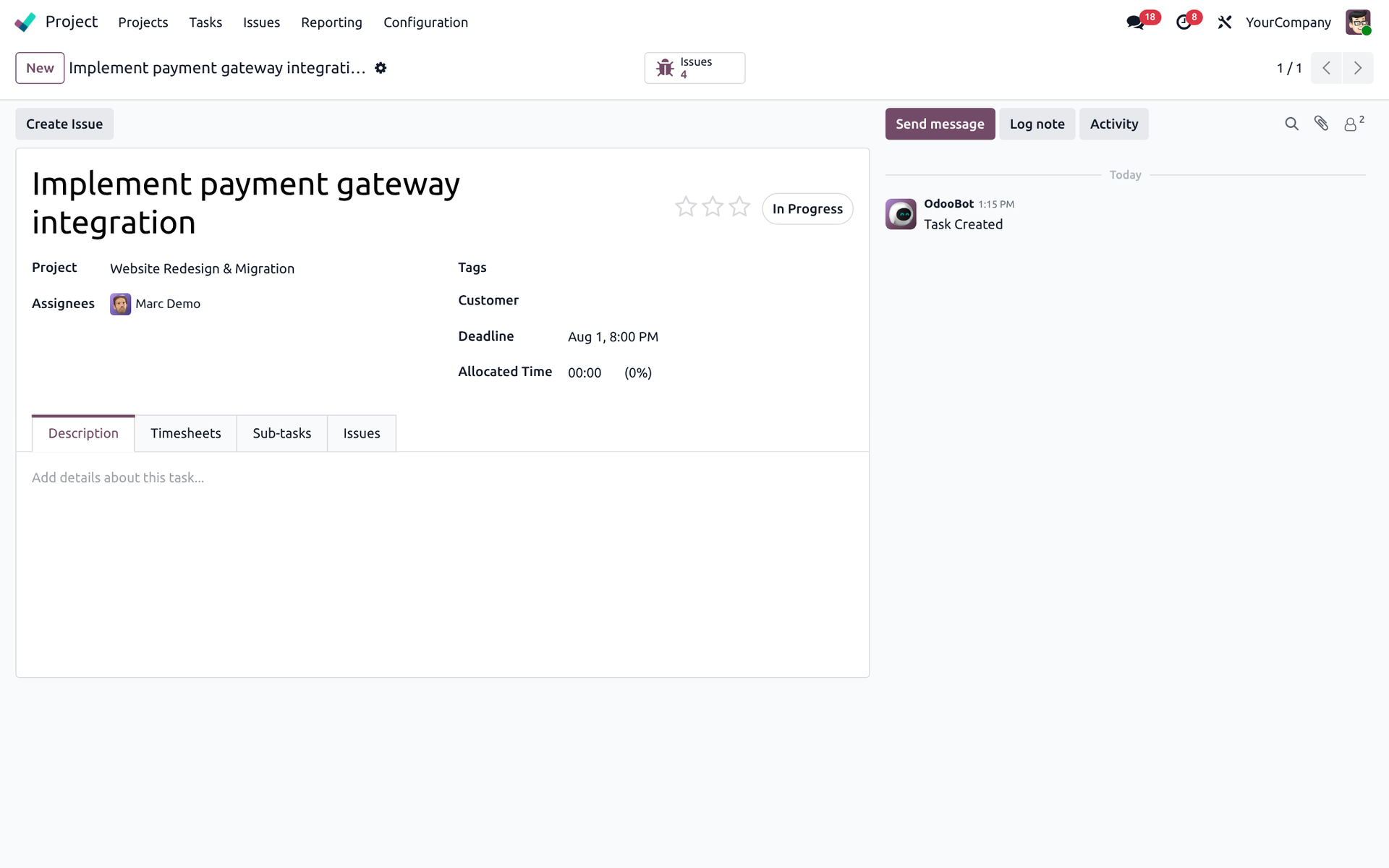
Create Issue from Task
Task forms expose the same Create Issue flow and an Issues counter for related defects.
SLA, time & escalation
Keep response clocks, timesheets and escalations under control.
Timesheets on Issues
Log allocated vs spent time on every issue and prepare recoverable effort for invoicing.

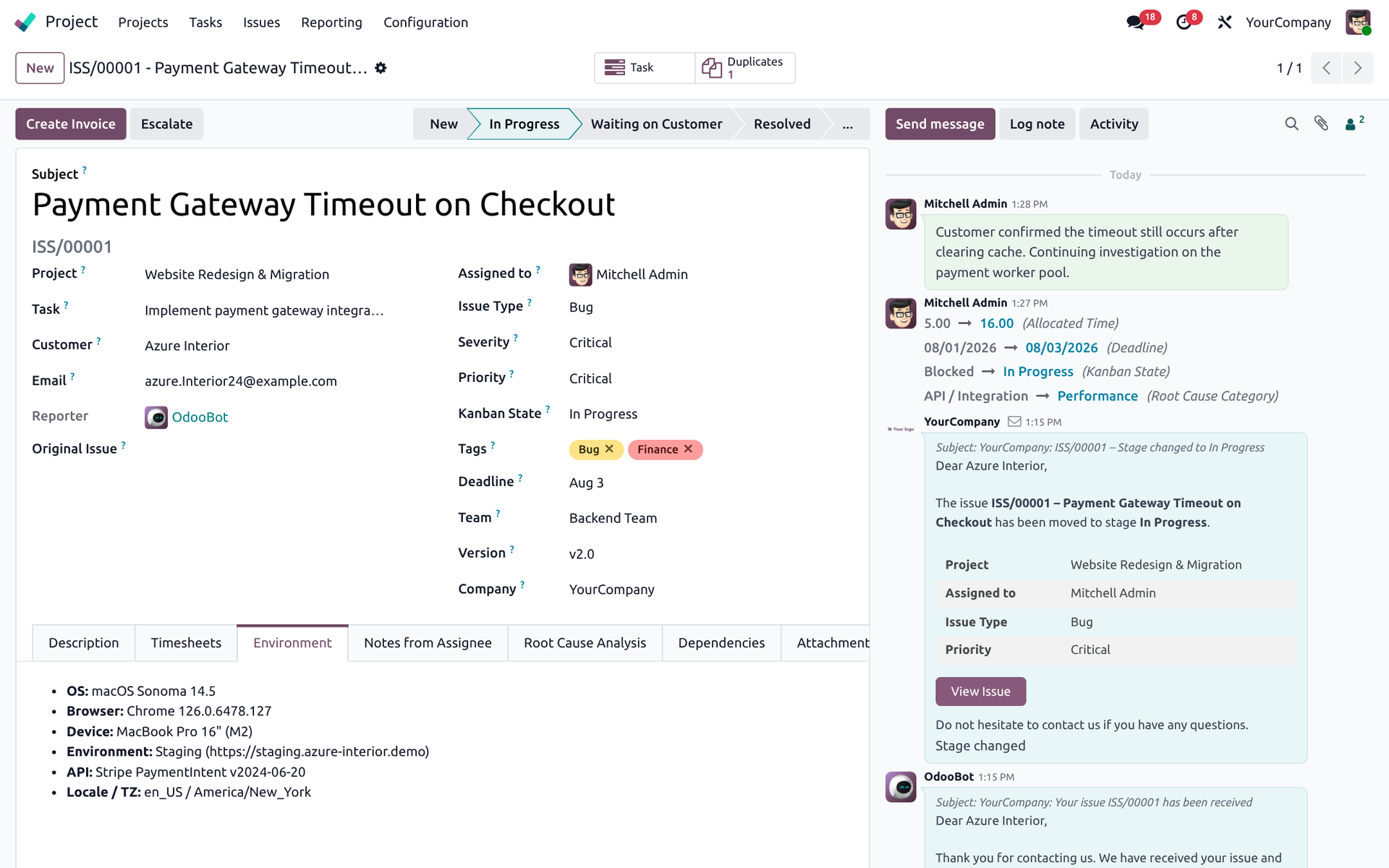
Environment & Root Cause
Capture environment notes and structured root-cause categories for quality improvement.
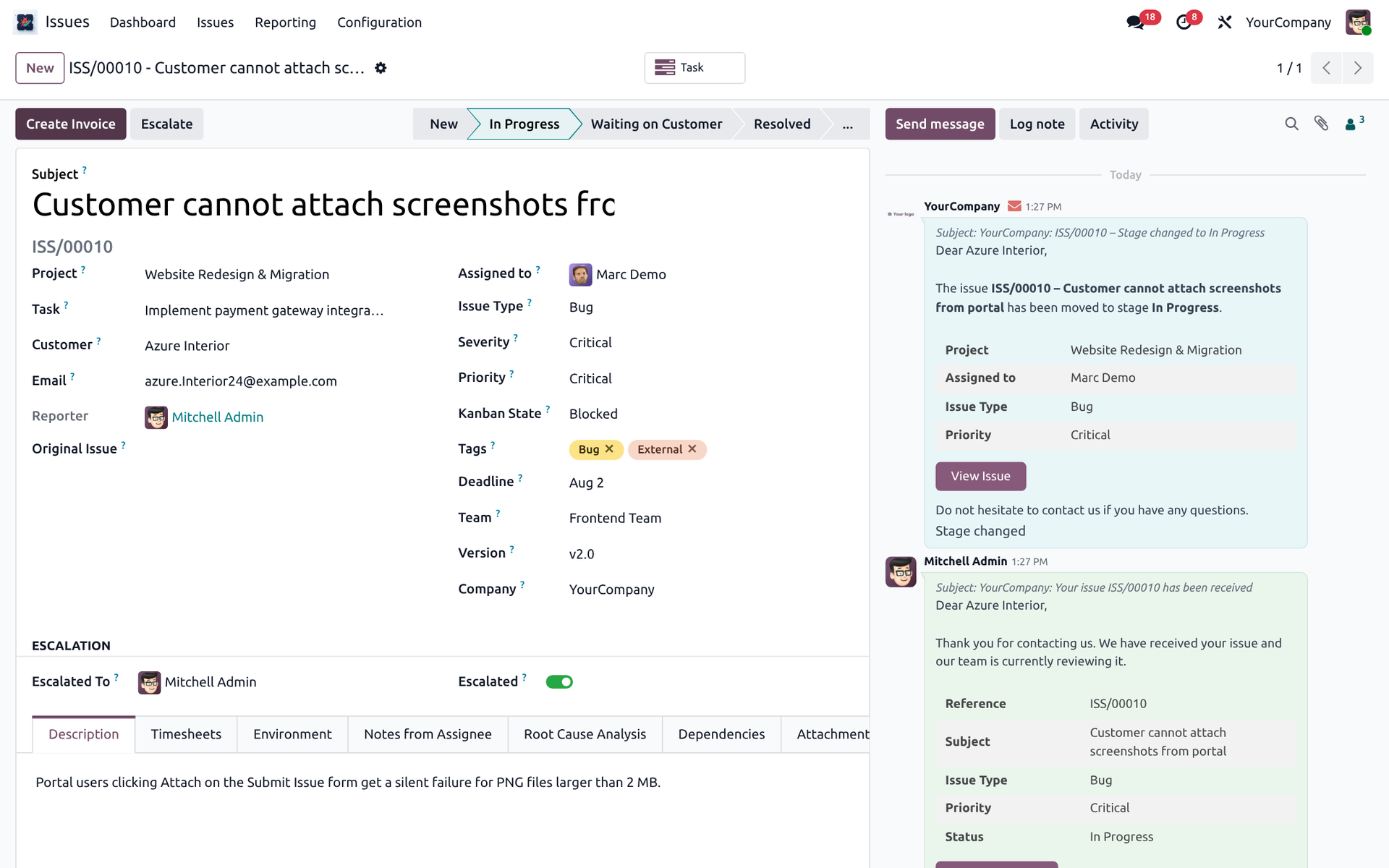
Escalated Issues
Escalate critical issues to a manager with a one-click wizard and keep ownership clear.
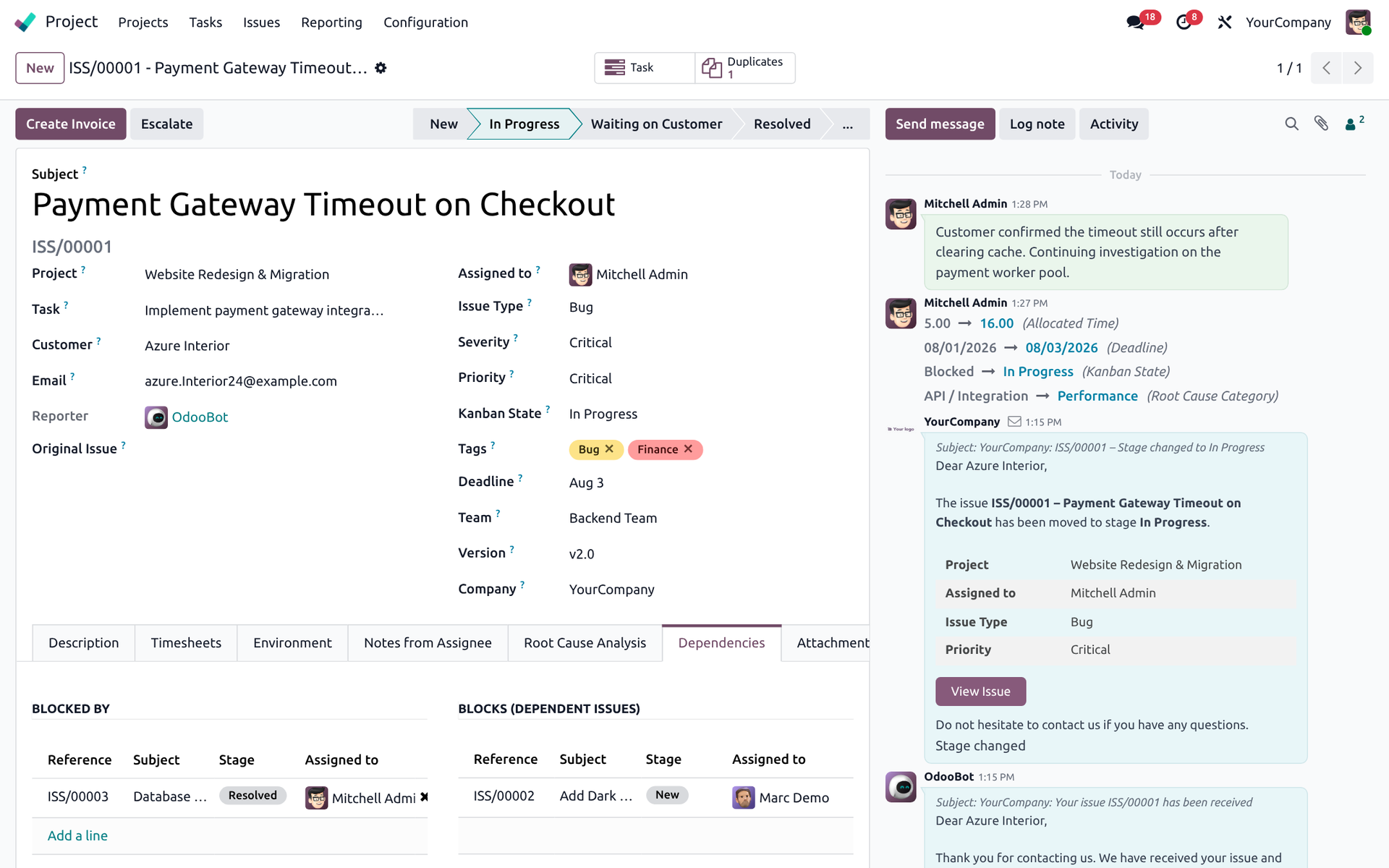
Dependencies
Link blockers, dependencies and duplicate issues so delivery stays unblocked.
Customer portal
Submit and follow issues from My Account — Odoo 19 portal standard.
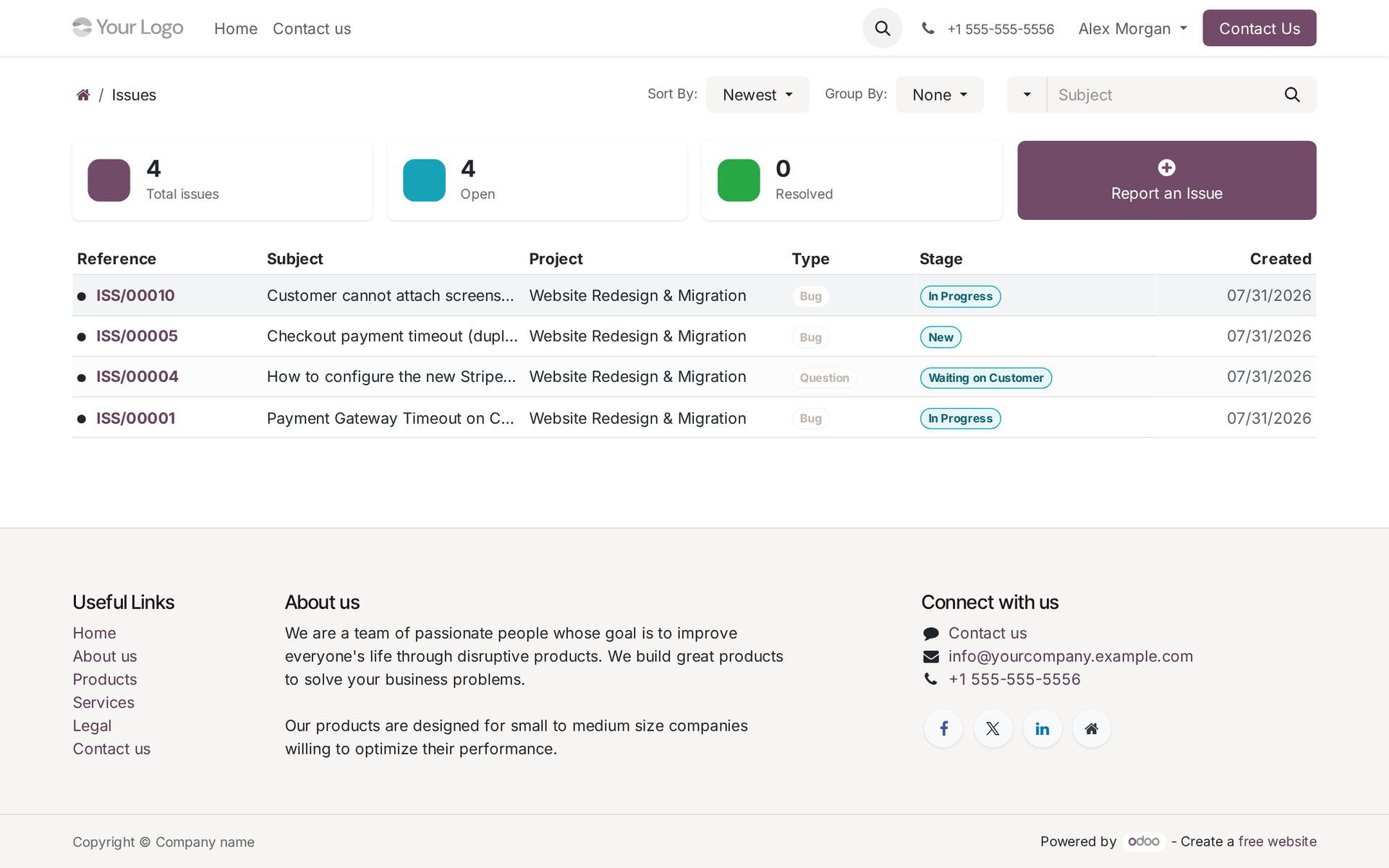
Customer Portal — My Issues
Portal users open My Issues, review totals and follow stage updates from My Account.
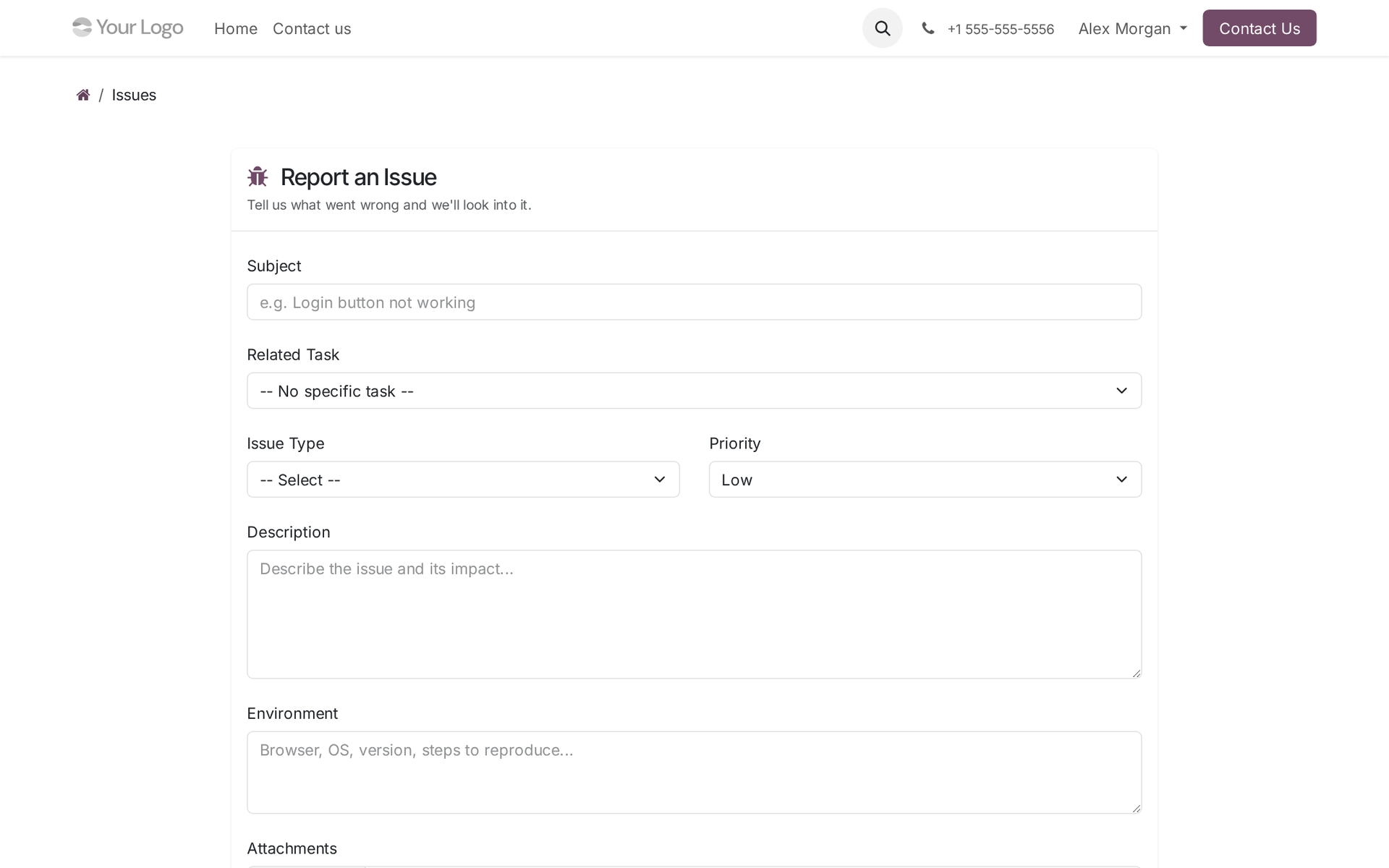
Portal — Report an Issue
Customers submit new issues with type, priority, environment details and attachments.
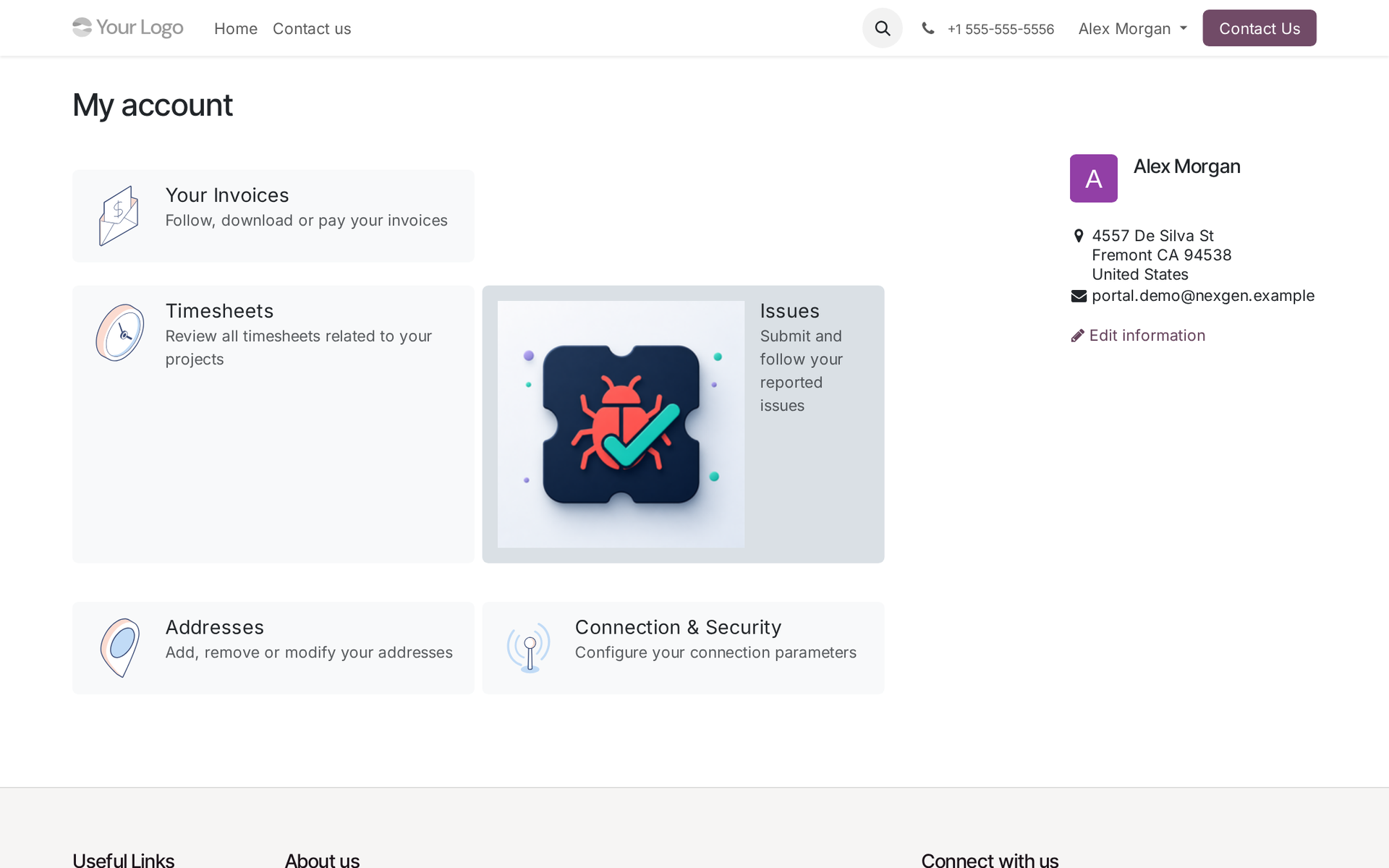
Portal Home
Issues appears on /my/home using the standard Odoo 19 portal docs entry pattern.
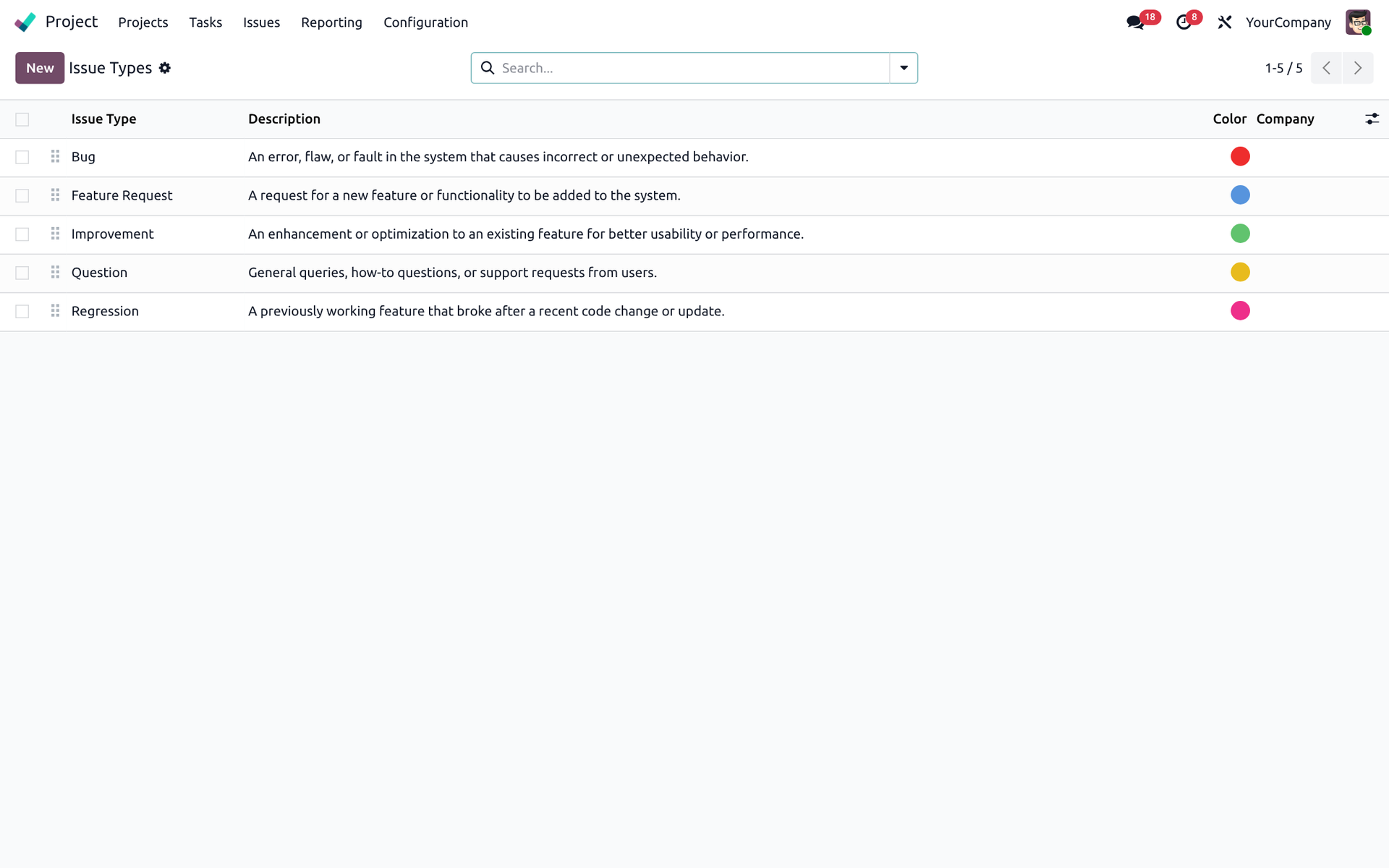
Configuration & reports
Types, stages, teams, versions and Issues Analysis.
Types, Stages & Priorities
Configure issue types, kanban stages and priorities with SLA response/resolution hours.
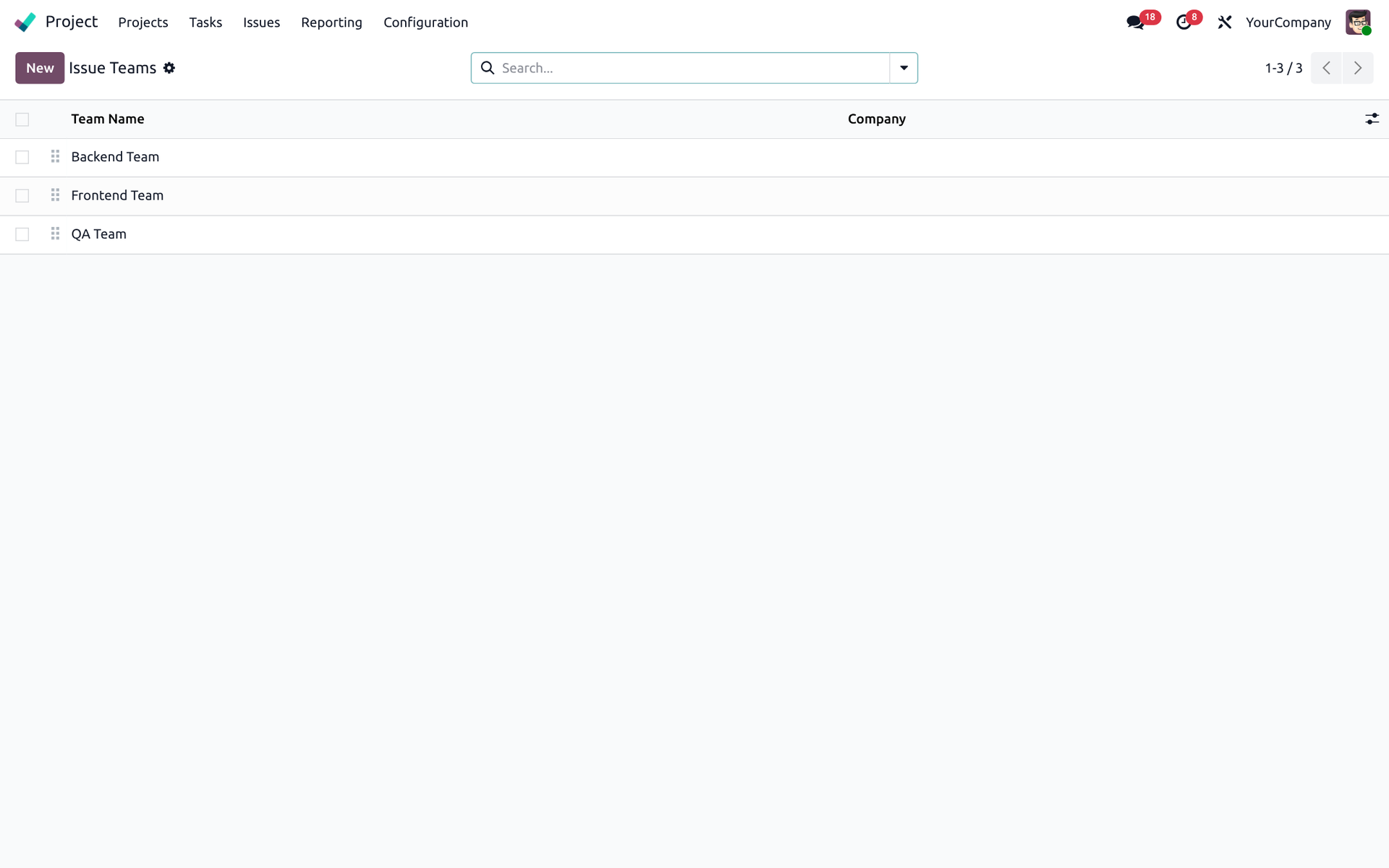
Teams & Versions
Own issues by team and software version for clear delivery ownership.
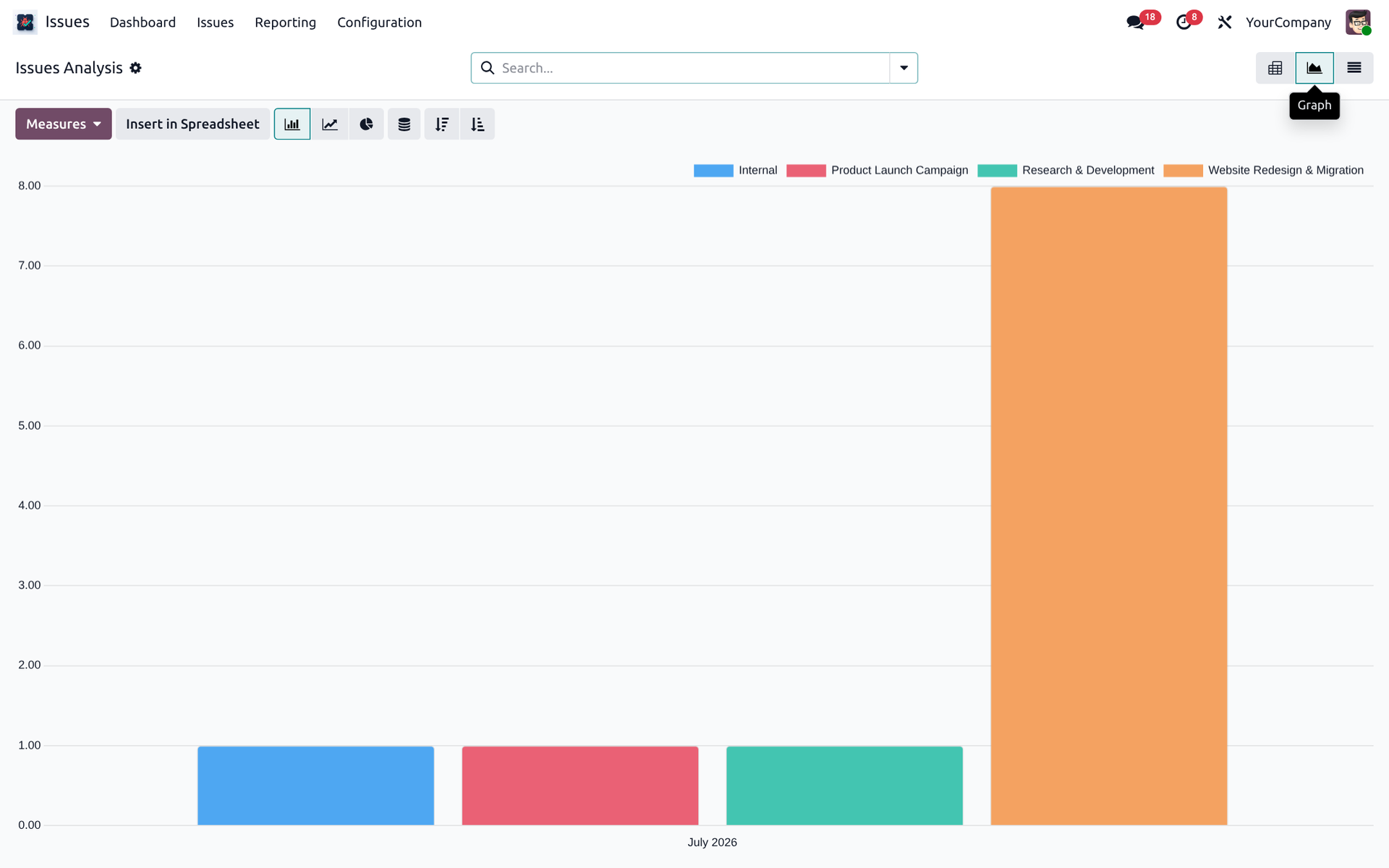
Issues Analysis Reporting
Pivot and graph analysis by project, assignee, type and time for leadership visibility.
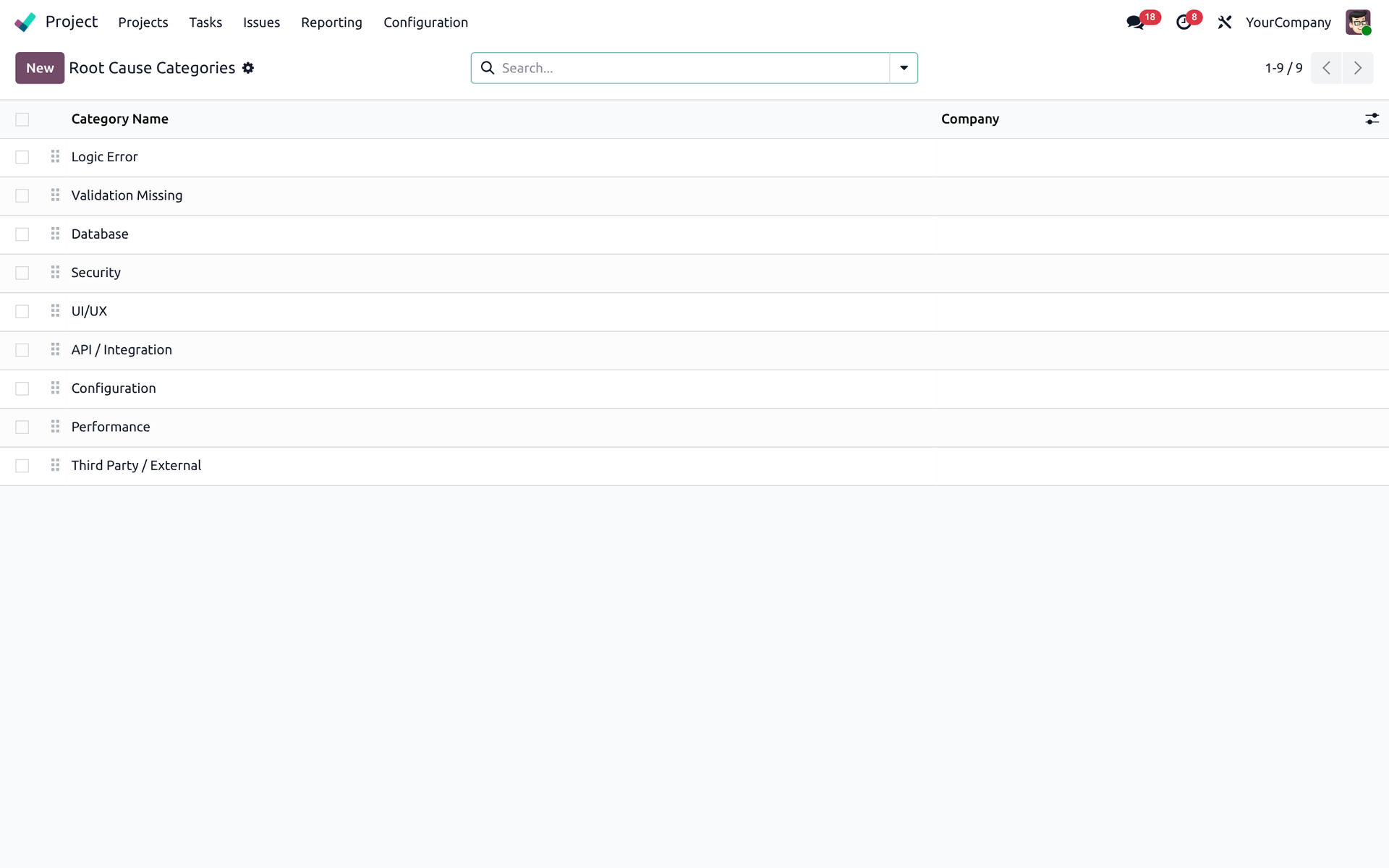
Root Cause Categories
Reusable RCA taxonomy for recurring defect prevention.
Frequently asked questions
Answers for buyers, implementers and portal users.
What does this module do?
Who is it for?
Does it work with Community and Enterprise?
How do I create an issue?
How does SLA work?
Can customers use the portal?
Can I log timesheets and invoice?
Can I escalate issues?
Is multi-company supported?
What is the technical name?
project_task_bugs_tracking. Search for Project Issue & Bug Tracking with SLA after updating the apps list.How do I install it?
What support is included?
NexGen Solutions
Publisher of Project Issue Tracking for Odoo 19.
Publisher
NexGen Solutions
Author & Maintainer of this Odoo 19 app.
Support email
nexgensolutionsodoo@gmail.com
Installation, configuration, questions and bug fixing.
License & support
OPL-1 · 90 days free support after purchase.
90 days free support after purchase
Installation, configuration guidance, questions and bug fixing from NexGen Solutions.
Contact supportReady to track project issues with confidence?
Project Issue & Bug Tracking with SLA —.
Project Issue & Bug Tracking with SLA · v19.0.1.0.0 · License OPL-1
Author & Maintainer: NexGen Solutions · nexgensolutionsodoo@gmail.com
Technical name: project_task_bugs_tracking
Explore our premium solutions
Elevate your Odoo workspace with our meticulously crafted modules.