Skip to Content
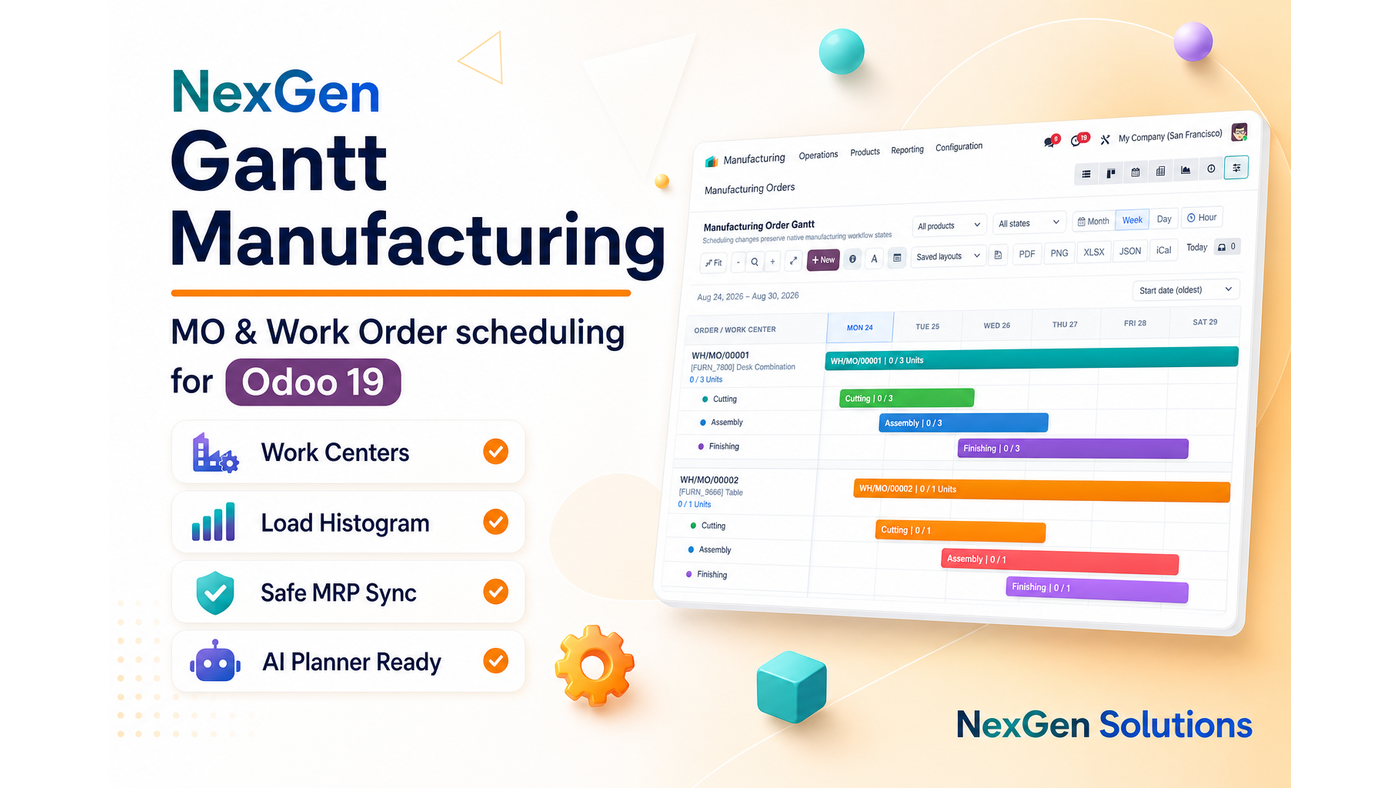
NexGen Gantt Manufacturing banner

Have questions or need customization?

The NexGen Solutions team is here to help! Whether you need support, installation assistance, or a custom feature developed, we're just a click away.

NexGen Solutions
Published by
NexGen Solutions
Community + Enterprise
Odoo 19 Β· Community & Enterprise Β· Odoo.sh Β· On-Premise

NexGen Gantt Manufacturing

NexGen Gantt Manufacturing β€” Visual Manufacturing Order and Work Order scheduling with drag reschedule, work-center load, progress on bars and calendar/capacity checks β€” while native MRP remains the source of truth for confirm, produce and done.

βœ“ Community & Enterpriseβœ“ MO + WO Ganttβœ“ Work-Center Loadβœ“ Capacity Checksβœ“ Progress %βœ“ Safe MRP Syncβœ“ Odoo 19βœ“ Author: NexGen Solutions
About this app

What does this app do in Odoo 19?

NexGen Gantt Manufacturing gives planners a shop-floor timeline for Manufacturing Orders and Work Orders. Reschedule with ACL, calendar and capacity checks, watch work-center load, and keep confirm/produce/done entirely in native MRP.

Technical name: syn_gantt_mrp. Depends on: Manufacturing (MRP), NexGen Gantt Base.

  • Works with both Community and Enterprise editions (also Odoo.sh and on-premise)
  • Server-authoritative schedule writes with native ACLs
  • Does not invent Odoo workflow states (confirm / done / approve)
  • Publisher: NexGen Solutions Β· Support: nexgensolutionsodoo@gmail.com
Main screen

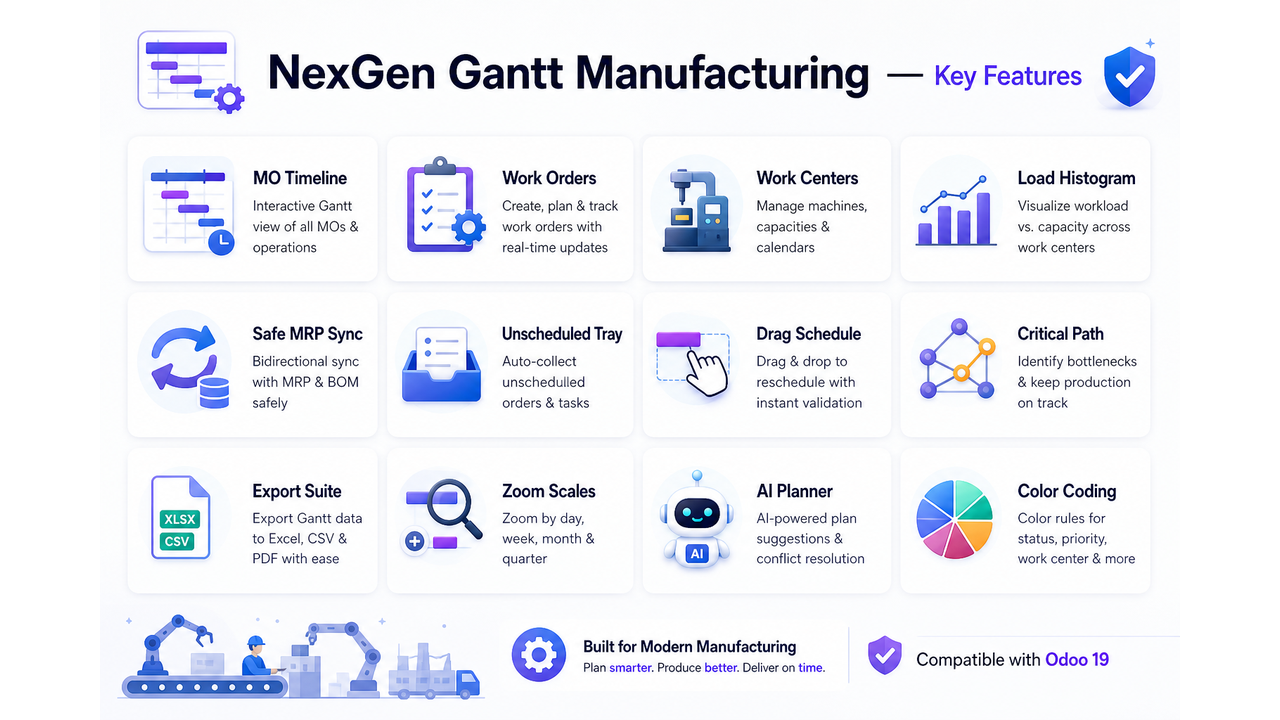
Key features overview

Explore the full capability map for NexGen Gantt Manufacturing on Odoo 19.
NexGen Gantt Manufacturing icon NexGen Gantt Manufacturing β€” key features overview
At a glance

Feature map

Every major capability included in this module.

πŸ“…MO & WO Views
πŸ“Šgantt_nex Mode
βš™οΈSafe Drag
πŸš€Progress Bars
πŸ“¦Load Histogram
🎯Shop Filters
πŸ”§Group By
πŸ“ˆRow Drop
🌐Shift Labels
πŸ“±Quick Edit
✨Static Mode
πŸ‘₯Unschedule WO
πŸ› οΈExports
πŸ’ΎMulti Scale
πŸ”’Native Forms
βœ…Read-only Guard
Explore

Features by section

Use the same tab navigation style as NexGen Access Management AI β€” Overview, Restrictions, Roles & Groups, AI & Tools, Audit & Workflow and FAQ.

How it works

Schedule MOs and Work Orders visually

Install Manufacturing Gantt, open MO/WO views, drag editable bars and watch work-center load.

How it works

Install once β€” start planning immediately

A short path from Apps install to a live interactive timeline.

1

Install

Install Manufacturing (mrp) and NexGen Gantt Base.

2

Add Module

Install NexGen Gantt Manufacturing.

3

Open

Open Manufacturing Order Gantt or Work Order Gantt.

4

Schedule

Filter by work center, drag a bar, review the load histogram.

Manufacturing

MO + WO on one suite

Plan productions and operations without leaving Manufacturing.
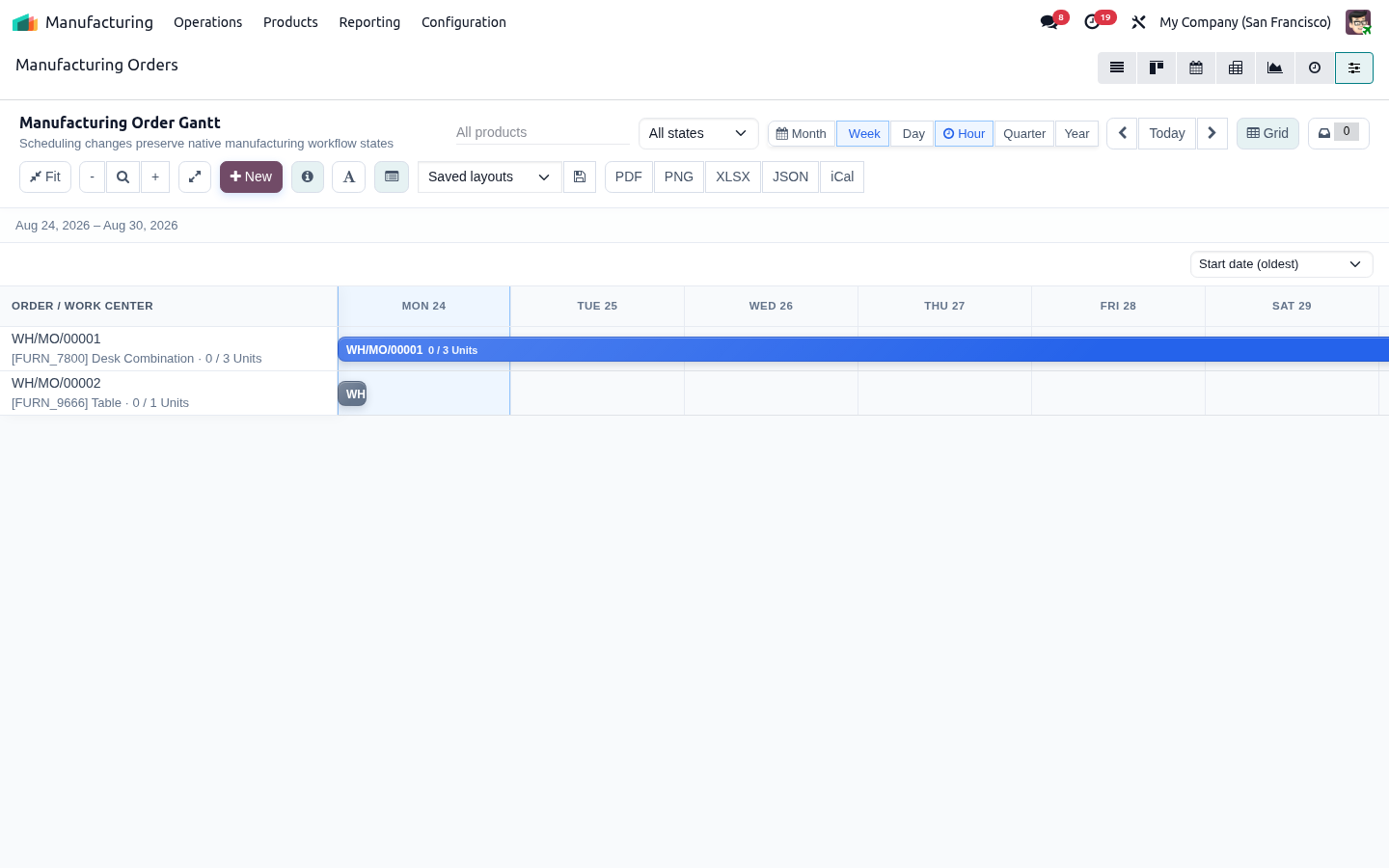
βœ“ Separate MO and WO Gantt menus
βœ“ State-colored bars and native forms
βœ“ Dependency links for visible work orders
βœ“ gantt_nex on standard lists
MO + WO on one suite
Capacity

Shop-floor capacity

See load before you overload a work center.
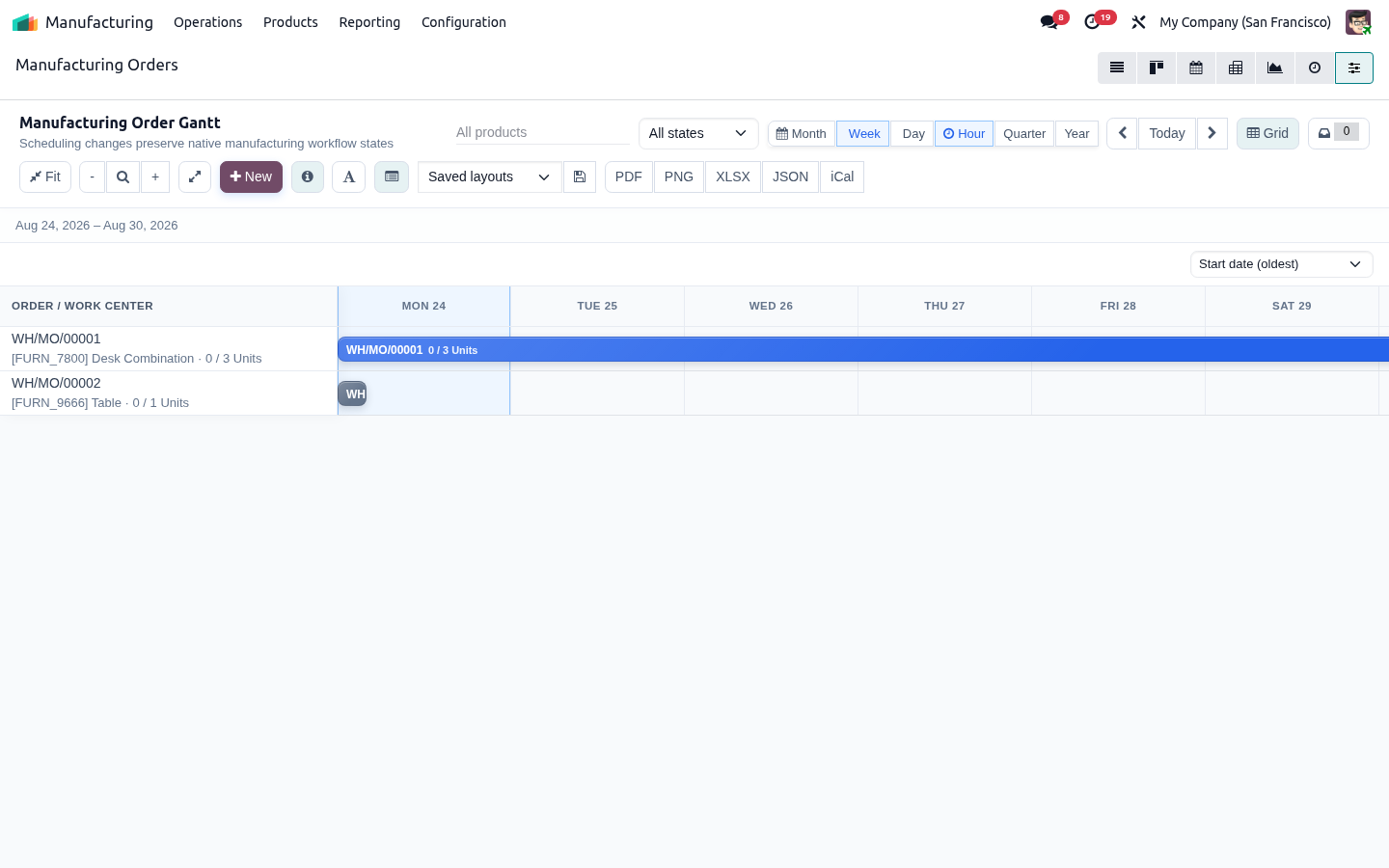
βœ“ Work-center load histogram
βœ“ Scheduled minutes and conflict cues
βœ“ Calendar/capacity rejection on bad slots
βœ“ Resource details expand panel
Shop-floor capacity
Polish

Planner polish

Configure the board the way supervisors work.

βœ“ Progress % on bars
βœ“ Shift labels on hour scale
βœ“ Saved layouts and static mode
βœ“ Multi-format export
Planner polish
Safety

Native MRP safety

Gantt never invents manufacturing workflow states.

βœ“ Only draft/confirmed MOs and blocked/ready WOs move
βœ“ No silent confirm/done writes
βœ“ Stale-write protection
βœ“ MRP side effects stay authoritative
Native MRP safety
NexGen Gantt Manufacturing screenshot
Restrictions

Manufacturing safety restrictions

Only editable draft/confirmed MOs and blocked/ready WOs move. Capacity conflicts are rejected.

Editable-state only

Completed/cancelled/in-progress stay read-only.

Capacity / calendar checks

Invalid slots are rejected, not forced.

No confirm/done writes

Native MRP remains source of truth.

MO unschedule limit

Required MO dates cannot be cleared from Gantt.

ACL aware

Manufacturing access rights still apply.

Static mode

Read-only review for supervisors.

Roles & Groups

Shop-floor filters and groupings

Filter and group by product, work center, responsible and status.

Work-center filters

Focus one center or compare many.

Group by product / WC / status

Organize the board for the floor.

Saved layouts

Keep each planner’s preferred view.

Load histogram

See overload before it happens.

Priority filters

Surface urgent work.

gantt_nex on lists

Switch from native MO/WO lists.

AI & Tools

Tools for shop-floor planning

Progress %, shift labels, exports and optional AI delay intents.

Progress on bars

Fill and percent labels.

Hour shift labels

Clearer day/shift planning.

Quick edit + tooltips

Stay on the board longer.

Export PDF/PNG/XLSX/JSON

Share the plan.

AI Planner ready

Preview delay/move intents safely.

Mobile ready

Tablet-friendly with Mobile companion.

Audit & Workflow

Native MRP workflow remains authoritative

Confirm, produce and done stay in Manufacturing; Gantt audits schedule moves.

Native MRP actions

Workflow buttons unchanged.

Chatter on MO reschedule

Audit schedule changes.

Conflict rejection logs

Bad slots are not silently ignored.

Stale-write protection

Concurrent edits are detected.

Suite coexistence

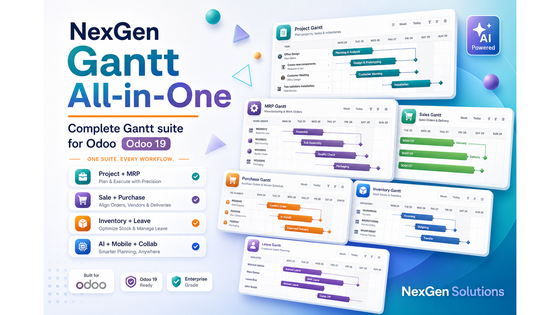
Works with Project/Sale/Inventory Gantt.

Support

nexgensolutionsodoo@gmail.com

FAQ

FAQ

Which Odoo versions / editions are supported?

This module targets Odoo 19 and works with both Community and Enterprise editions, including Odoo.sh and on-premise deployments.

Do I need Odoo Enterprise Gantt?

No. NexGen Gantt is a standalone interactive Gantt suite built on standard Odoo Web. It does not require Enterprise Gantt.

Who publishes and supports this app?

NexGen Solutions publishes the suite. Support email: nexgensolutionsodoo@gmail.com.

Does Gantt invent workflow states like Confirm / Done / Approve?

No. NexGen Gantt is safety-first: adapters write schedule/planning fields only. Native Odoo forms and buttons remain the source of truth for workflow.

Are writes protected by ACLs and record rules?

Yes. Timeline reads and writes use the current user’s access rights. There is no sudo bypass for business data.

What happens if two users edit at the same time?

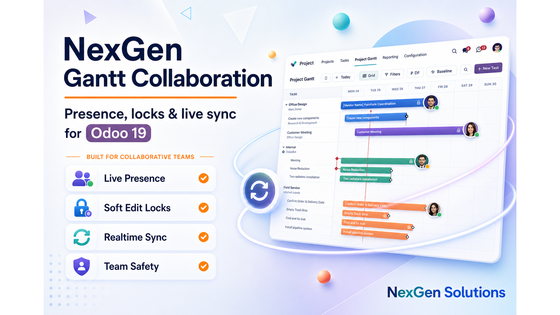
Optimistic concurrency checks apply. With NexGen Gantt Collaboration installed, presence chips and edit locks further reduce collisions.

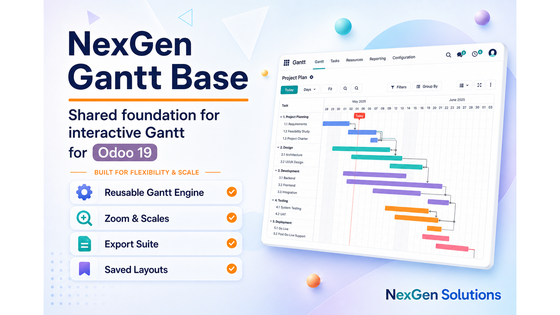
Which time scales are available?

Hour, Day, Week, Month, Quarter and Year, with zoom in/out, reset zoom and zoom-to-fit.

Can I save my preferred Gantt layout?

Yes. Saved layouts store scale and polish options per user so you can reload your preferred view quickly.

What export formats are available?

Common formats include PDF, PNG, XLSX and JSON. Depending on the installed suite exchange gateway, XML/XER and optional admin-gated iCal may also be available.

Is the UI mobile / tablet friendly?

The shared chrome is responsive. For the best phone/tablet experience install NexGen Gantt Mobile (compact toolbar, touch drag, optional PWA).

Can AI help me reschedule?

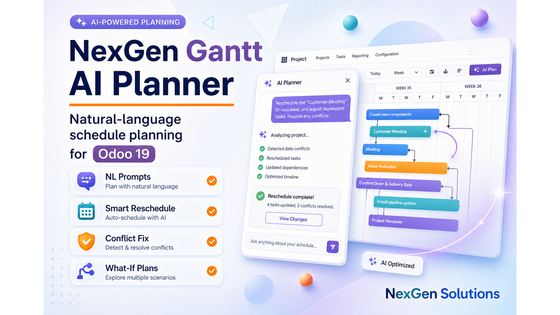
Install NexGen Gantt AI Planner. It supports natural-language intents with preview-first apply through adapter validators.

How do I get the full suite at once?

Install NexGen Gantt All-in-One. It pulls Base, all business adapters, Collaboration, AI Planner and Mobile.

Is multi-company supported?

Yes, within normal Odoo multi-company rules. Users only see and edit records allowed by their company and record rules.

Will uninstalling remove my Odoo business data?

Uninstalling a Gantt module removes the module’s menus/actions/helpers. Native Project/MRP/Sales/etc. business records remain.

Where can I ask for customization or support?

Email nexgensolutionsodoo@gmail.com with your Odoo version, module technical name and a short description of the need.

What does NexGen Gantt Manufacturing do?

It provides Manufacturing Order and Work Order Gantt views with drag reschedule, progress on bars, work-center load and capacity/calendar checks.

Can I unschedule a Manufacturing Order?

In Odoo 19 MO start dates are required, so MOs cannot be unscheduled from Gantt. Editable Work Orders can still be unscheduled.

What if a slot conflicts with the work center?

The server rejects the move. Conflicts are not silently ignored or auto-forced.

Does Gantt change MO/WO state?

No. It updates planning dates only. Confirm, produce and done remain native MRP actions.

Which records can be dragged?

Typically draft/confirmed MOs and blocked/ready work orders. Completed, cancelled or in-progress operations stay read-only.

Is there a work-center load histogram?

Yes β€” use it to spot overload before you confirm a plan.

Can I group by work center or product?

Yes. Grouping options include product, responsible, work center and status.

Are shift labels available?

Yes on the hour scale, helping supervisors read day/shift plans.

Is gantt_nex available on native MO/WO lists?

Yes β€” you can switch to the NexGen Gantt view mode from standard Manufacturing lists.

Does Gantt invent manufacturing workflow?

No. Native MRP remains the source of truth for confirm/produce/done side effects.

Can I export the shop-floor plan?

Yes β€” PDF, PNG, XLSX, JSON and related formats from the toolbar.

Is progress visible on bars?

Yes β€” progress fill and percent labels help track execution.

Can I use quick edit?

Yes β€” a quick-edit panel and tooltip field picker help planners stay on the board.

Does Manufacturing Gantt work with AI Planner?

Yes. AI can propose delay/move intents that still pass MRP validators on apply.

Can Field Service or Project install conflict with MRP Gantt?

No β€” adapters share the Base engine and can coexist in All-in-One.

✦ Business value · built into Odoo Benefits of NexGen Gantt Manufacturing

Balance the shop floor visually

Schedule Manufacturing Orders and Work Orders on one timeline with capacity awareness β€” without inventing confirm or done states.

πŸ“…

Faster schedule decisions

See the whole plan on one interactive timeline so planners stop jumping between lists, calendars and spreadsheets.

  • β€’ Hour through year scales
  • β€’ Zoom, today marker and fit
βœ…

Safer planning in Odoo

Update schedule fields with ACL-aware writes while native confirm, done, approve and validate actions stay authoritative.

  • β€’ No invented workflow states
  • β€’ Server-side validation
πŸ“Š

Clearer capacity insight

Spot overload early with load histograms, progress cues, critical path and baseline comparisons where supported.

  • β€’ Resource / work-center load
  • β€’ Progress and variance cues
🀝

Better team coordination

Keep planners aligned with saved layouts, filters, optional live presence and edit locks across the suite.

  • β€’ Saved personal layouts
  • β€’ Collaboration-ready
πŸ“€

Share plans instantly

Export boards for meetings, partners and archives in the formats your team already uses.

  • β€’ PDF, PNG, XLSX, JSON
  • β€’ Exchange formats when enabled
πŸ“±

Plan on any device

Use responsive Gantt chrome and optional Mobile/PWA companions for phone and tablet dispatch or review.

  • β€’ Touch-friendly controls
  • β€’ Mobile hub deep-links
✨

AI-assisted rescheduling

Ask for delay/move plans in plain language, preview the impact, then apply only through adapter validators.

  • β€’ Preview-first AI plans
  • β€’ Local rule engine by default
πŸ’°

Lower scheduling tool cost

Replace fragmented timeline tools with one NexGen Gantt UX shared across Project, MRP, Sales, Inventory and more.

  • β€’ One consistent engine
  • β€’ Suite or single-adapter install
01

Open MO / WO Gantt

Switch from lists to a visual shop-floor board.

02

Respect capacity

Drag only valid slots; conflicts are rejected.

03

Share the plan

Export for meetings and keep MRP workflow native.

Why this module

One Manufacturing Gantt vs shop-floor spreadsheets

Schedule MOs and Work Orders with capacity checks in Odoo β€” without inventing confirm/done workflow.

Best value β€” one purchase

NexGen Gantt Manufacturing

MO + WO scheduling with shop-floor clarity and MRP safety.

  • βœ“ Dedicated MO and WO Gantt views
  • βœ“ Work-center load histogram
  • βœ“ Calendar/capacity rejection
  • βœ“ Native MRP remains authoritative
Compared to split suites

Typical multi-app approach

Buy several timeline tools, then stitch them together yourself.

  • βœ• Excel capacity boards
  • βœ• Weak WO visibility
  • βœ• Conflicts silently ignored
  • βœ• Custom state machines
🏭

MO + WO

Two manufacturing boards.

πŸ“Š

Capacity

See overload early.

πŸ›‘οΈ

Safe writes

Conflicts rejected.

βœ…

Native MRP

Confirm/produce unchanged.

✦

Capability-by-capability comparison

See exactly what you get in one purchase versus buying features separately.

More value in one purchase
Capability NexGen Gantt Manufacturing Typical split suites
MO & WO interactive Ganttβœ“ IncludedList planning only
Work-center load histogramβœ“ Includedβœ• Usually missing
Calendar / capacity checksβœ“ IncludedOften ignored
Progress % on barsβœ“ Includedβœ• Usually missing
Shift labels + multi-scale zoomβœ“ IncludedLimited
Export PDF/PNG/XLSX/JSONβœ“ IncludedExtra paid add-on
gantt_nex on native listsβœ“ Includedβœ• Usually missing
No invented confirm/done statesβœ“ IncludedRisky custom MRP

One manufacturing board β€” capacity, progress and exports with native MRP safety.

Included with purchase

90 days free support after purchase

Installation, configuration guidance, questions and bug fixing from NexGen Solutions for NexGen Gantt Manufacturing.

Installation Configuration Bug fixes Best-practice tips
Contact support
NexGen Apps

Related modules

Explore the NexGen Gantt suite and other NexGen Solutions apps for Odoo 19.
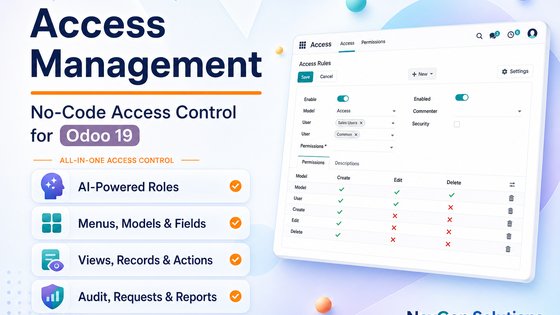
Ready to schedule Manufacturing on a visual timeline?

Published by NexGen Solutions for Odoo 19. Support: nexgensolutionsodoo@gmail.com