
Skip to Content
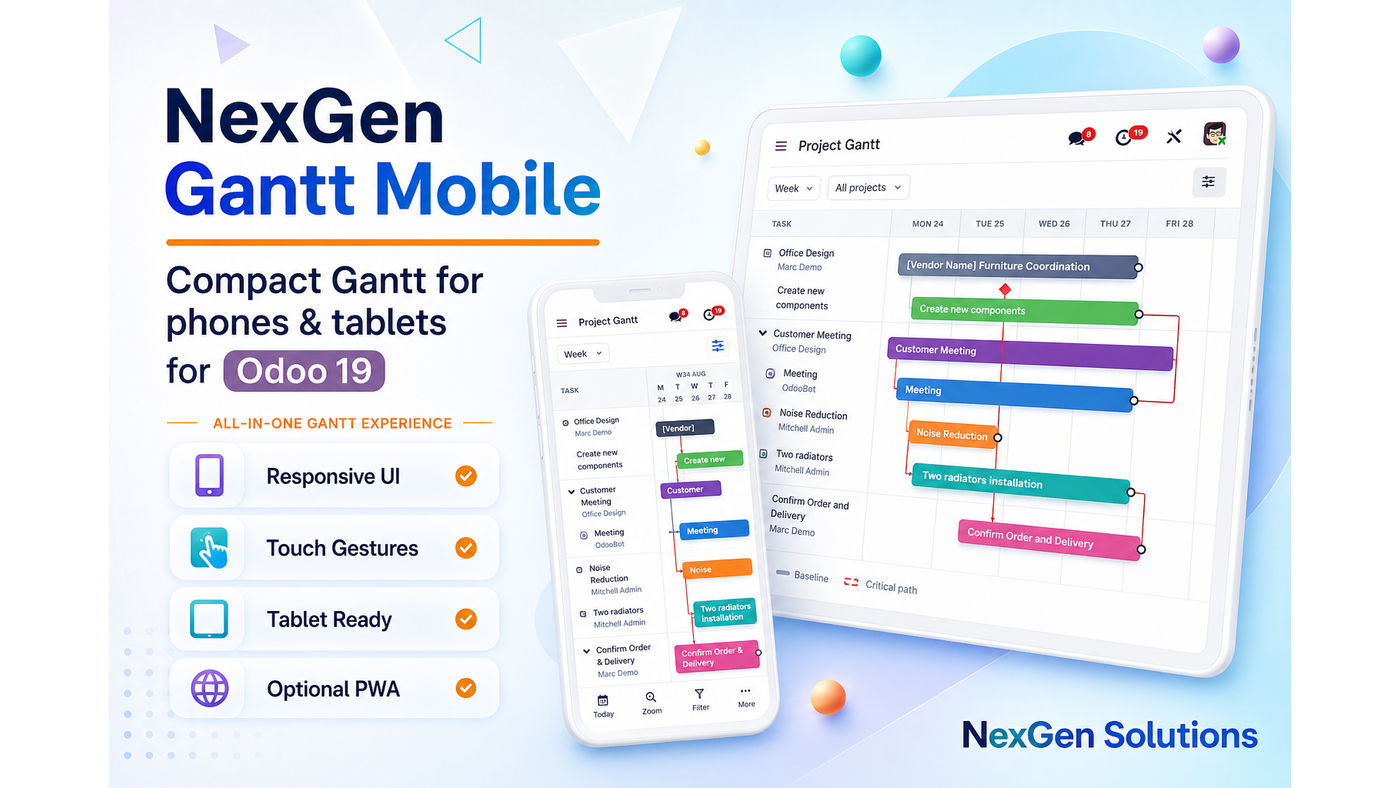
NexGen Gantt Mobile banner

Have questions or need customization?

The NexGen Solutions team is here to help! Whether you need support, installation assistance, or a custom feature developed, we're just a click away.

NexGen Solutions
Published by
NexGen Solutions
Community + Enterprise
Odoo 19 Β· Community & Enterprise Β· Odoo.sh Β· On-Premise

NexGen Gantt Mobile

NexGen Gantt Mobile β€” Compact phone/tablet chrome for NexGen Gantt with touch-friendly drag, a mobile hub into installed adapters, optional online-first PWA, offline schedule snapshots and queued writes that sync when you reconnect.

βœ“ Community & Enterpriseβœ“ Phone & Tabletβœ“ Touch Dragβœ“ Mobile Hubβœ“ Optional PWAβœ“ Offline Snapshotβœ“ Odoo 19βœ“ Author: NexGen Solutions
About this app

What does this app do in Odoo 19?

NexGen Gantt Mobile makes the suite usable on the go. Compact toolbars, larger hit targets, a hub into installed adapters, and optional PWA helpers with honest online-first offline behavior.

Technical name: syn_gantt_mobile. Depends on: NexGen Gantt Base, Web.

  • Works with both Community and Enterprise editions (also Odoo.sh and on-premise)
  • Server-authoritative schedule writes with native ACLs
  • Does not invent Odoo workflow states (confirm / done / approve)
  • Publisher: NexGen Solutions Β· Support: nexgensolutionsodoo@gmail.com
Main screen

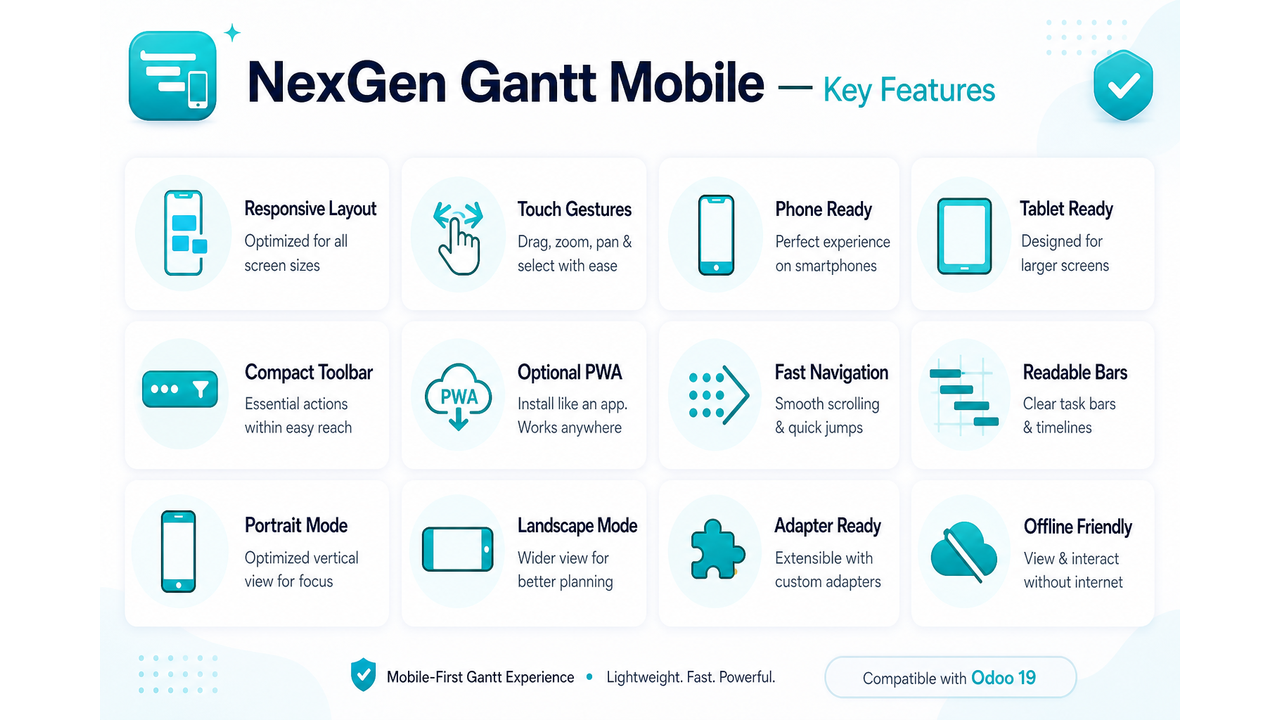
Key features overview

Explore the full capability map for NexGen Gantt Mobile on Odoo 19.
NexGen Gantt Mobile icon NexGen Gantt Mobile β€” key features overview
At a glance

Feature map

Every major capability included in this module.

πŸ“…Responsive Chrome
πŸ“ŠCompact Toolbar
βš™οΈTouch Targets
πŸš€Touch Drag
πŸ“¦Week Default
🎯Mobile Hub
πŸ”§Optional PWA
πŸ“ˆOffline Read
🌐Queued Writes
πŸ“±Configurable
✨Adapter Coverage
πŸ‘₯Validator Safe
πŸ› οΈDesktop Intact
πŸ’ΎOnline First
πŸ”’Easy Install
βœ…In All-in-One
Explore

Features by section

Use the same tab navigation style as NexGen Access Management AI β€” Overview, Restrictions, Roles & Groups, AI & Tools, Audit & Workflow and FAQ.

How it works

Use Gantt on phones and tablets

Install Mobile, open the hub or any adapter Gantt, confirm week scale and touch-drag.

How it works

Install once β€” start planning immediately

A short path from Apps install to a live interactive timeline.

1

Install

Install NexGen Gantt Base, then NexGen Gantt Mobile.

2

Open

Open the Mobile Hub or any adapter Gantt on a phone/tablet.

3

Verify

Confirm week scale and touch-drag on a narrow viewport.

4

PWA

Keep PWA enabled (default) or disable via system parameter.

Mobile UX

Built for one-handed planning

A compact shell that keeps the timeline usable on phones.
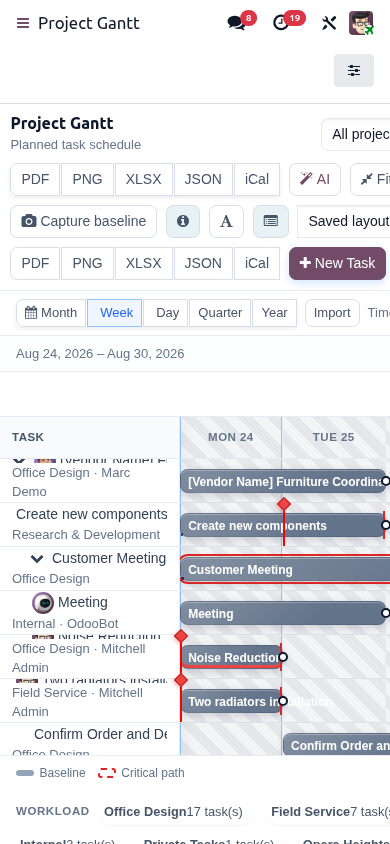
βœ“ Reduced toolbar
βœ“ Sticky filters
βœ“ Bottom actions
βœ“ Week default on narrow screens
Built for one-handed planning
Touch

Touch reschedule

Move bars without fighting tiny desktop hit targets.
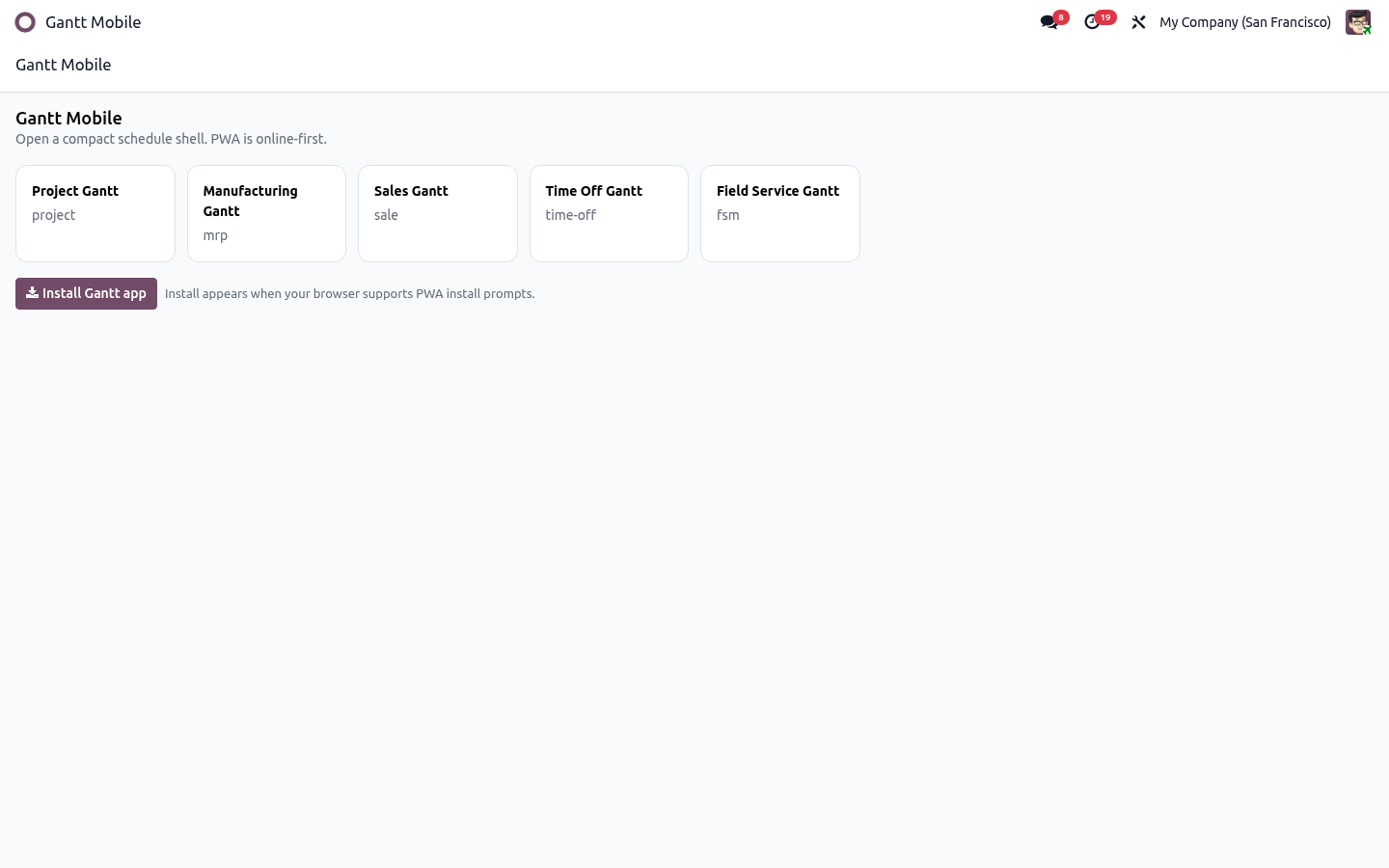
βœ“ Larger touch targets
βœ“ Horizontal touch-drag
βœ“ Same adapter validators on write
βœ“ Desktop behavior unchanged
Touch reschedule
Hub

Mobile hub

Jump straight into the schedules you have installed.

βœ“ Hub cards for adapters
βœ“ Deep-links to Project/MRP/Sale/Time Off/FSM
βœ“ Only shows installed modules
βœ“ Fast entry for field supervisors
Mobile hub
PWA

Online-first PWA extras

Optional installability with honest offline behavior.

βœ“ Web manifest + service worker
βœ“ Readable last snapshot offline
βœ“ Queued edits sync when online
βœ“ Not a full offline editing suite claim
Online-first PWA extras
NexGen Gantt Mobile screenshot
Restrictions

Mobile behavior boundaries

Desktop unchanged above breakpoint. Offline is snapshot+queue, not full offline editing.

Breakpoint scoped

Desktop layouts intact above it.

Same validators

Touch writes are not privileged.

Online-first offline

Snapshot read + queued edits.

No CRDT merge claim

Honest offline model.

PWA optional

Can be disabled by parameter.

Hub shows installed only

No fake adapters.

Roles & Groups

Mobile hub for installed adapters

Deep-links into Project, MRP, Sale, Time Off, FSM and more when installed.

Mobile hub cards

Fast launcher.

Deep-links

Jump to adapter Gantt.

Installed-only list

Clean for lean DBs.

Compact toolbar roles

Sticky filters/actions.

Field supervisor friendly

One-handed planning.

Works with Collaboration

Presence on mobile too.

AI & Tools

Touch tools and PWA extras

Larger targets, touch-drag, week default, optional service worker.

Touch-drag reschedule

Finger-friendly bars.

Larger hit targets

Fewer mis-taps.

Week default

Readable on narrow screens.

Optional PWA

Manifest + online-first worker.

Queued sync

Edits flush when online.

AI still available

Where AI module is installed.

Audit & Workflow

Same workflow safety on mobile

Native workflow states remain untouched on every device.

No invented states

Safety-first.

Validator parity

Same as desktop.

Queue transparency

Sync when reconnected.

Configurable breakpoint

System parameters.

Included in All-in-One

Suite package.

Support

nexgensolutionsodoo@gmail.com

FAQ

FAQ

Which Odoo versions / editions are supported?

This module targets Odoo 19 and works with both Community and Enterprise editions, including Odoo.sh and on-premise deployments.

Do I need Odoo Enterprise Gantt?

No. NexGen Gantt is a standalone interactive Gantt suite built on standard Odoo Web. It does not require Enterprise Gantt.

Who publishes and supports this app?

NexGen Solutions publishes the suite. Support email: nexgensolutionsodoo@gmail.com.

Does Gantt invent workflow states like Confirm / Done / Approve?

No. NexGen Gantt is safety-first: adapters write schedule/planning fields only. Native Odoo forms and buttons remain the source of truth for workflow.

Are writes protected by ACLs and record rules?

Yes. Timeline reads and writes use the current user’s access rights. There is no sudo bypass for business data.

What happens if two users edit at the same time?

Optimistic concurrency checks apply. With NexGen Gantt Collaboration installed, presence chips and edit locks further reduce collisions.

Which time scales are available?

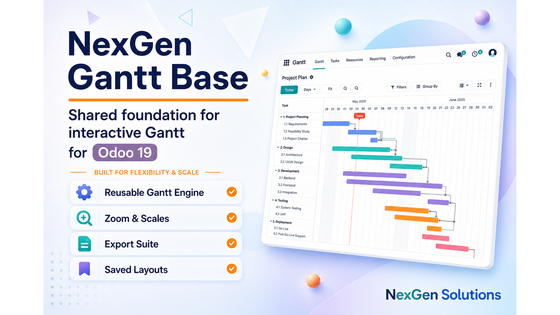
Hour, Day, Week, Month, Quarter and Year, with zoom in/out, reset zoom and zoom-to-fit.

Can I save my preferred Gantt layout?

Yes. Saved layouts store scale and polish options per user so you can reload your preferred view quickly.

What export formats are available?

Common formats include PDF, PNG, XLSX and JSON. Depending on the installed suite exchange gateway, XML/XER and optional admin-gated iCal may also be available.

Is the UI mobile / tablet friendly?

The shared chrome is responsive. For the best phone/tablet experience install NexGen Gantt Mobile (compact toolbar, touch drag, optional PWA).

Can AI help me reschedule?

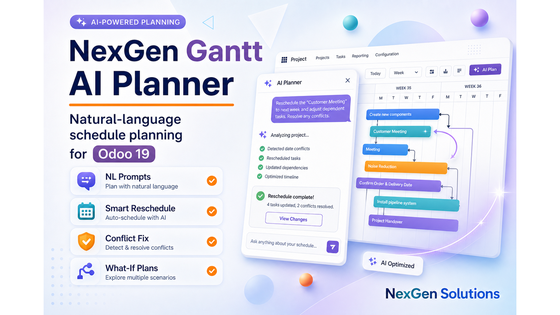
Install NexGen Gantt AI Planner. It supports natural-language intents with preview-first apply through adapter validators.

How do I get the full suite at once?

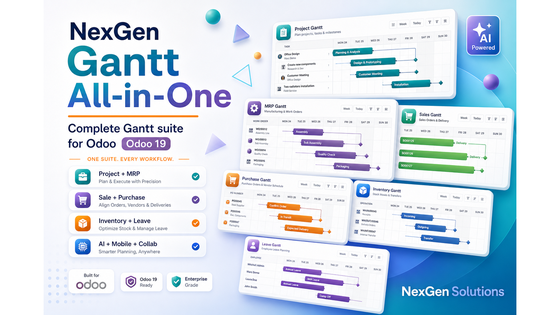
Install NexGen Gantt All-in-One. It pulls Base, all business adapters, Collaboration, AI Planner and Mobile.

Is multi-company supported?

Yes, within normal Odoo multi-company rules. Users only see and edit records allowed by their company and record rules.

Will uninstalling remove my Odoo business data?

Uninstalling a Gantt module removes the module’s menus/actions/helpers. Native Project/MRP/Sales/etc. business records remain.

Where can I ask for customization or support?

Email nexgensolutionsodoo@gmail.com with your Odoo version, module technical name and a short description of the need.

What does NexGen Gantt Mobile do?

It adds compact phone/tablet chrome, touch-friendly drag, a mobile hub and optional online-first PWA helpers.

Can I fully edit schedules offline?

Offline you can read the last cached snapshot; edits queue and sync when online. It is online-first, not full offline editing.

Does Mobile change desktop Gantt?

No. Compact chrome applies under the configured breakpoint; desktop stays as-is above it.

What is the Mobile Hub?

A launcher that deep-links into installed NexGen Gantt adapters such as Project, MRP, Sale, Time Off and FSM.

How do I turn PWA off?

Set system parameter syn_gantt_mobile.pwa_enabled to False (default is True).

What is the default scale on phones?

Week scale is the default on narrow viewports for readability.

Are touch targets larger?

Yes β€” bars and controls are optimized for fingers.

Does touch-drag use the same validators?

Yes β€” writes still go through adapter validators and ACLs.

Can I use Mobile without installing every adapter?

Yes. The hub only shows adapters that are installed.

Is a service worker installed?

When PWA is enabled, an online-first service worker/manifest can be used.

What happens to queued edits after reconnect?

Queued schedule writes sync when the network is available again.

Does Mobile invent offline conflict merging?

No. It is intentionally honest: snapshot read + queue, not a full offline CRDT editor.

Can I change the breakpoint?

Yes β€” the mobile breakpoint is configurable via system parameters.

Is Mobile included in All-in-One?

Yes.

Do I need a public HTTPS URL for PWA?

Browsers generally require a secure context for installable PWAs; follow standard PWA hosting guidance.

✦ Business value · built into Odoo Benefits of NexGen Gantt Mobile

Take the plan to the floor

Give supervisors a compact phone/tablet Gantt with touch drag and an adapter hub, while desktop layouts stay unchanged above the breakpoint.

πŸ“…

Faster schedule decisions

See the whole plan on one interactive timeline so planners stop jumping between lists, calendars and spreadsheets.

  • β€’ Hour through year scales
  • β€’ Zoom, today marker and fit
βœ…

Safer planning in Odoo

Update schedule fields with ACL-aware writes while native confirm, done, approve and validate actions stay authoritative.

  • β€’ No invented workflow states
  • β€’ Server-side validation
πŸ“Š

Clearer capacity insight

Spot overload early with load histograms, progress cues, critical path and baseline comparisons where supported.

  • β€’ Resource / work-center load
  • β€’ Progress and variance cues
🀝

Better team coordination

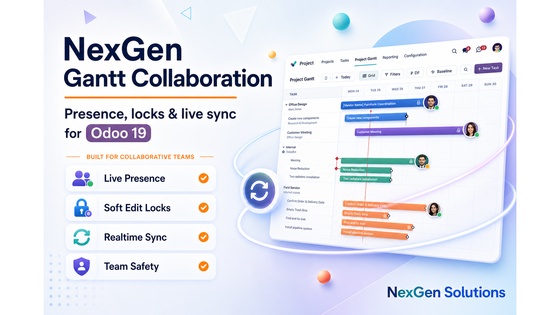
Keep planners aligned with saved layouts, filters, optional live presence and edit locks across the suite.

  • β€’ Saved personal layouts
  • β€’ Collaboration-ready
πŸ“€

Share plans instantly

Export boards for meetings, partners and archives in the formats your team already uses.

  • β€’ PDF, PNG, XLSX, JSON
  • β€’ Exchange formats when enabled
πŸ“±

Plan on any device

Use responsive Gantt chrome and optional Mobile/PWA companions for phone and tablet dispatch or review.

  • β€’ Touch-friendly controls
  • β€’ Mobile hub deep-links
✨

AI-assisted rescheduling

Ask for delay/move plans in plain language, preview the impact, then apply only through adapter validators.

  • β€’ Preview-first AI plans
  • β€’ Local rule engine by default
πŸ’°

Lower scheduling tool cost

Replace fragmented timeline tools with one NexGen Gantt UX shared across Project, MRP, Sales, Inventory and more.

  • β€’ One consistent engine
  • β€’ Suite or single-adapter install
01

Open Mobile Hub

Jump into installed Gantt adapters.

02

Touch to reschedule

Use larger targets and week defaults.

03

Stay online-first

Read snapshots offline; sync queued edits later.

Why this module

One mobile Gantt vs unusable desktop boards

Compact phone/tablet chrome, touch drag and a mobile hub β€” desktop stays intact above the breakpoint.

Best value β€” one purchase

NexGen Gantt Mobile

Touch-first planning with honest online-first offline behavior.

  • βœ“ Compact responsive chrome
  • βœ“ Touch-drag reschedule
  • βœ“ Mobile hub deep-links
  • βœ“ Optional online-first PWA
Compared to split suites

Typical multi-app approach

Buy several timeline tools, then stitch them together yourself.

  • βœ• Pinch-zoom desktop UI
  • βœ• Tiny hit targets
  • βœ• No adapter launcher
  • βœ• Fake full-offline claims
πŸ“±

Phone ready

Week-default narrow UI.

🀚

Touch drag

Larger hit targets.

🏠

Mobile hub

Jump to installed adapters.

🌐

Online-first

Snapshot + queued sync.

✦

Capability-by-capability comparison

See exactly what you get in one purchase versus buying features separately.

More value in one purchase
Capability NexGen Gantt Mobile Typical split suites
Compact mobile/tablet chromeβœ“ IncludedDesktop-only Gantt
Touch-friendly drag targetsβœ“ IncludedMis-taps common
Mobile hub deep-linksβœ“ Includedβœ• Usually missing
Configurable breakpointβœ“ IncludedHard-coded CSS only
Optional PWA helpersβœ“ Includedβœ• Usually missing
Offline snapshot + queued writesβœ“ IncludedFake offline editors
Desktop unchanged above breakpointβœ“ IncludedBreaks desktop UX
Same adapter validatorsβœ“ IncludedWeaker mobile writes

One mobile companion β€” touch planning, hub launchers and honest offline behavior.

Included with purchase

90 days free support after purchase

Installation, configuration guidance, questions and bug fixing from NexGen Solutions for NexGen Gantt Mobile.

Installation Configuration Bug fixes Best-practice tips
Contact support
NexGen Apps

Related modules

Explore the NexGen Gantt suite and other NexGen Solutions apps for Odoo 19.
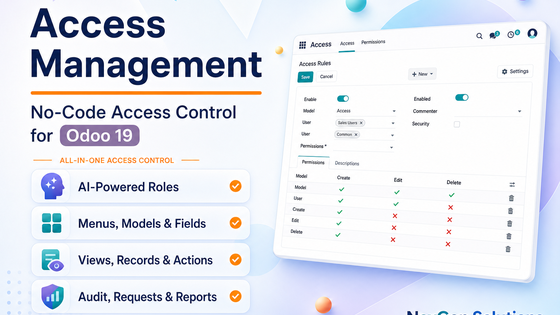
Ready for Gantt on phones and tablets?

Published by NexGen Solutions for Odoo 19. Support: nexgensolutionsodoo@gmail.com