
NexGen Solutions
NexGen Gantt All-in-One
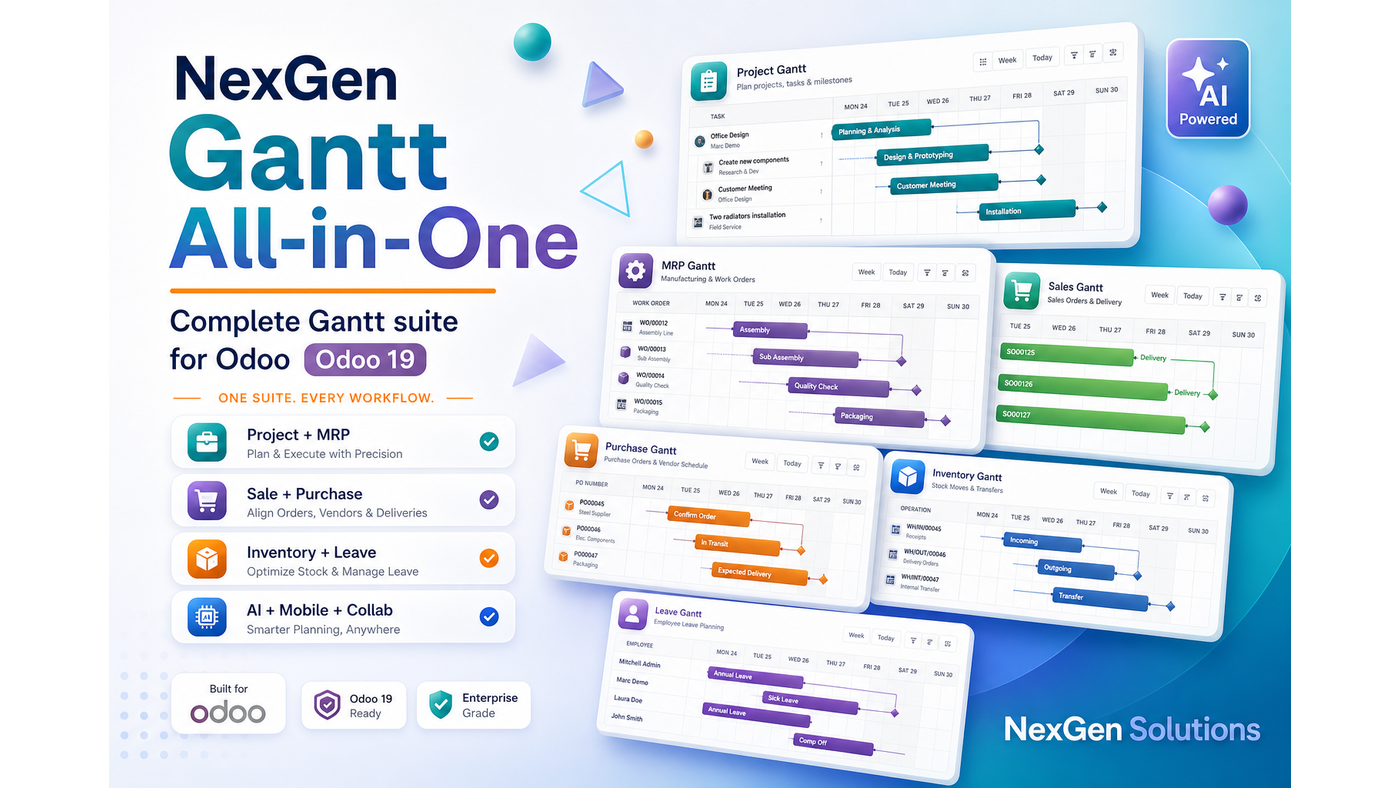
NexGen Gantt All-in-One — One Apps install for the complete NexGen Gantt suite — Base plus Project, Manufacturing, Sales, Inventory, Purchase, Time Off, Field Service, Collaboration, AI Planner and Mobile/PWA.
What does this app do in Odoo 19?
NexGen Gantt All-in-One is the convenience meta-package for demos, UAT and full rollouts. Install once and Odoo resolves 11 NexGen Gantt modules: Base, Project, Manufacturing, Sales, Inventory, Purchase, Time Off, Field Service, Collaboration, AI Planner and Mobile.
Technical name: gantt_all_in_one_nexgen. Depends on: the full NexGen Gantt suite + matching Odoo business apps.
- Works on Community, Enterprise, Odoo.sh and on-premise
- Server-authoritative schedule writes with native ACLs
- Does not invent Odoo workflow states (confirm / done / approve)
- Publisher: NexGen Solutions · Support: nexgensolutionsodoo@gmail.com
11 modules included in this package
Installing Gantt All-in-One pulls every module below automatically. You can still uninstall companions later if you do not need them.
| Module | Technical name | What it adds | Type |
|---|---|---|---|
| Gantt Base | gantt_base_nexgen | Shared engine, layouts, polish, exports | Foundation |
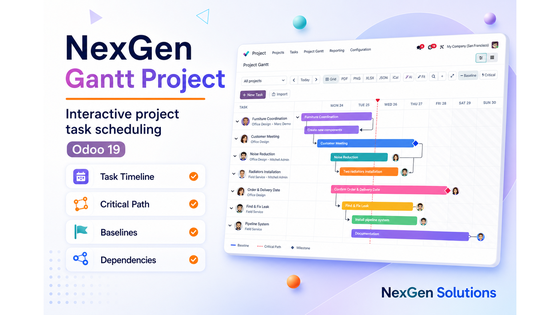
| Gantt Project | gantt_project_nexgen | Tasks, dependencies, baselines, critical path | Adapter |
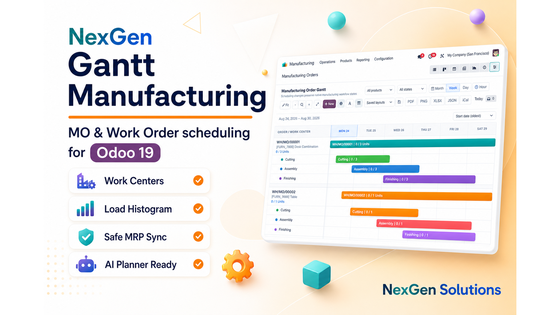
| Gantt Manufacturing | gantt_mrp_nexgen | MO / Work Order shop-floor timeline | Adapter |
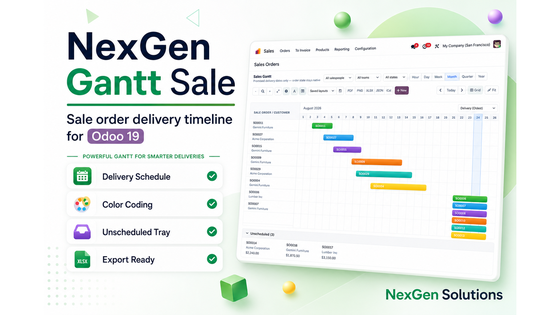
| Gantt Sale | gantt_sale_nexgen | Promised delivery dates on quotations & orders | Adapter |
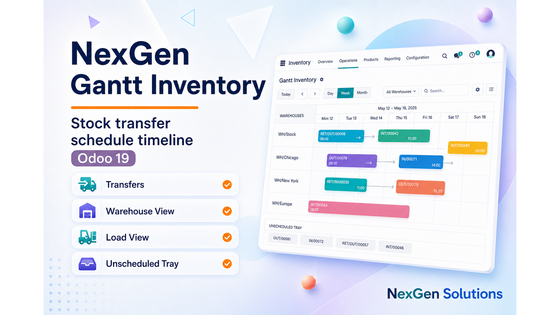
| Gantt Inventory | gantt_inventory_nexgen | Inbound / outbound / internal transfer board | Adapter |
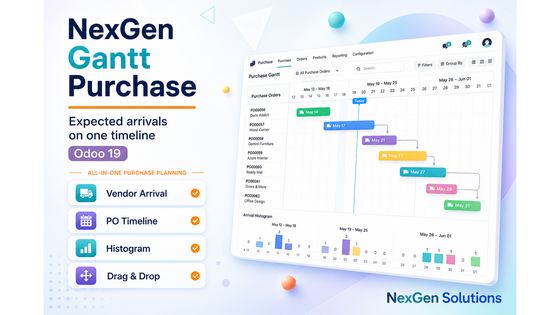
| Gantt Purchase | gantt_purchase_nexgen | Expected arrival timeline by buyer & vendor | Adapter |
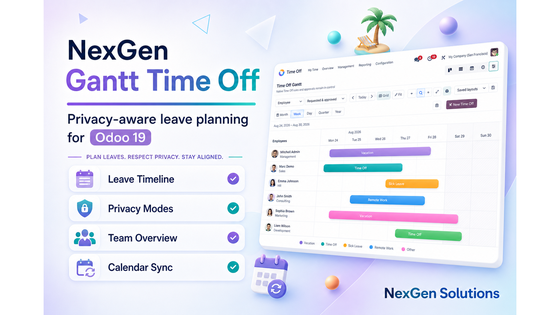
| Gantt Time Off | gantt_time_off_nexgen | Team leave visibility with HR security | Adapter |
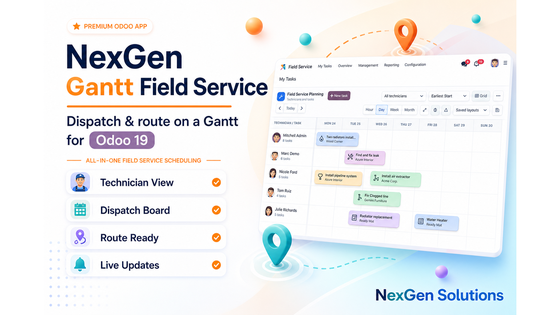
| Gantt Field Service | gantt_fsm_nexgen | Technician dispatch board (Enterprise FSM) | Enterprise |
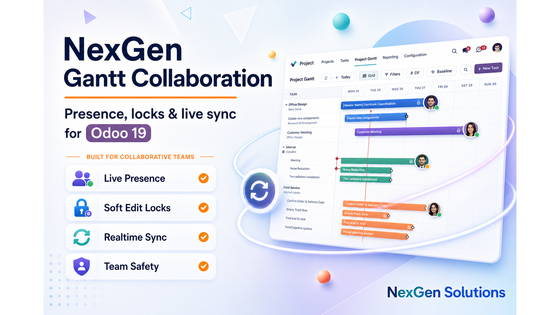
| Gantt Collaboration | gantt_collab_nexgen | Live presence chips and hard edit locks | Companion |
| Gantt AI Planner | gantt_ai_nexgen | Natural-language plans (OpenAI / Claude / Gemini / local) | Companion |
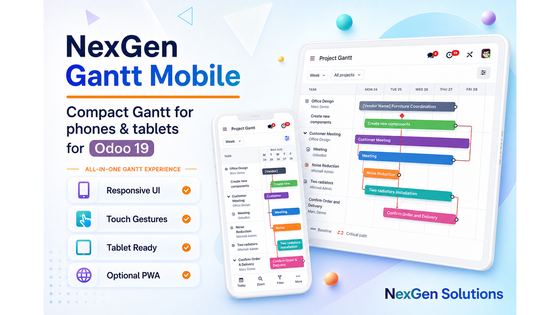
| Gantt Mobile | gantt_mobile_nexgen | Touch UI, mobile hub, optional PWA helpers | Companion |
Note: Field Service Gantt requires Odoo Enterprise industry_fsm. All other adapters work on Community and Enterprise.
Key features overview
Explore the full capability map for NexGen Gantt All-in-One on Odoo 19.
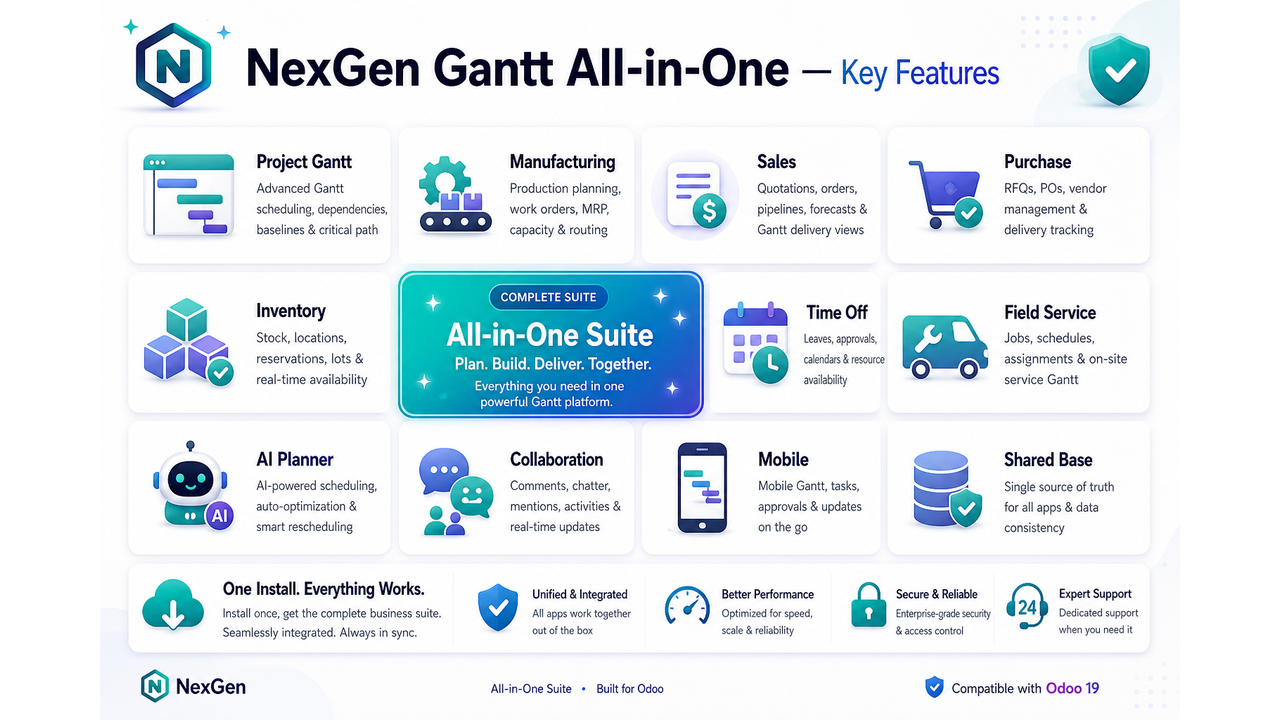
Feature map
Every major capability included in this module.
Features by section
Browse detailed features with screenshots for every included module, then review restrictions, roles, AI tools and FAQ.
Install once — open every Gantt immediately
One Apps install resolves Base, all business adapters, Collaboration, AI Planner and Mobile.
Prereqs
Ensure Project, MRP, Sales, Inventory, Purchase, Time Off, Field Service (Enterprise), Discuss and Bus are available.
Install
Install Gantt All-in-One from Apps — Odoo resolves all 11 modules.
Explore
Open Project, MRP, Sale, Inventory, Purchase, Time Off and FSM Gantt menus.
Tune
Configure AI providers in Settings and review Mobile / PWA options.
Every included module — features & screenshots
Scroll through each module that ships with All-in-One. Same safety-first rules everywhere: schedule fields only, ACL-aware, no invented confirm/done/approve states.
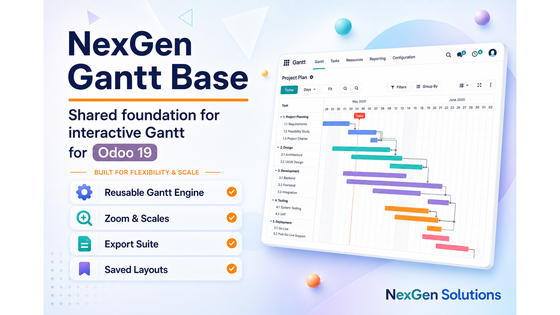
Gantt Base
Shared interactive engine for the whole suite: polish controls, saved layouts, multi-scale timeline, and export gateway used by every adapter.
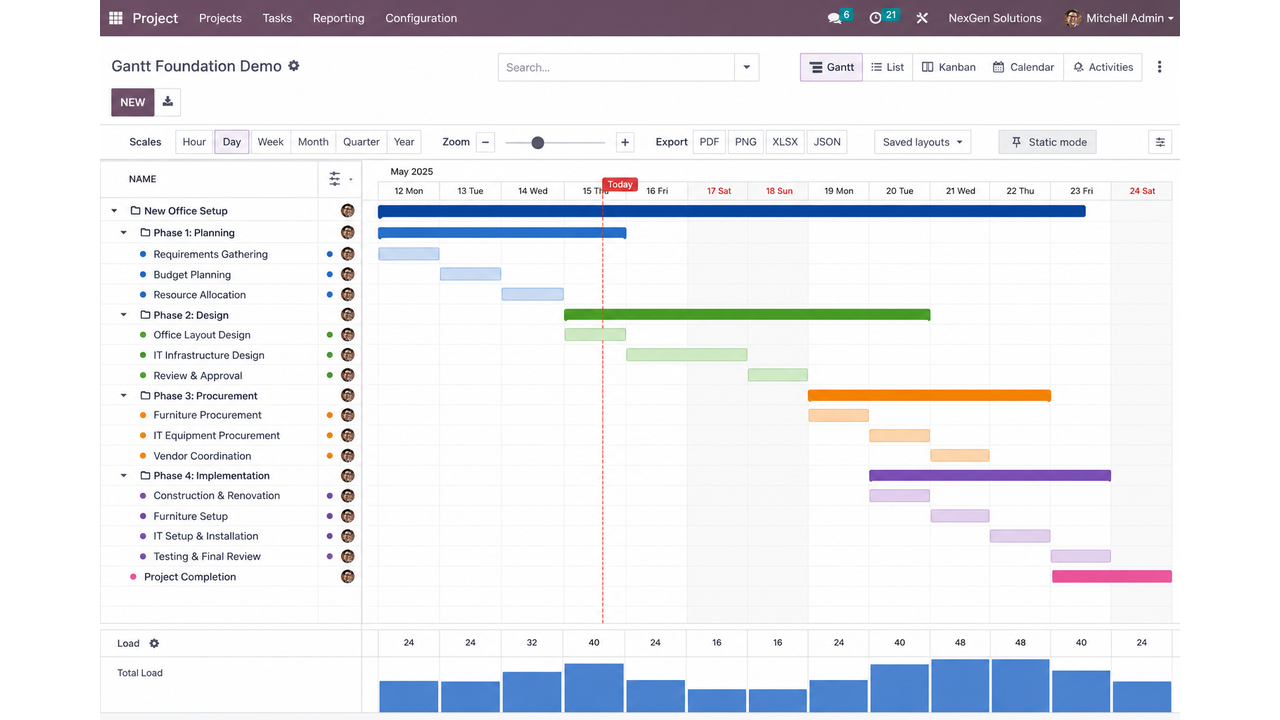
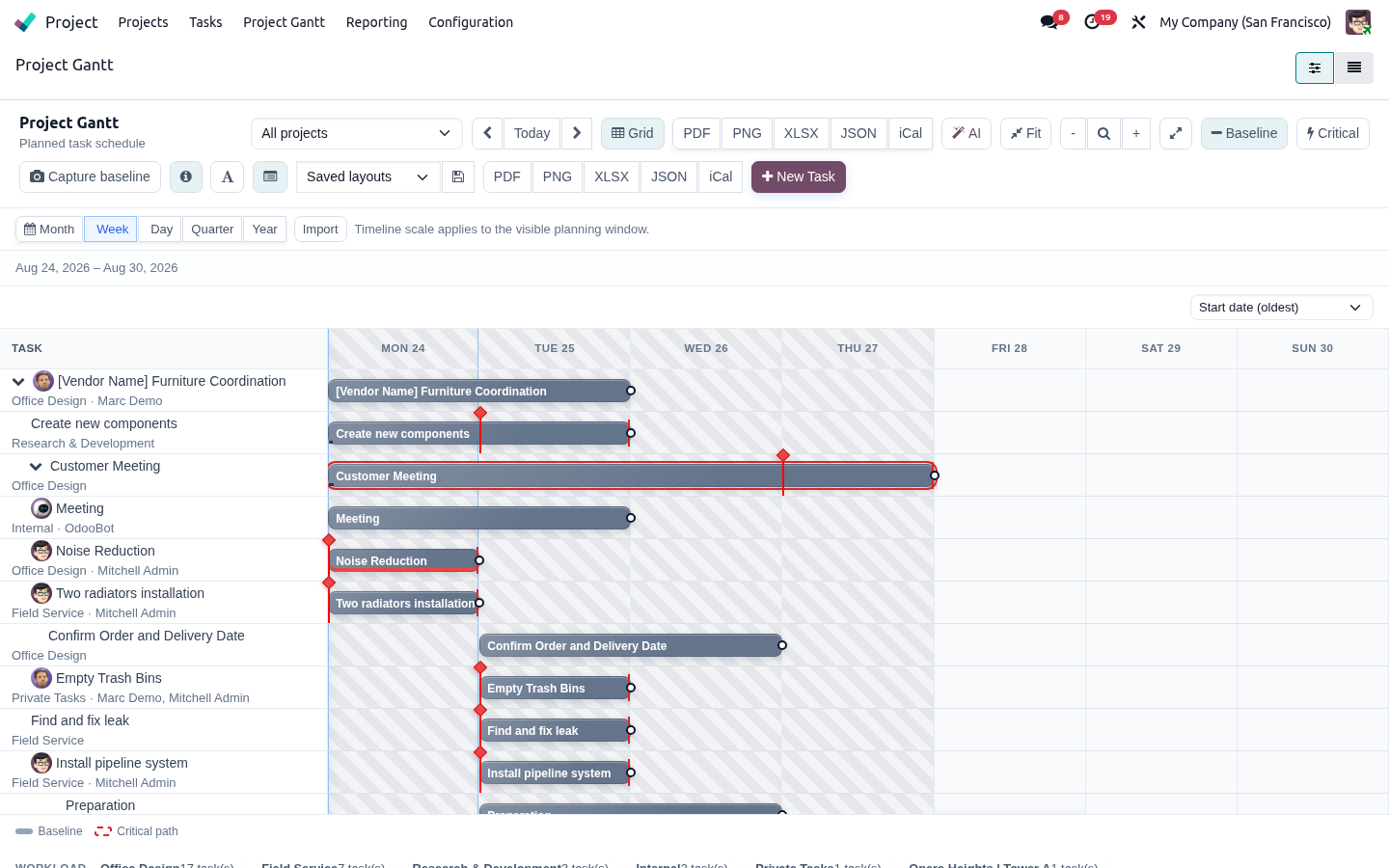
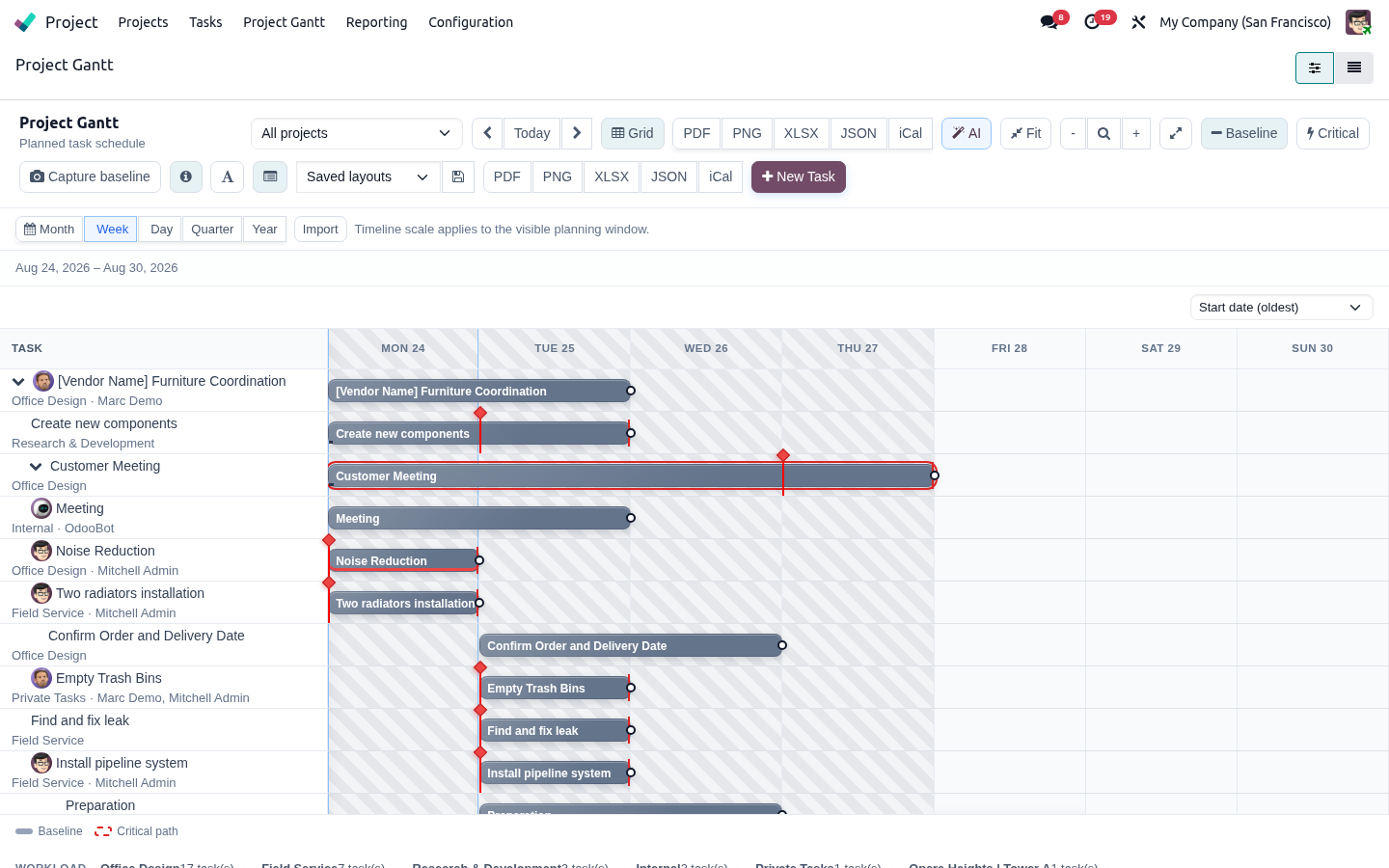
Gantt Project
Plan and reschedule Project tasks on an interactive Gantt with dependencies, baselines, critical path and resource load — without inventing stages or assignees.
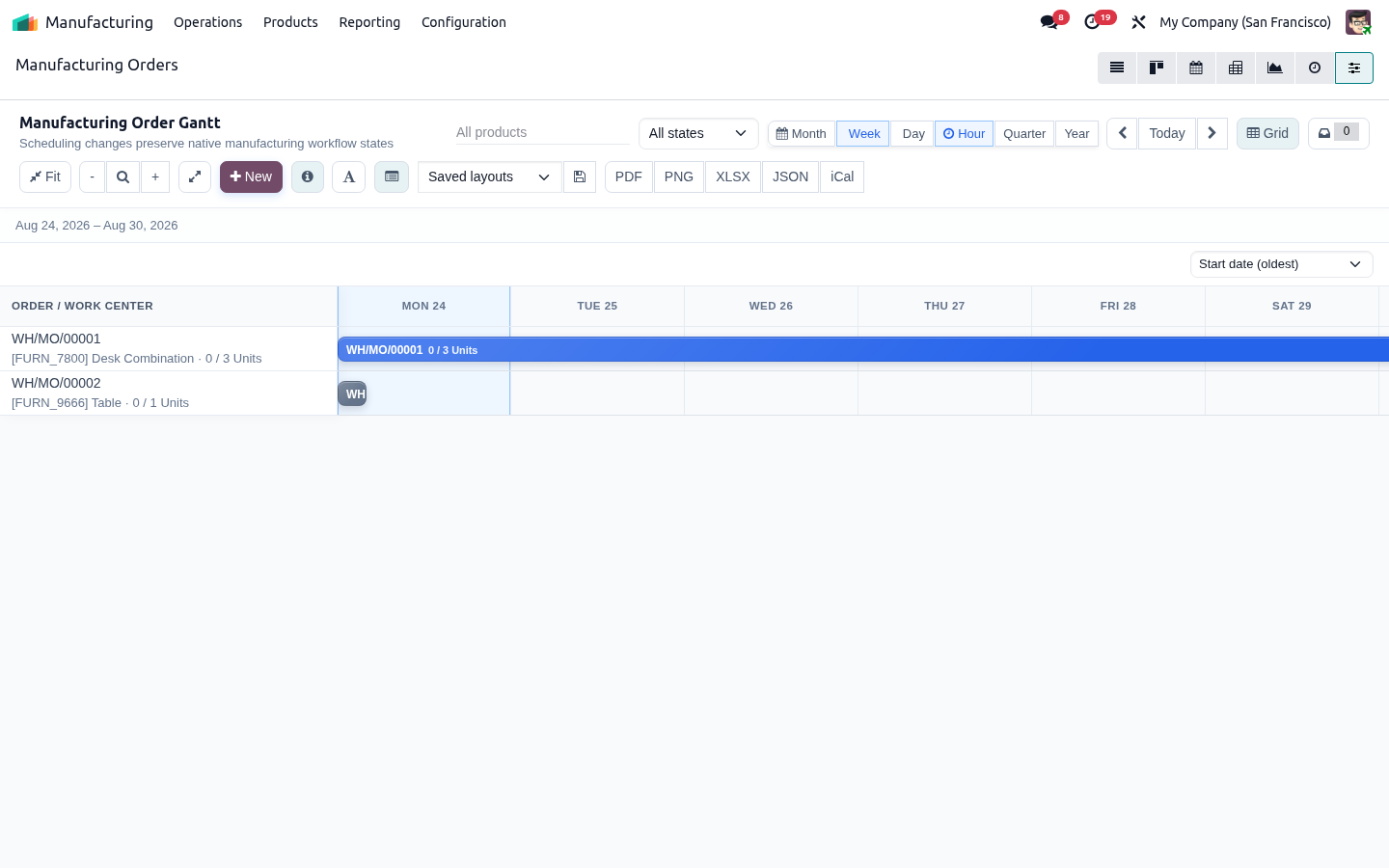
Gantt Manufacturing
Shop-floor timeline for Manufacturing Orders and Work Orders. Reschedule with ACL, calendar and capacity checks while confirm/produce/done stay in native MRP.
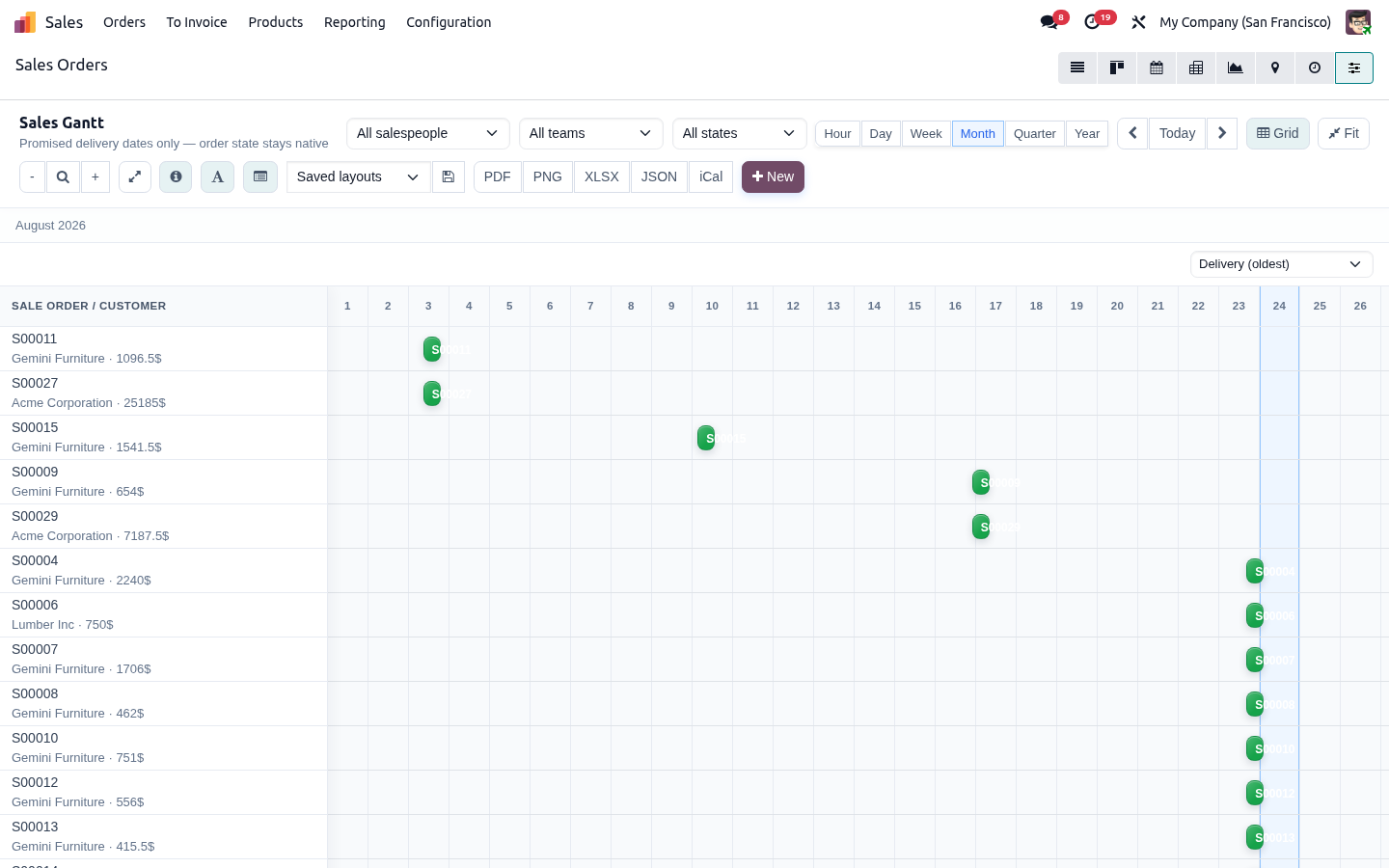
Gantt Sale
Visualize promised deliveries across quotations and orders. Sales teams update commitment dates visually while confirm/invoice stay in native Sales.
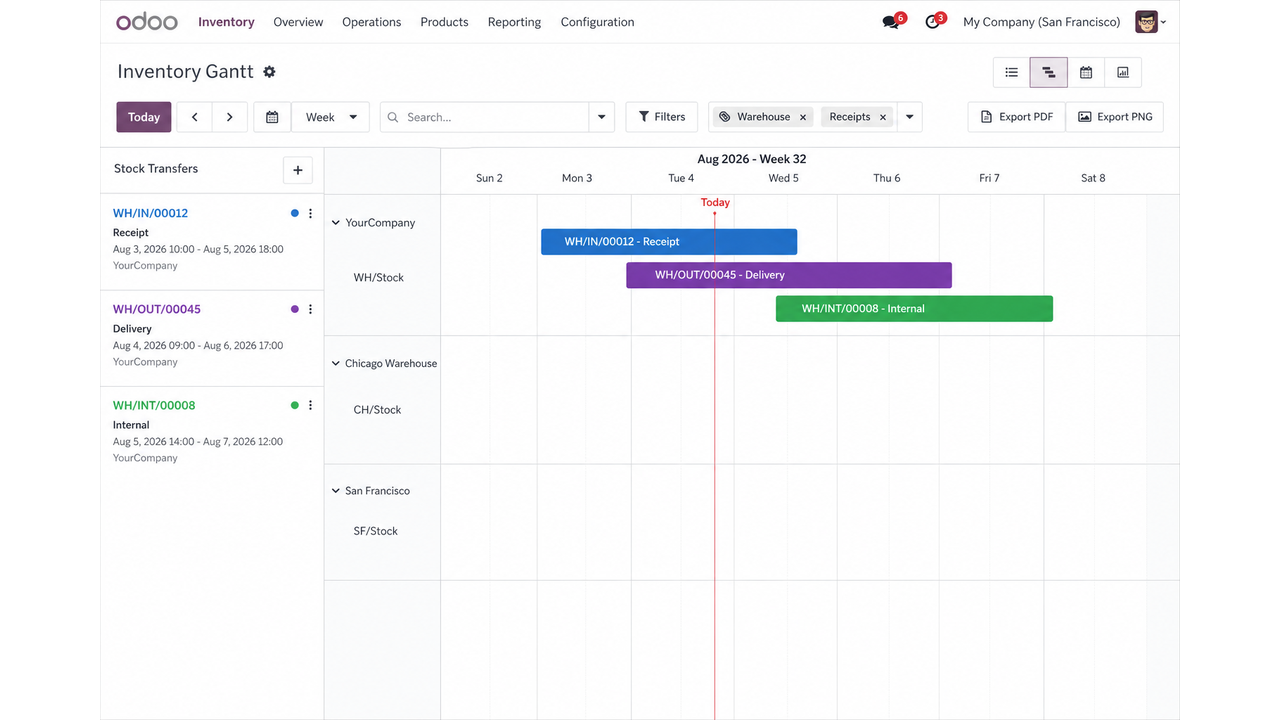
Gantt Inventory
One visual board for inbound, outbound and internal transfers. Reschedule pickings safely while validate/done stay in native Inventory.
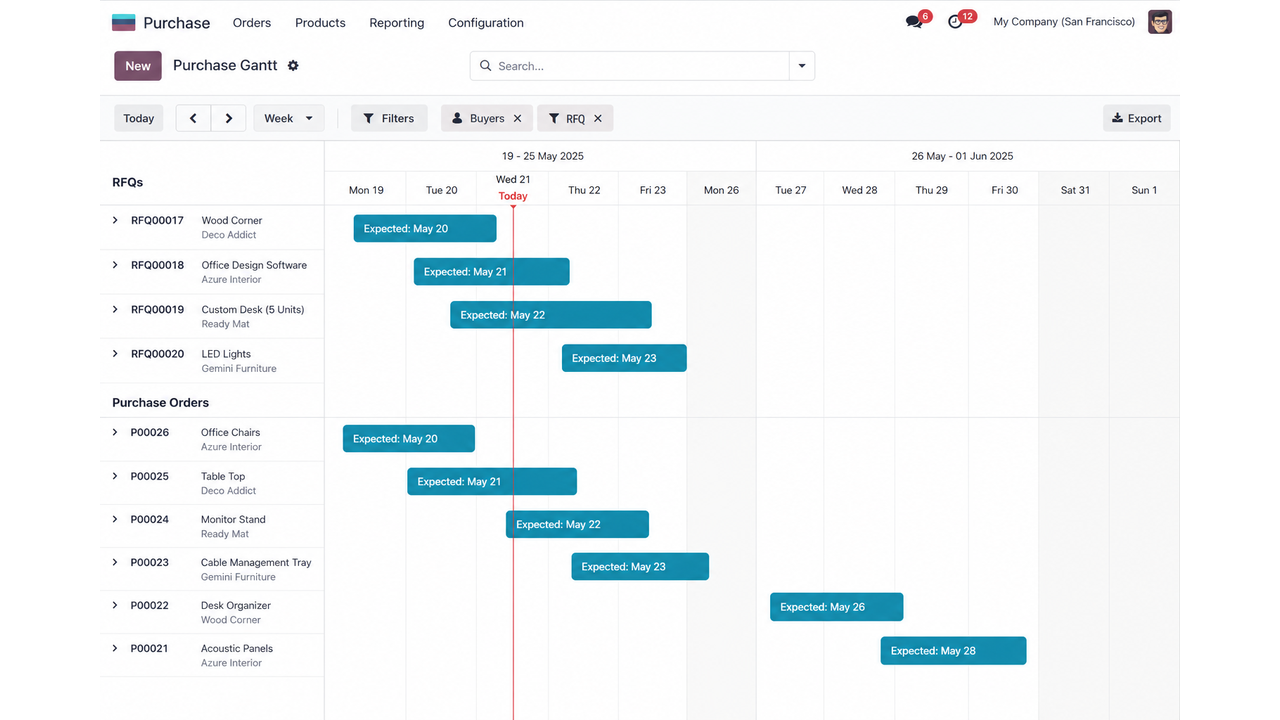
Gantt Purchase
Inbound supply timing across buyers and vendors. Drag to update expected arrival; approve/confirm/cancel remain in native Purchase.
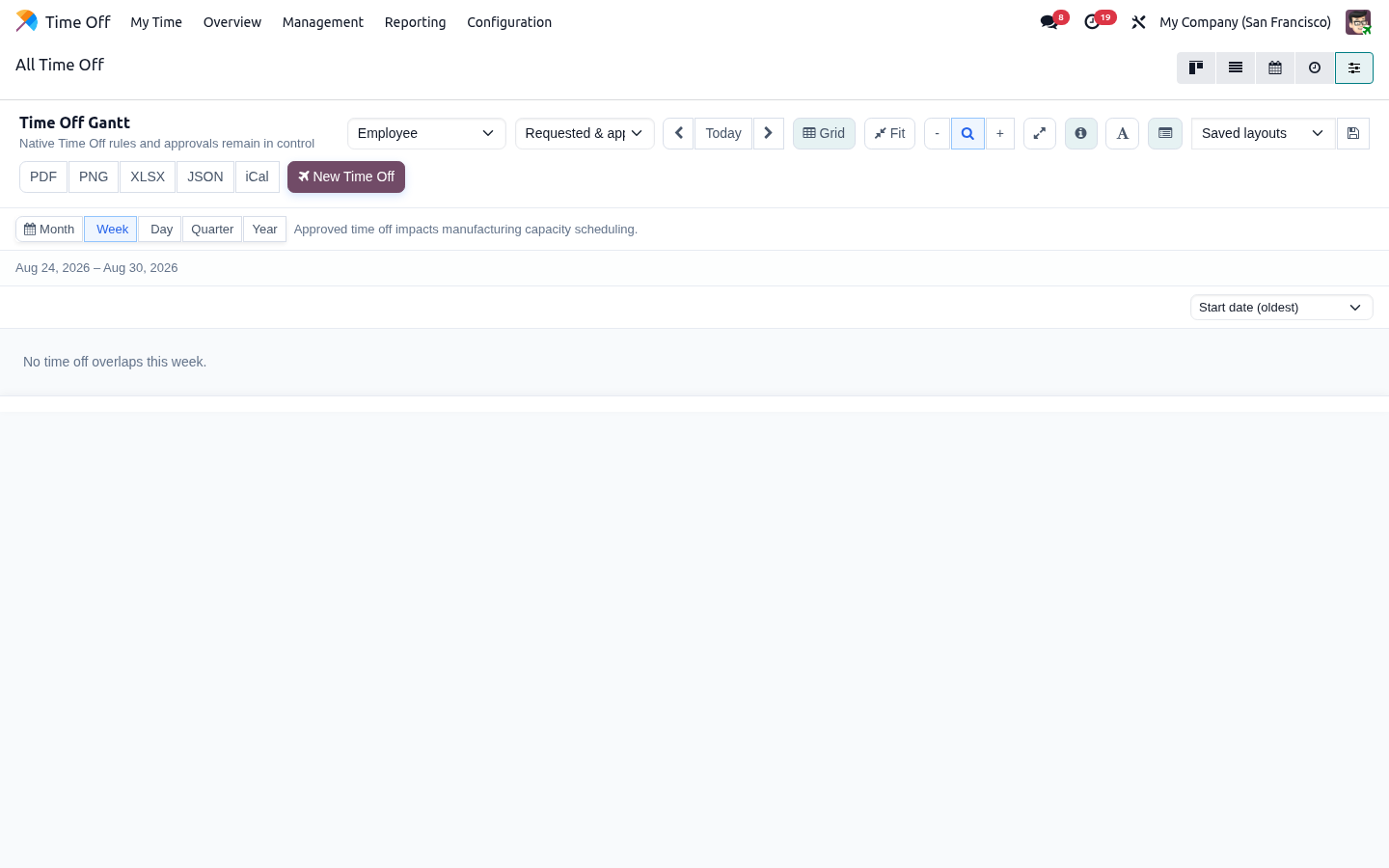
Gantt Time Off
Managers see leave across teams without bypassing HR security. Create and edit only through native Time Off forms so allocations and approvals stay authoritative.
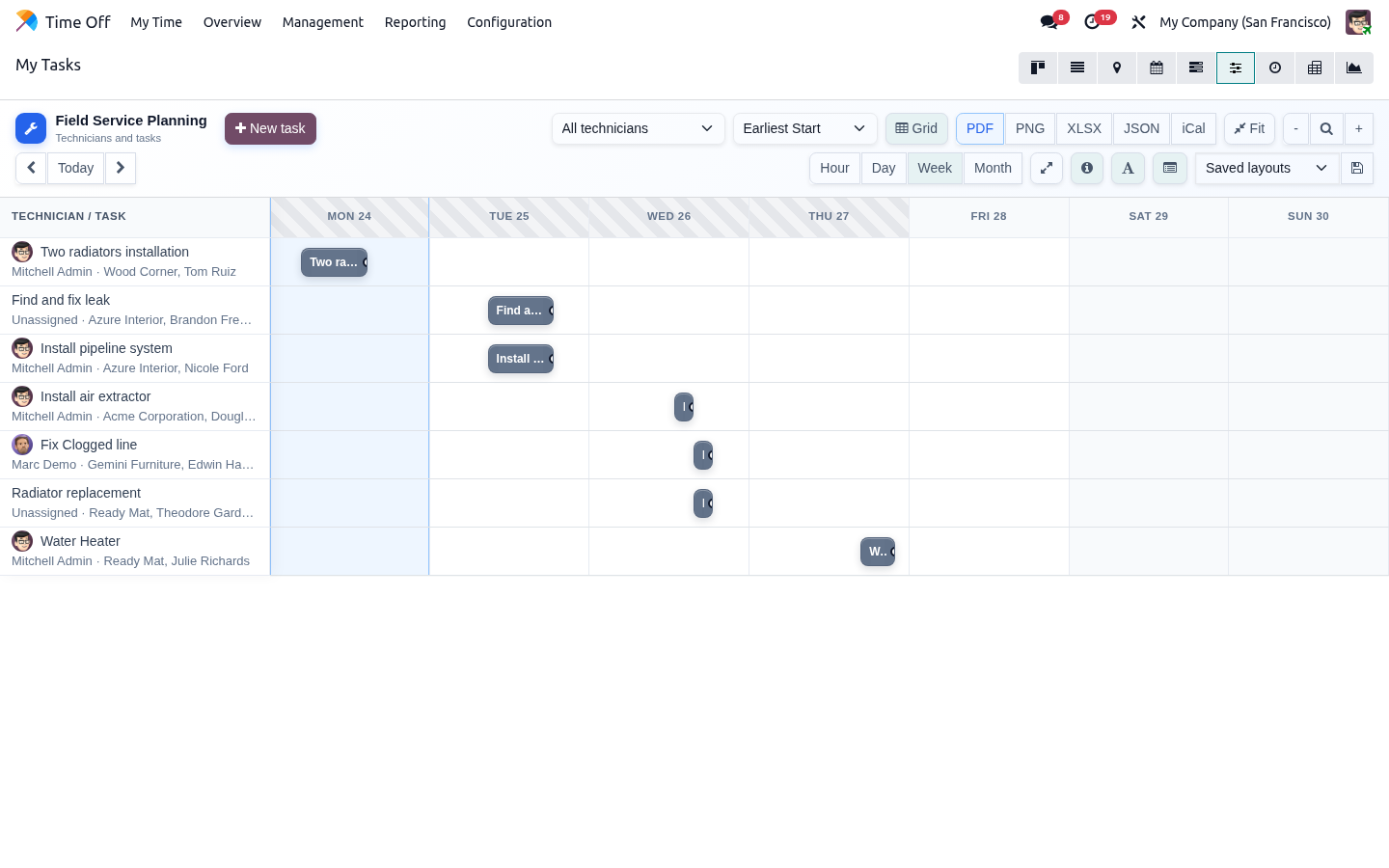
Gantt Field Service
Dispatch board for FSM tasks. See technicians, travel hours and load; reschedule planned windows while stages stay in native Field Service. Requires Enterprise industry_fsm.
Gantt Collaboration
Real-time teamwork on every adapter: presence chips, drag locks and bus broadcasts — with server enforcement so two people cannot silently overwrite the same bar.
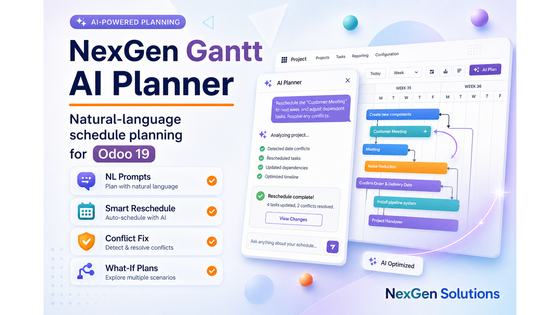
Gantt AI Planner
Ask for delay/move plans in plain language. Preview the impact, confirm, then apply through the same validators and ACLs as manual drags. Supports local rules, OpenAI, Claude and Gemini.
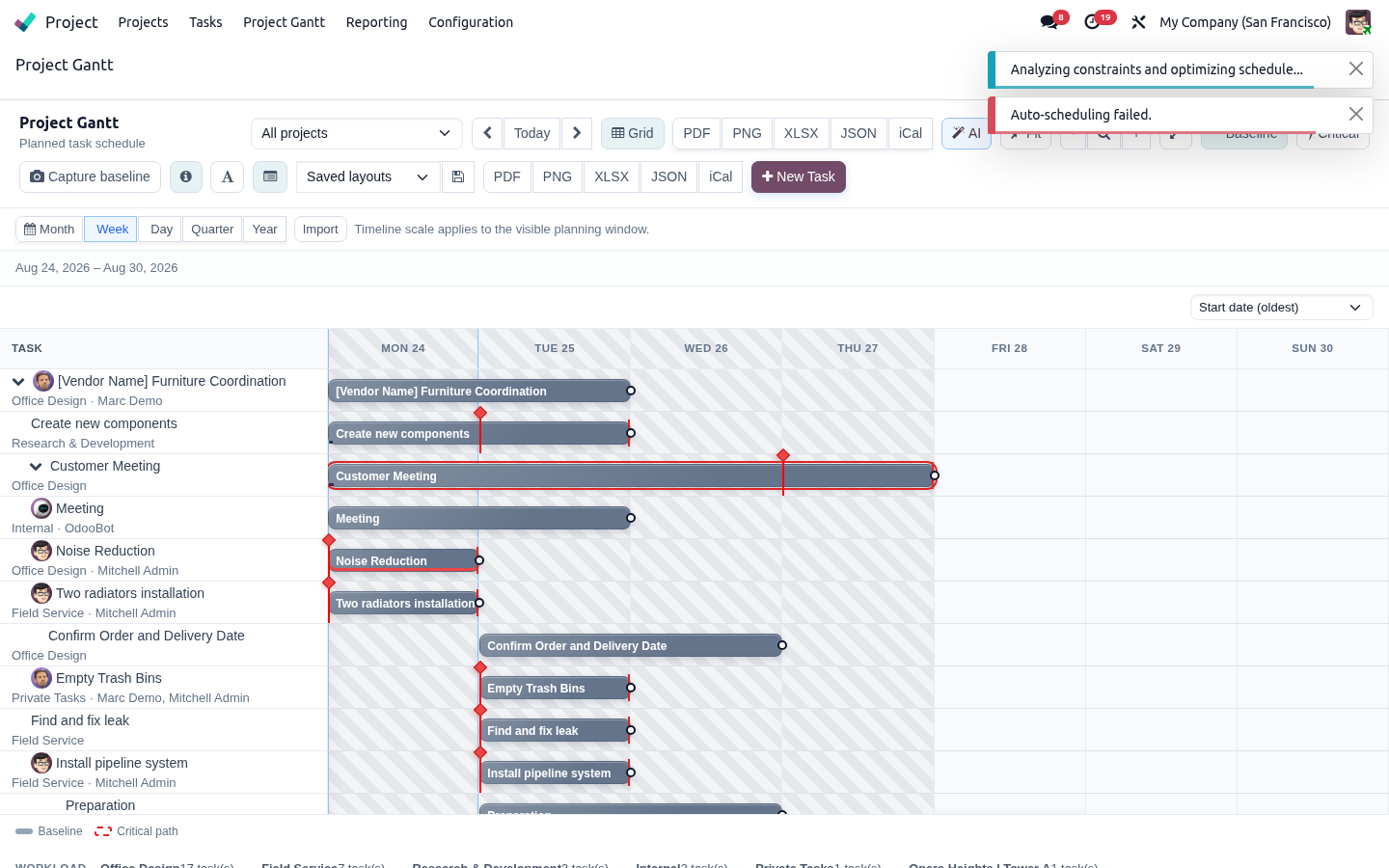
Gantt Mobile
Phone and tablet experience with compact toolbars, larger hit targets, a hub into installed adapters, and optional PWA helpers with honest online-first offline behavior.
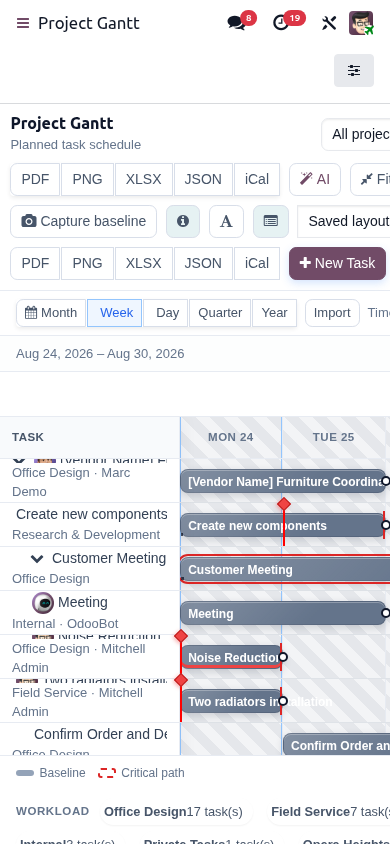
Screenshots from every included module
Suite banner
Main screen
Base
Project
Manufacturing
Sales
Inventory
Purchase
Time Off
Field Service
Collaboration
AI Planner
Mobile
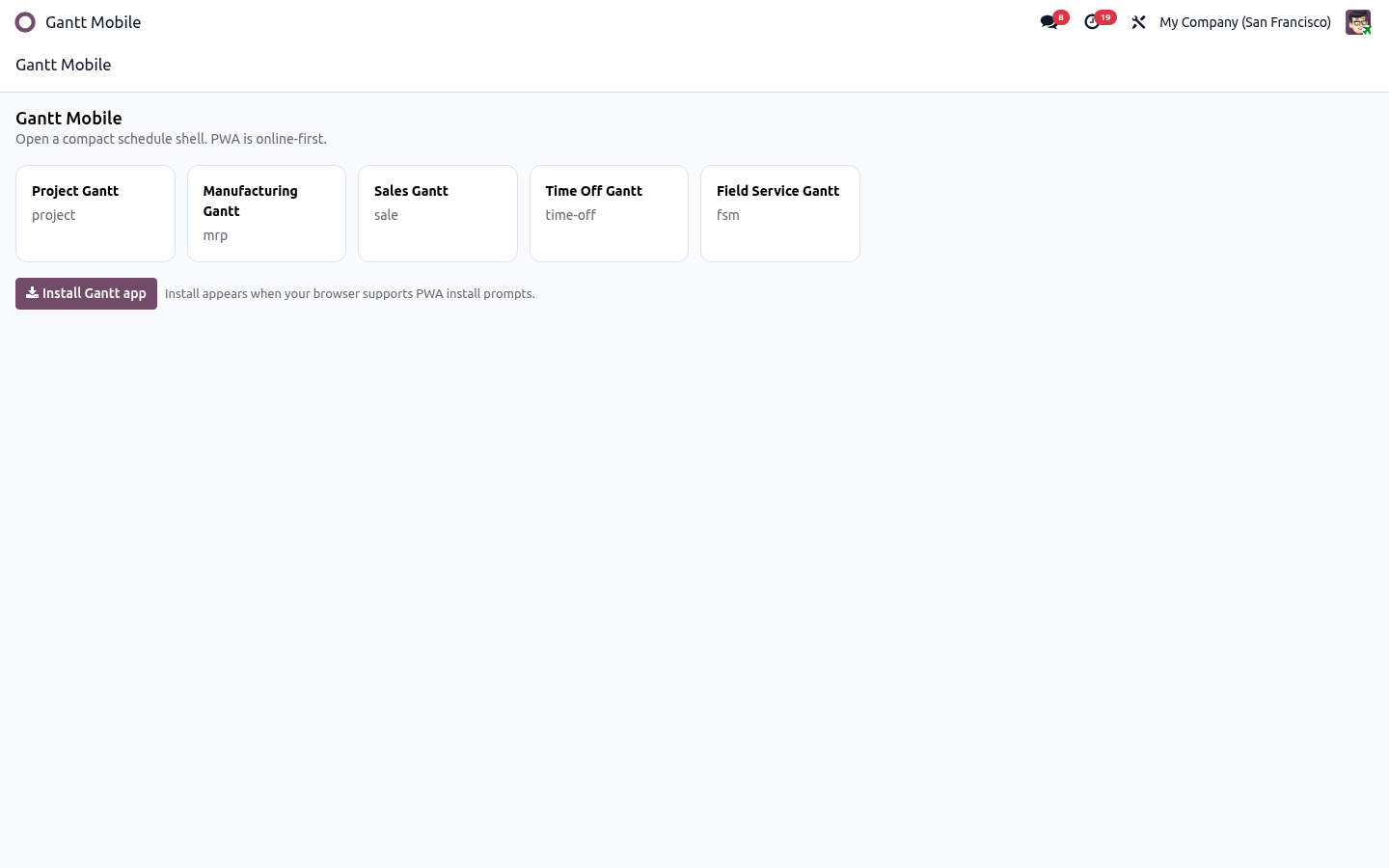
Mobile hub
Suite-wide safety restrictions
Across every adapter: schedule fields only, ACL-first, no invented confirm/done/approve.
No invented workflow states
Everywhere in the suite.
ACL / record-rule first
No sudo business bypass.
Adapter validators
Each domain keeps its checks.
Optimistic concurrency
Safe multi-user writes.
AI preview-first
No blind applies.
Mobile online-first
Honest offline model.
Everyone’s planning board in one package
Project through Field Service plus companions for teams.
All business adapters
Project, MRP, Sale, Inventory, Purchase, Time Off, FSM.
Collaboration
Presence and locks.
AI Planner
Natural-language assists.
Mobile hub
Phone/tablet entry.
Shared layouts/exports
Consistent UX.
Docs pack
Install + regression notes.
Suite tools: AI, Mobile, export and polish
Everything needed for demos, UAT and full rollout.
AI companion included
Local rules default.
Mobile/PWA included
Touch + hub.
Full export gateway
Share any board.
Shared scales/zoom
Hour→Year everywhere.
Histogram/baselines/critical
Where adapters support them.
Marketplace gallery ready
Assets included.
One install, native workflows preserved
Uninstall policy, dependency graph and support path are clear.
Meta-package only
Does not invent a second engine.
Independent uninstall
Companions remain until removed.
Required Odoo apps listed
Project/MRP/Sales/Stock/Purchase/HR/FSM/Bus/Mail.
Chatter audits where supported
Across adapters.
Regression docs
Inside the module.
Support
nexgensolutionsodoo@gmail.com
FAQ
One install for end-to-end scheduling
Roll out interactive Gantt across Project, Manufacturing, Sales, Inventory, Purchase, Time Off and Field Service — with Collaboration, AI and Mobile included.
Faster schedule decisions
See the whole plan on one interactive timeline so planners stop jumping between lists, calendars and spreadsheets.
- • Hour through year scales
- • Zoom, today marker and fit
Safer planning in Odoo
Update schedule fields with ACL-aware writes while native confirm, done, approve and validate actions stay authoritative.
- • No invented workflow states
- • Server-side validation
Clearer capacity insight
Spot overload early with load histograms, progress cues, critical path and baseline comparisons where supported.
- • Resource / work-center load
- • Progress and variance cues
Better team coordination
Keep planners aligned with saved layouts, filters, optional live presence and edit locks across the suite.
- • Saved personal layouts
- • Collaboration-ready
Share plans instantly
Export boards for meetings, partners and archives in the formats your team already uses.
- • PDF, PNG, XLSX, JSON
- • Exchange formats when enabled
Plan on any device
Use responsive Gantt chrome and optional Mobile/PWA companions for phone and tablet dispatch or review.
- • Touch-friendly controls
- • Mobile hub deep-links
AI-assisted rescheduling
Ask for delay/move plans in plain language, preview the impact, then apply only through adapter validators.
- • Preview-first AI plans
- • Local rule engine by default
Lower scheduling tool cost
Replace fragmented timeline tools with one NexGen Gantt UX shared across Project, MRP, Sales, Inventory and more.
- • One consistent engine
- • Suite or single-adapter install
Install once
Let Odoo resolve the full suite graph.
Plan every domain
Open any adapter Gantt immediately.
Scale the rollout
Keep companions you need; trim later if desired.
One suite purchase vs stacking Gantt apps
Install Base, every business adapter, Collaboration, AI and Mobile in one step instead of assembling the stack yourself.
NexGen Gantt All-in-One
Complete interactive scheduling suite for Odoo 19.
- ✓ Project → FSM adapters included
- ✓ Collaboration + AI + Mobile included
- ✓ Shared engine & exports
- ✓ Safety-first across domains
Typical multi-app approach
Buy several timeline tools, then stitch them together yourself.
- ✕ Buy many timeline apps
- ✕ Inconsistent UX/cost stack
- ✕ Companions sold separately
- ✕ Harder demo/UAT path
Full suite
All adapters in one graph.
Faster demo
One Apps install.
AI included
Planner companion ready.
Mobile included
Hub + PWA helpers.
Related modules
Explore the NexGen Gantt suite and other NexGen Solutions apps for Odoo 19.




Ready to install the complete NexGen Gantt suite?
Published by NexGen Solutions for Odoo 19. Support: nexgensolutionsodoo@gmail.com