Skip to Content
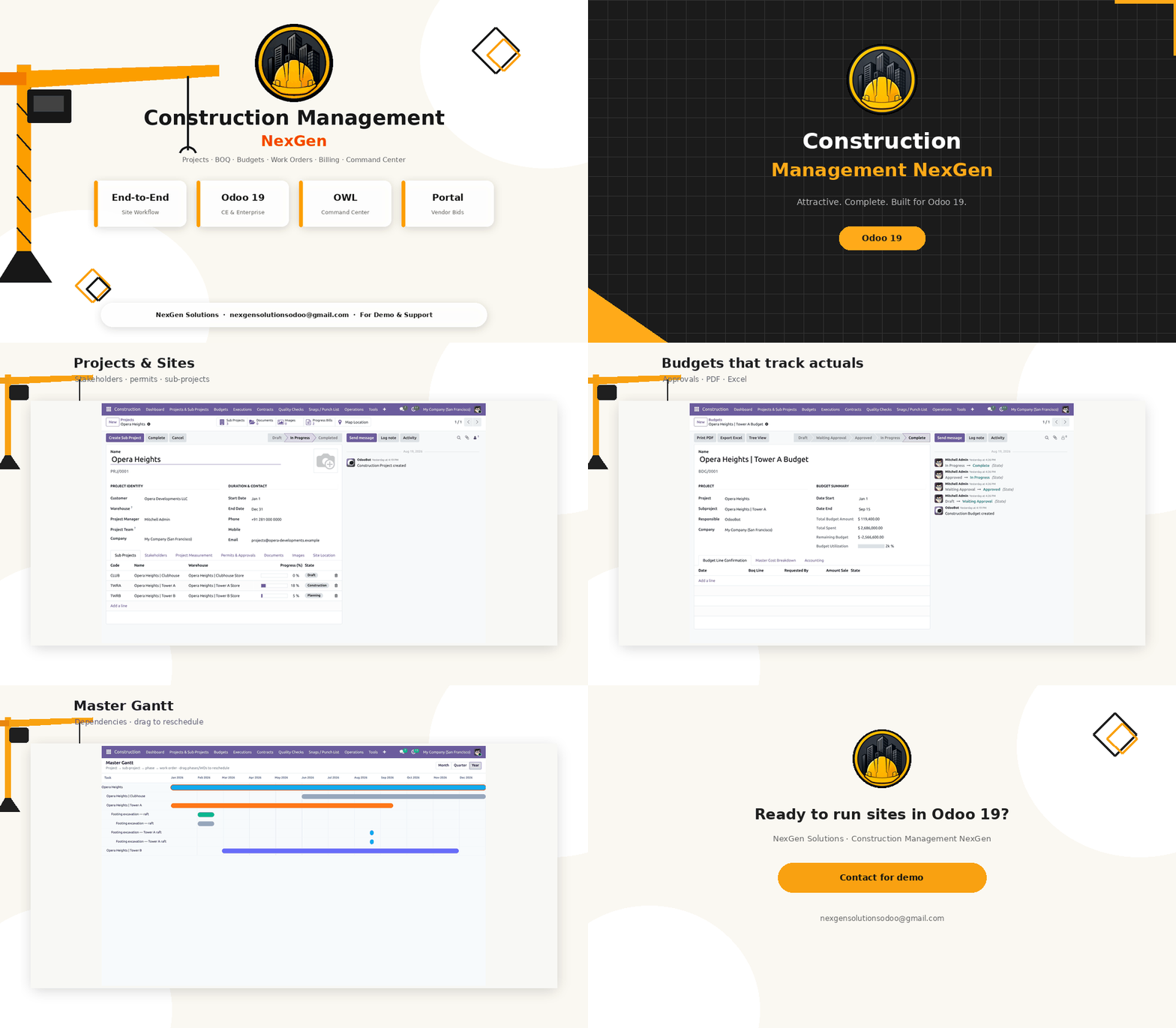
Construction Management NexGen — animated feature overview

Have questions or need customization?

The NexGen Solutions team is here to help! Whether you need support, installation assistance, or a custom feature developed, we're just a click away.

NexGen Solutions
Published by
NexGen Solutions
Odoo 19 App
Construction Management NexGen Odoo 19 · Community · Enterprise · Odoo.sh · On-Premise

Construction Management NexGen

Construction Management NexGen is the end-to-end construction operations app for Odoo 19: projects and sub-projects, rate analysis, BOQ, budgets, work orders, QC, consume/scrap, subcontracts, RA and progress billing, vendor bidding, snags, document hub, vendor portal, and an OWL command center with Gantt, map, and budget tree — from one module.

End-to-end site workflow OWL Command Center RA & Progress Billing Vendor Bids & Portal Approval Matrix Author: NexGen Solutions
About this app

What does this app do in Odoo 19?

Construction management means running the full site lifecycle inside Odoo — from estimation and budgets through execution, quality, subcontracting, billing, and close-out. Construction Management NexGen replaces scattered spreadsheets and Enterprise-only widgets with one Community-ready workspace.

Technical name: construction_management_nexgen. Works on Odoo 19 Community, Enterprise, Odoo.sh and on-premise.

  • Projects, sub-projects, permits, insurance, and geo location
  • Rate analysis, BOQ, budgets, used-qty actuals, PDF & Excel exports
  • Phases, work orders, MREQ, QC, consume/scrap, timesheets, task templates
  • Subcontracts, RA bills, retention release, customer progress billing, WCC
  • Vendor bidding, snag/punch list, document hub, vendor portal
  • OWL dashboard, Master Gantt (deps + drag), map, budget tree, dark mode
  • Approval matrix, site-scoped rules, multi-company, multi-language UI
  • Publisher: NexGen Solutions · Support: nexgensolutionsodoo@gmail.com
Main screen

Workspace — projects, budgets and command center

One Construction menu for masters, estimation, execution, contracts, snags, documents, reports, configuration, and the OWL Command Center.
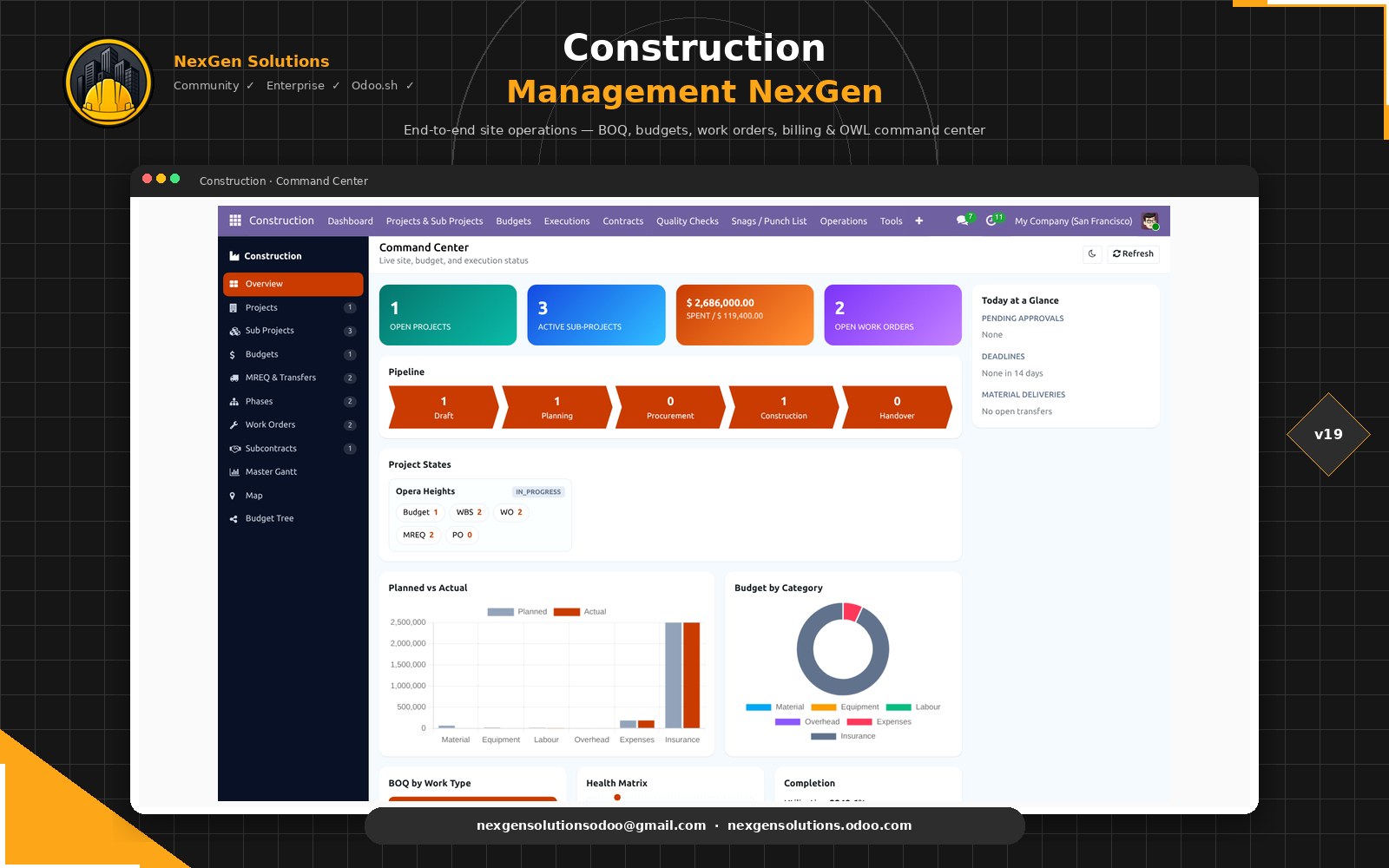
Construction Management NexGen module icon Construction Management NexGen for Odoo 19 — Command Center

Open Construction → Dashboard after install for the command center, or start with a project and follow the estimation → execution → billing flow.

At a glance

Feature map

Explore every capability below. Use the tabs for detailed feature walkthroughs.

🏗️Projects & Sites
🏢Sub-Projects
🧮Work Types
📊Rate Analysis
📋BOQ
💰Budgets & Actuals
🗒️WBS Phases
🚧Work Orders
📦MREQ
Quality Checks
📤Consume / Scrap
⏱️Timesheets
📝Task Templates
🤝Subcontracts
💳RA Bills
🏦Progress Billing
🔐Retention Release
🏷️Vendor Bids
🌐Vendor Portal
🚨Snags / Punch List
📁Document Hub
📈Command Center
📅Master Gantt
🗺️Site Map
🌳Budget Tree
📨Approval Matrix
📄PDF / Excel Reports
🔒Site-scoped Access
🌍Multi-language UI
🏢Multi-company
How it works

Configure the site — operate end to end

Install the app, create a project and sub-project, build rate analysis and BOQ, approve the budget, then execute with work orders, QC, billing, and the command center.

1

Install

Install from Apps and open the Construction menu.

2

Estimate

Projects → rate analysis → BOQ → approve budget.

3

Execute

Phases, work orders, MREQ, QC, consume, timesheets.

4

Bill & close

Subcontracts, RA / progress bills, snags, dashboard.

Feature 1

Construction Projects & Sites

Create each site as a construction project with stakeholders, geo location, theme color, and operational settings.

  • Customer, project manager, and site team members
  • Map coordinates for the OWL site map
  • Insurance policies and permits with activate / expire / daily cron
  • Optional site warehouse and analytic / task board links
  • Optional site-scoped record rules for project teams
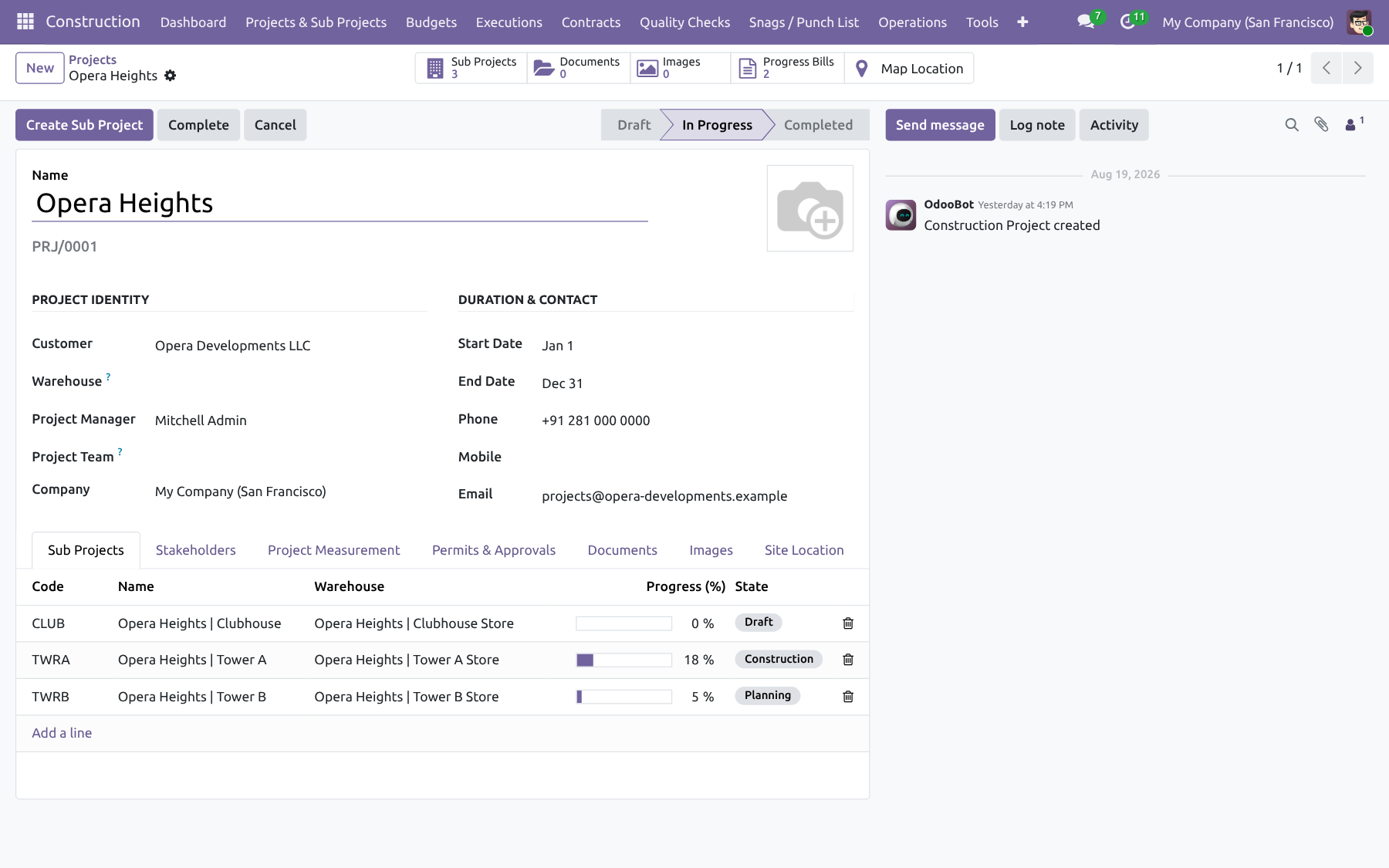
Construction Projects & Sites — Construction Management NexGen
Feature 2

Sub-Projects (Towers / Wings)

Split a site into commercial sub-projects with their own warehouses, BOQ, budget, and progress.

  • Commercial terms and retention settings
  • Auto warehouse / task board when enabled
  • Computed progress from phases and work orders
  • Dedicated BOQ and budget per sub-project
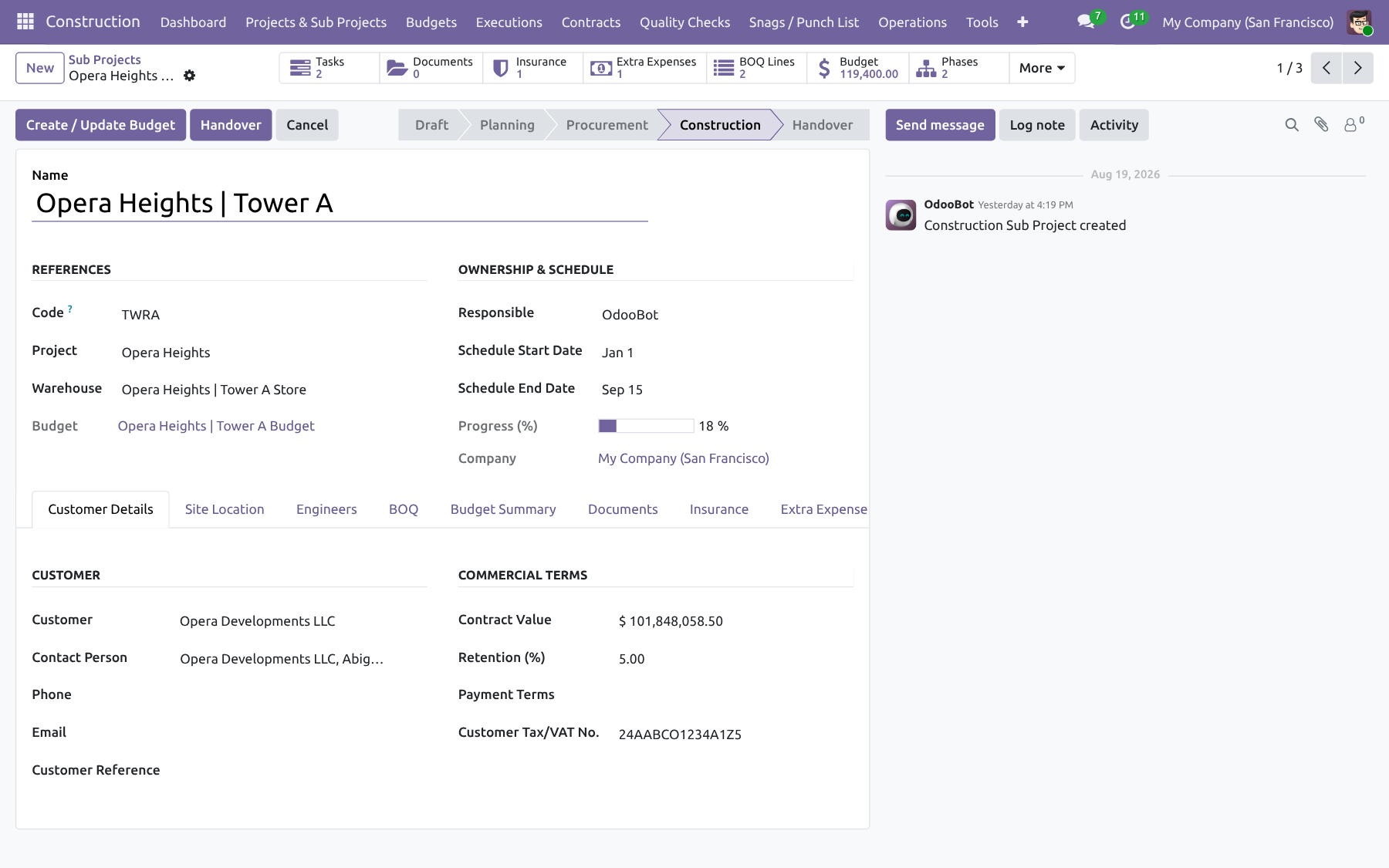
Sub-Projects (Towers / Wings) — Construction Management NexGen
Projects & Estimation

From site setup to approved budget

Masters, rate analysis, BOQ, and budgets with approval matrix and actuals tracking.

Feature 3

Work Types & Sub-Types

Master data that drives BOQ costing categories across material, equipment, labour, and overhead.

  • Work type / sub-type hierarchy
  • Archive instead of delete when used
  • Used consistently on rate analysis, BOQ, and billing
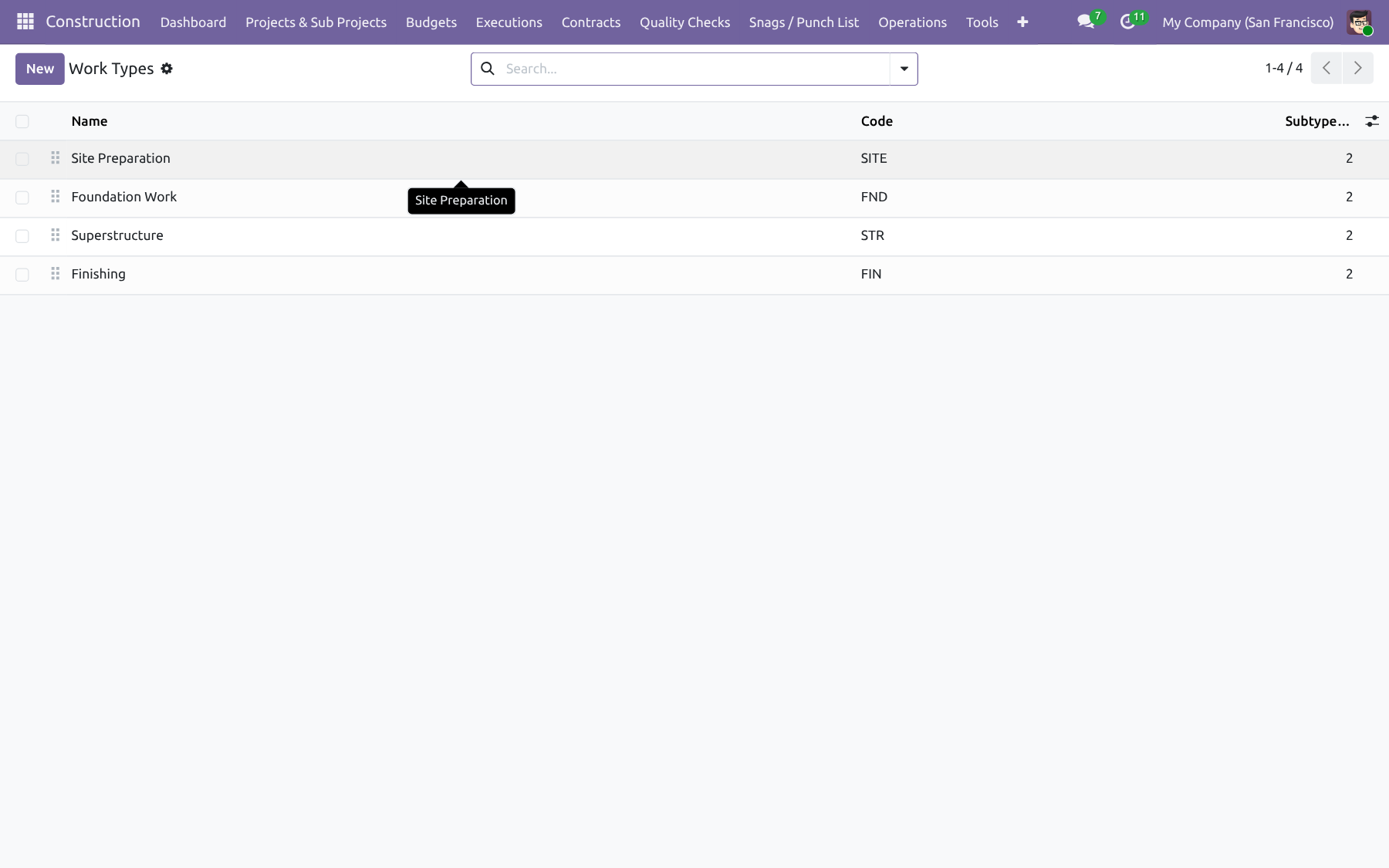
Work Types & Sub-Types — Construction Management NexGen
Feature 4

Rate Analysis Templates

Build reusable cost and sale rates with material, equipment, labour, and overhead lines.

  • Dual cost / sale pricing with taxes
  • Qty per Unit vs Total Required Qty modes
  • Product links for procurement and consume
  • Reusable templates for multiple BOQ lines
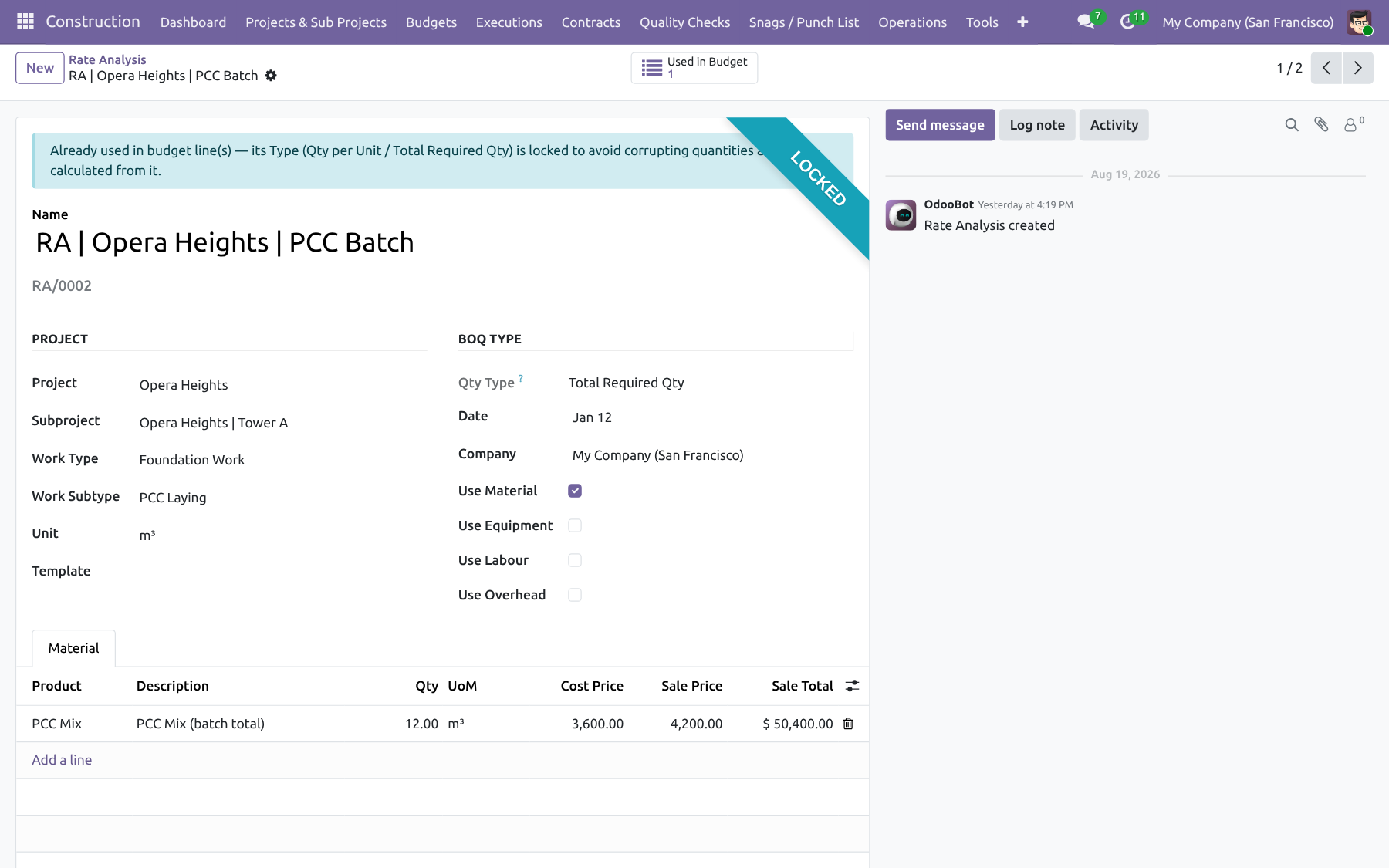
Rate Analysis Templates — Construction Management NexGen
Feature 5

Bill of Quantities (BOQ)

Capture quantities for each sub-project, optionally with L × W × H, linked to rate analysis.

  • Line-level quantities and amounts
  • Optional dimension-based quantity
  • Feeds budget generation and WBS phases
  • Tracks remaining quantity for work orders
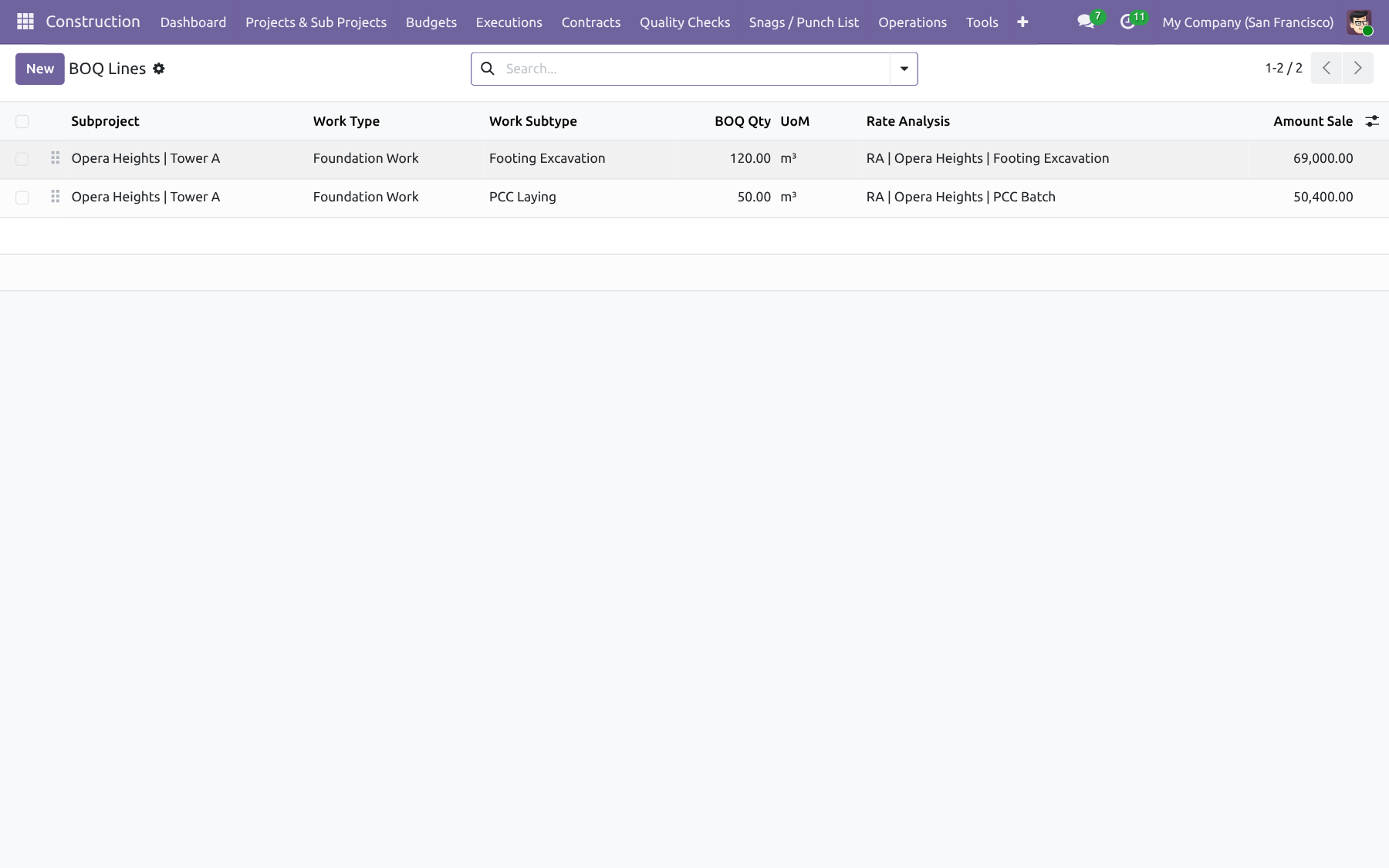
Bill of Quantities (BOQ) — Construction Management NexGen
Feature 6

Budgets, Approvals & Actuals

Generate budgets from BOQ, route them through the approval matrix, then track used quantity from site operations.

  • Create / Update Budget from BOQ
  • Submit → approve with mail + activities
  • Extra-line confirmation workflow
  • Used qty from consume, scrap, and billable timesheets
  • Budget statistic PDF and Excel export
  • Cancel of consume/scrap reverses budget usage
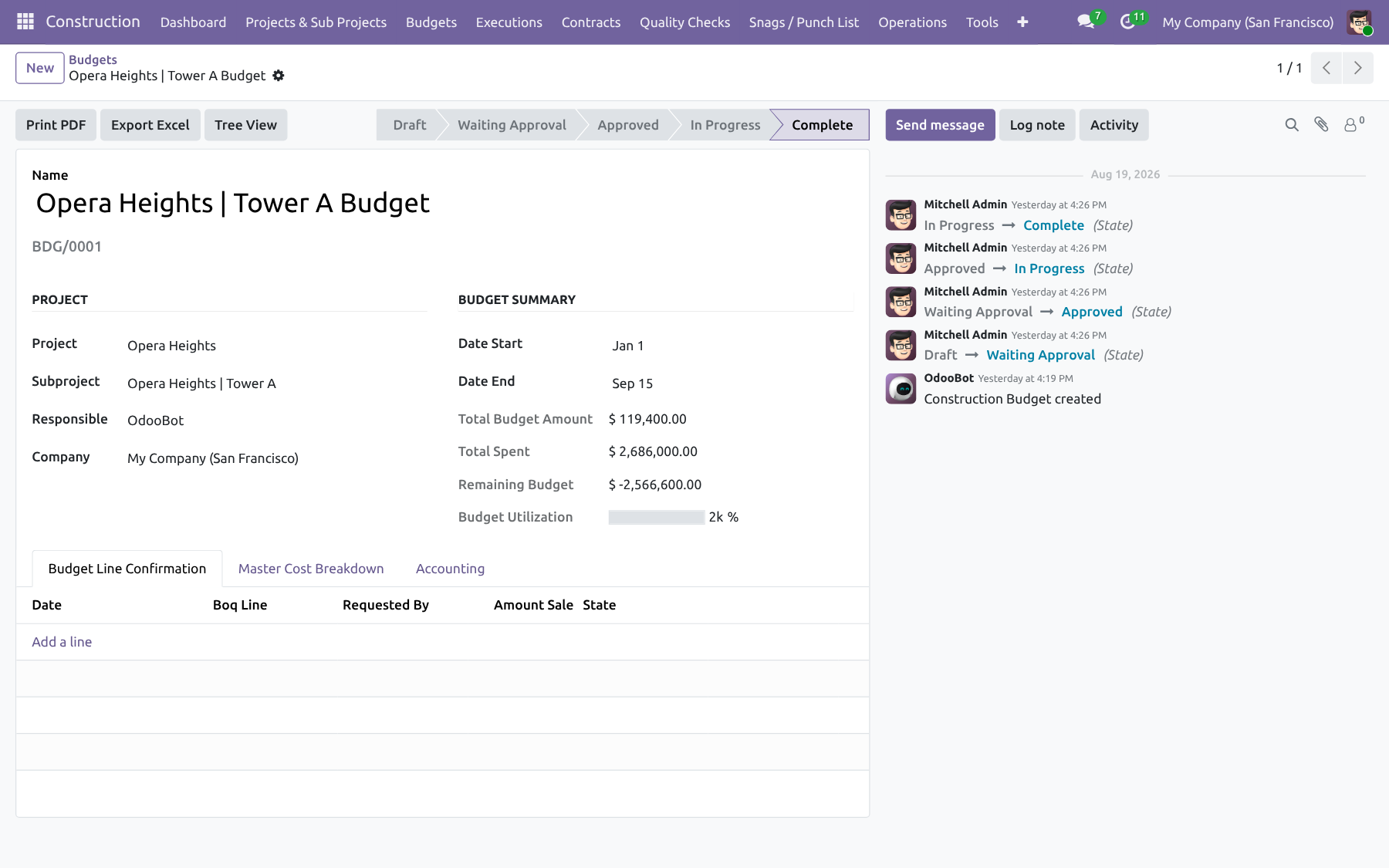
Budgets, Approvals & Actuals — Construction Management NexGen
Site execution

Phases, work orders, materials and quality

Turn the approved budget into WBS, work orders, stock movements, and timesheets.

Feature 7

WBS Phases & Predecessors

Create phases from BOQ remaining quantity and link predecessors for Master Gantt dependency lines.

  • WBS from BOQ lines
  • Predecessor relations for scheduling
  • Progress reflects WO / phase states
  • Drag dates on Master Gantt to reschedule
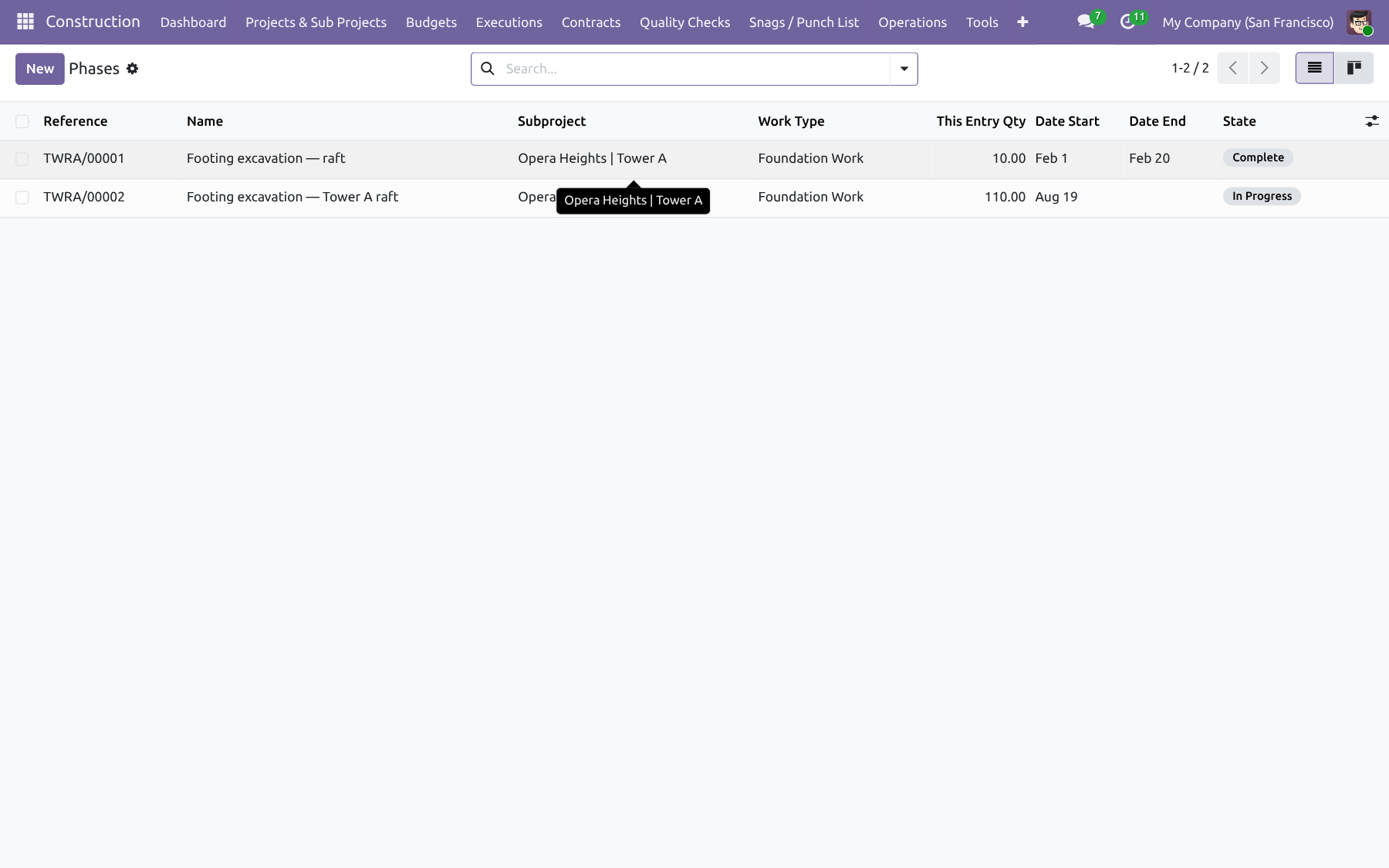
WBS Phases & Predecessors — Construction Management NexGen
Feature 8

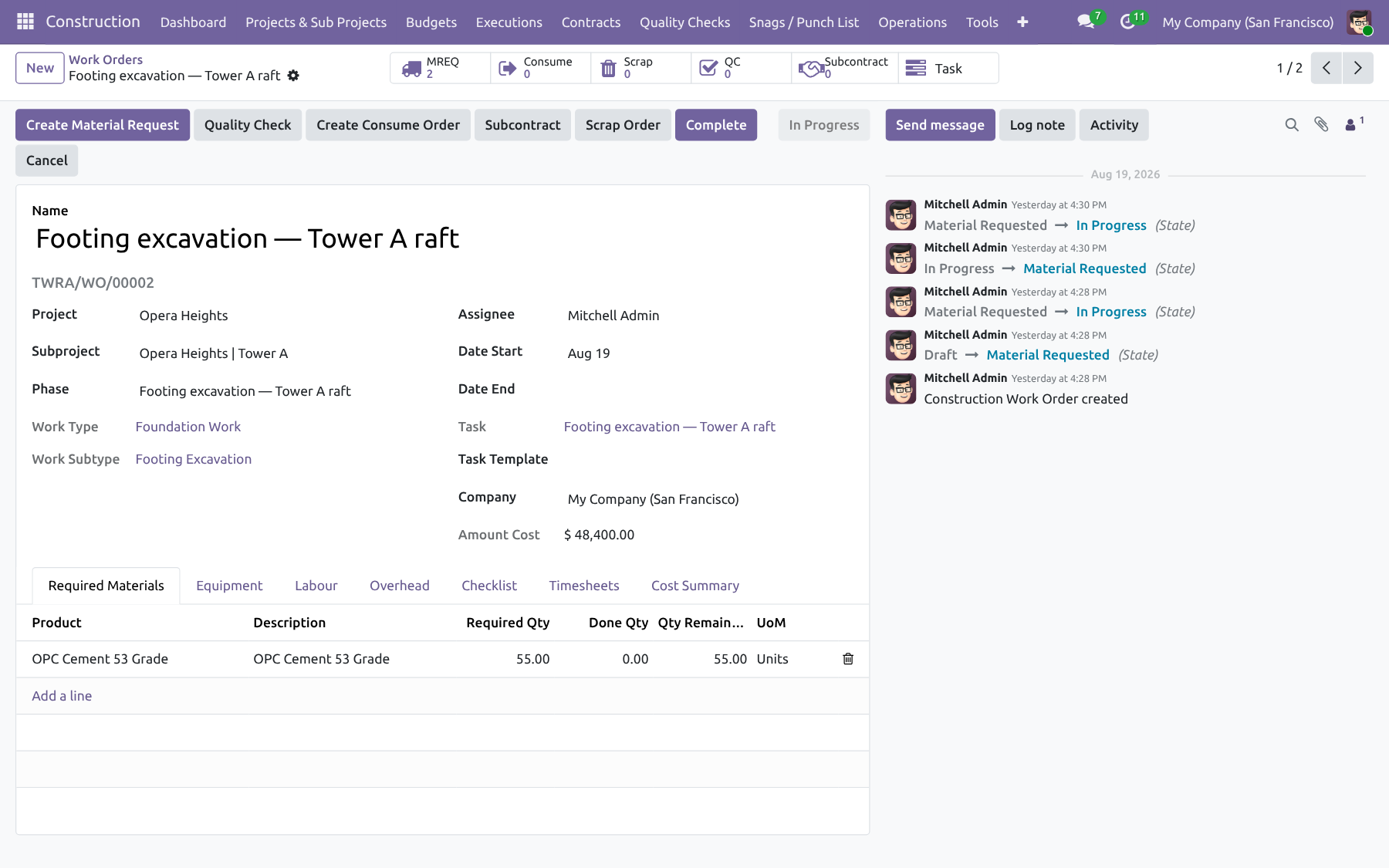
Work Orders, Checklists & Job Sheets

Execute site work with checklists, timesheets, Job Sheet PDF, and Work Completion Certificate.

  • Work order lifecycle with approvals
  • Checklists and operational notes
  • Job Sheet and WCC PDF reports
  • Task templates to spawn project tasks
Work Orders, Checklists & Job Sheets — Construction Management NexGen
Feature 9

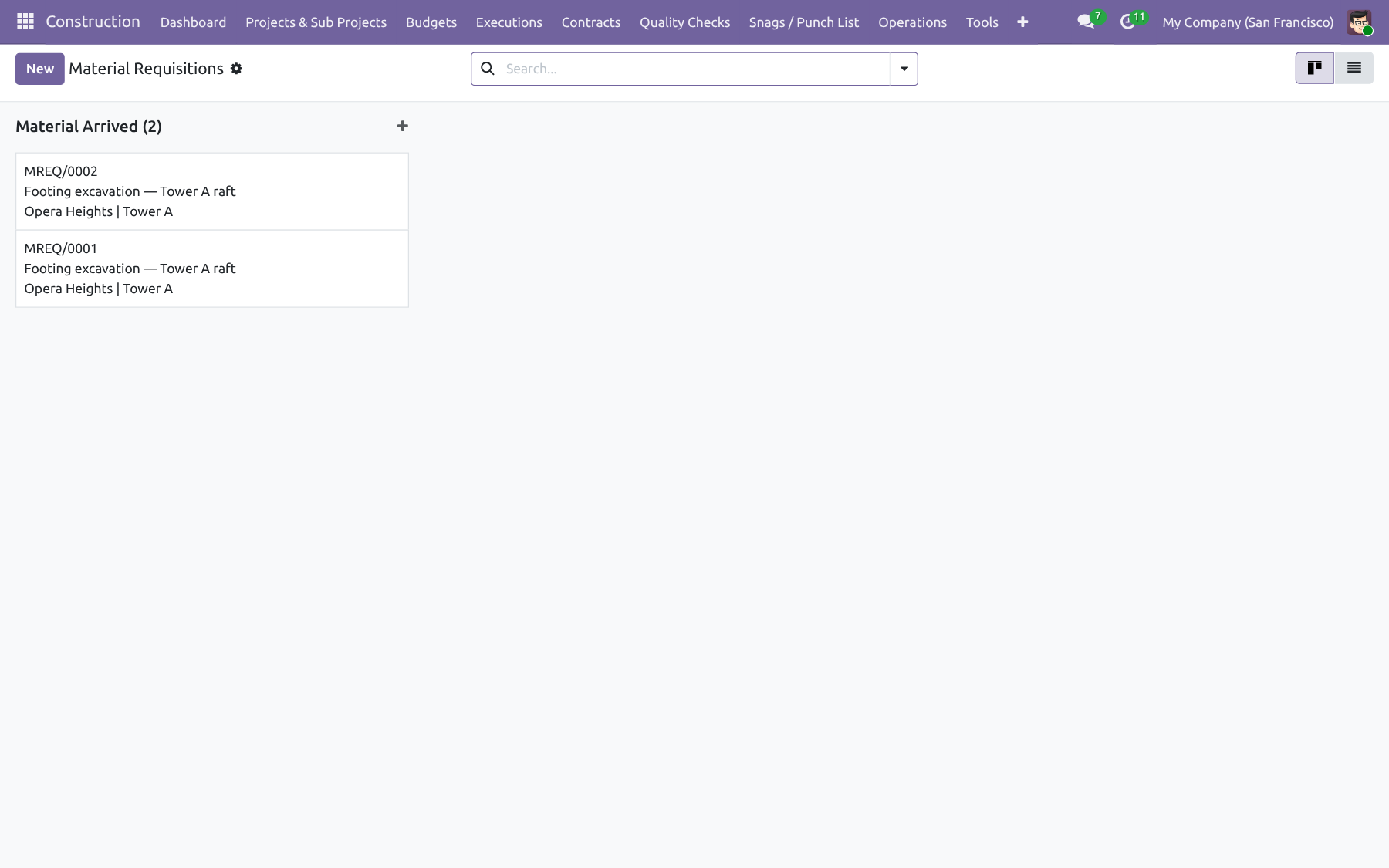
Material Requisitions (MREQ)

Request materials against the budget; approvals notify matrix groups; follow with PO and/or internal transfer.

  • Budget-aware material lines
  • Approval matrix + mail / activity notify
  • Creates purchase orders and internal transfers
  • Printable MREQ report
Material Requisitions (MREQ) — Construction Management NexGen
Feature 10

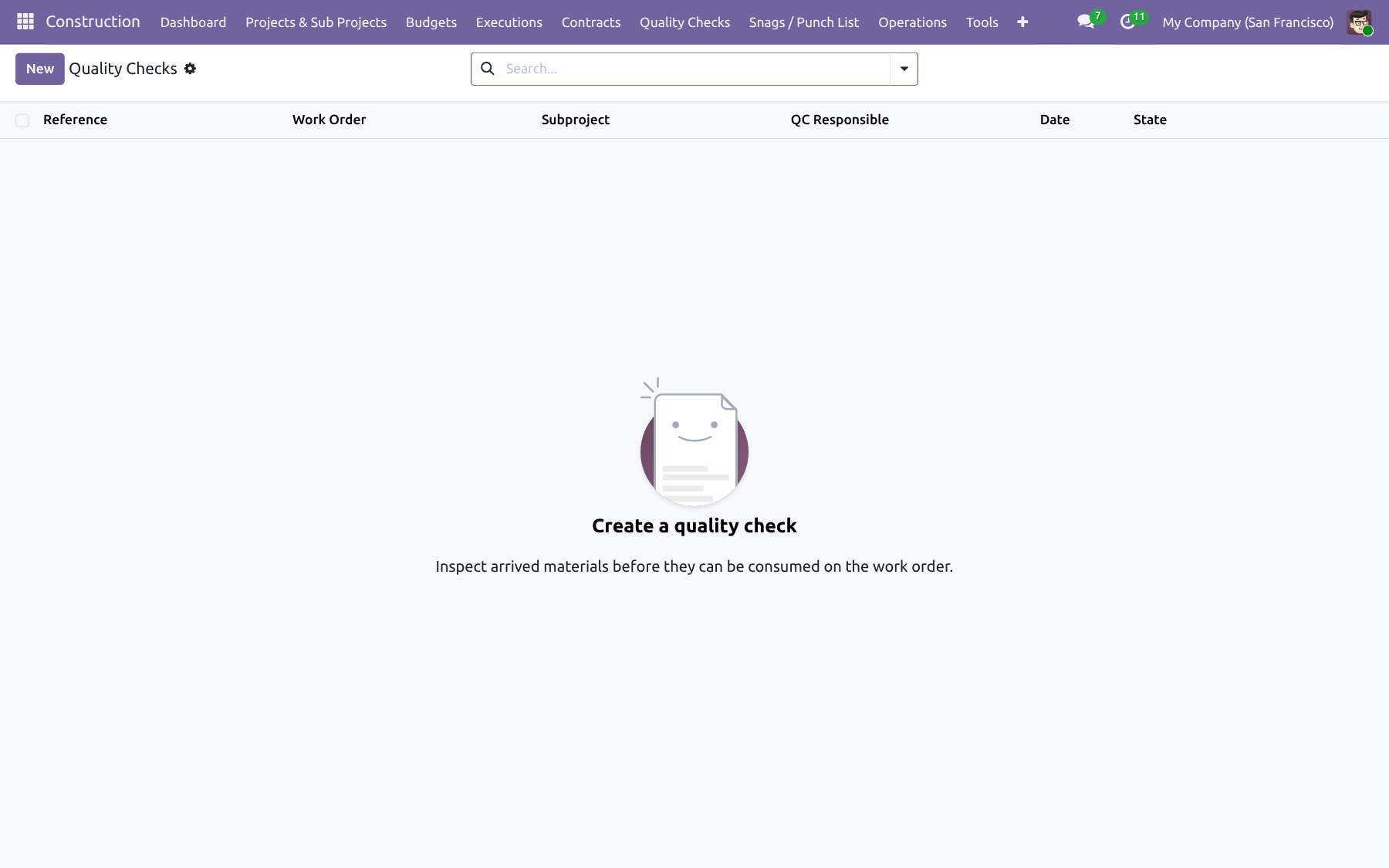
Quality Checks

QC inspections gate consume orders so stock is only issued after quality approval.

  • QC checklist linked to work / materials
  • Blocks consume until approved
  • Inspector role and audit trail
Quality Checks — Construction Management NexGen
Feature 11

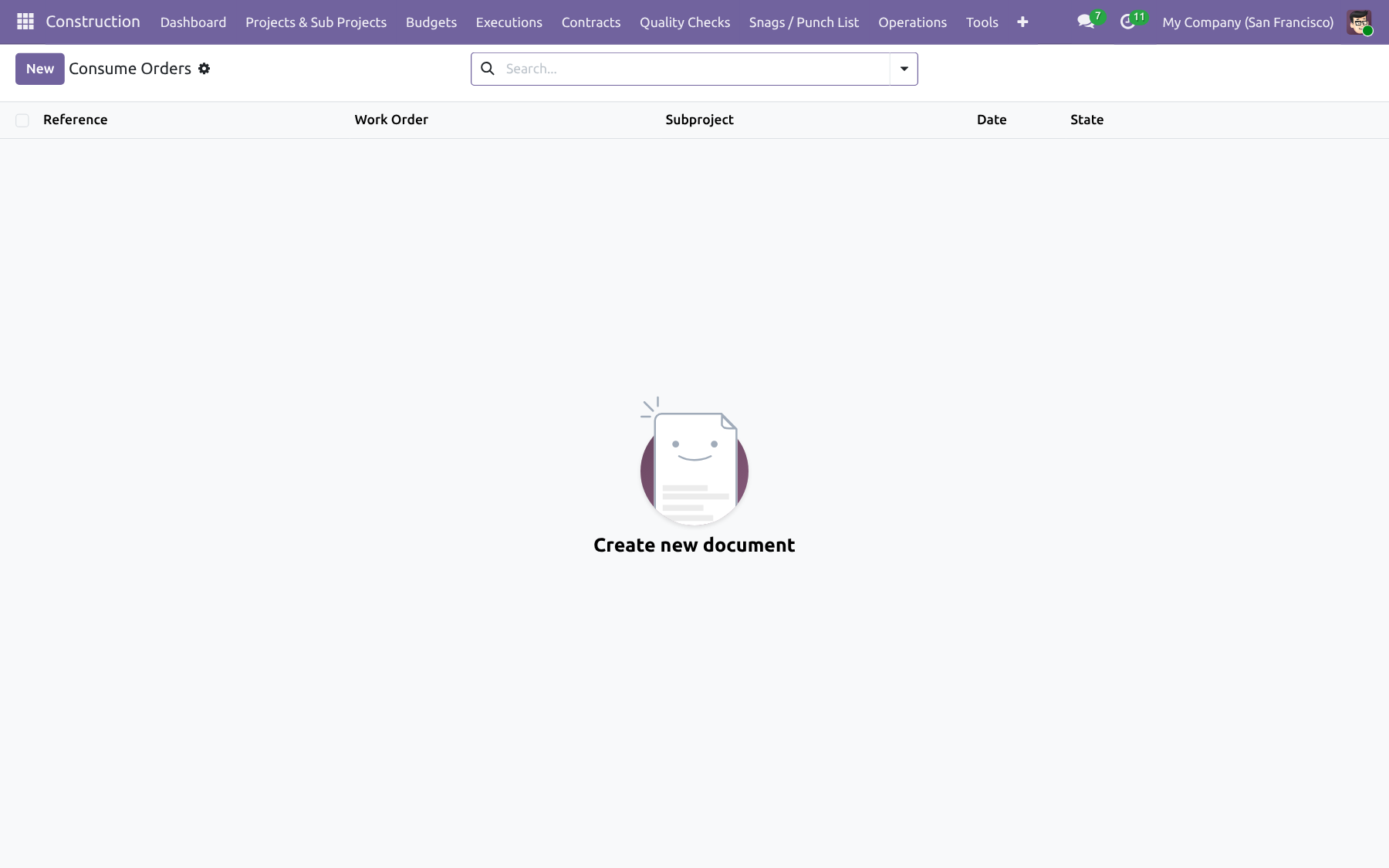
Consume & Scrap Orders

Issue or scrap stock to the site and write used quantity on the budget; cancel reverses the actuals.

  • Stock moves from site warehouse
  • Updates budget used quantity
  • Cancel reverses budget usage
  • Printable consume / scrap reports
Consume & Scrap Orders — Construction Management NexGen
Feature 12

Timesheets & Task Templates

Log hours on work orders with HR timesheet sync, and spawn project tasks from reusable templates.

  • WO timesheets → HR timesheets / analytic lines
  • Billable hours can update labour budget used qty
  • Task templates create project tasks from a WO
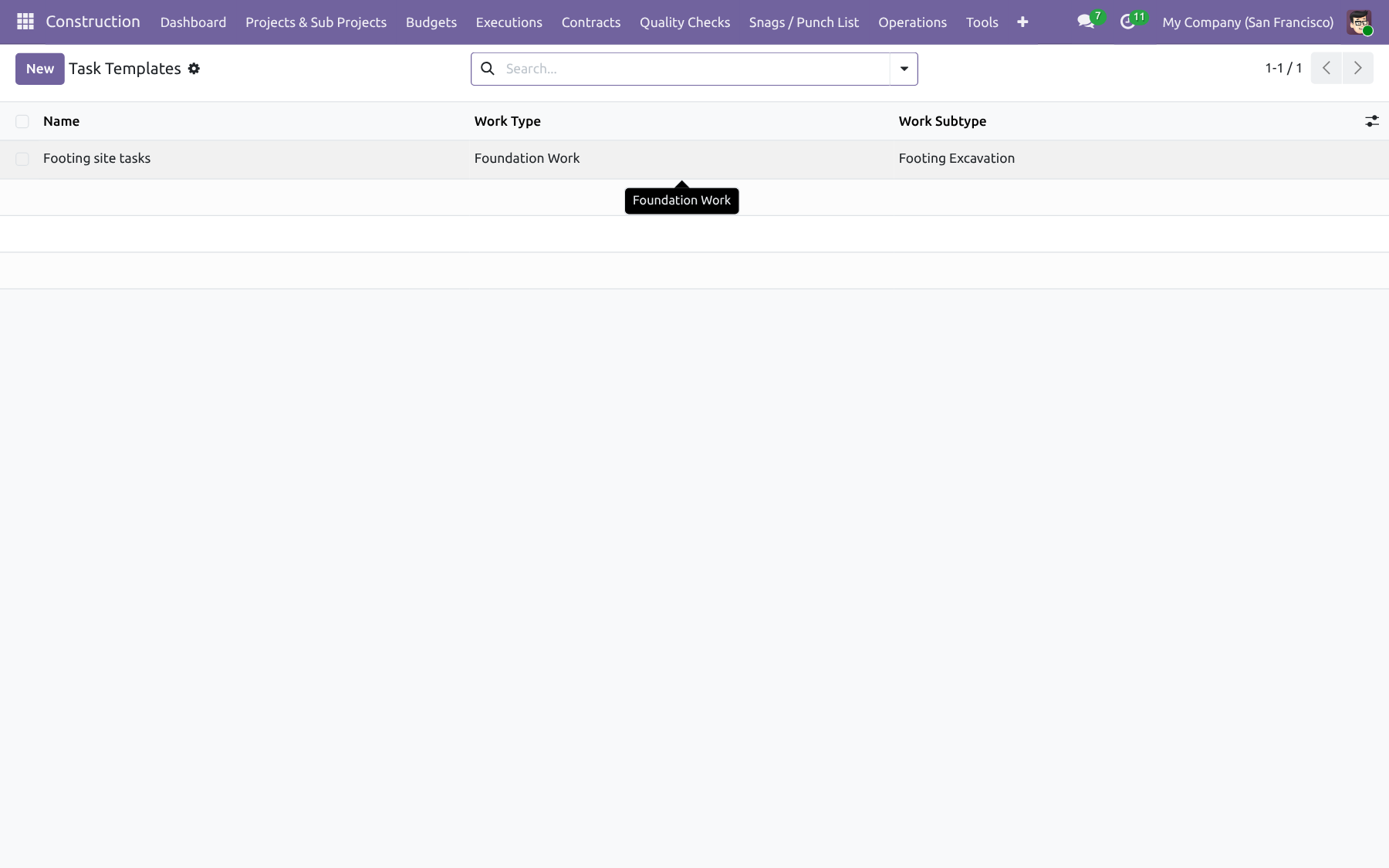
Timesheets & Task Templates — Construction Management NexGen
Contracts & Billing

Vendors, customers, retention and portal

Subcontracts, RA bills, progress invoices, retention release, and vendor bidding.

Feature 13

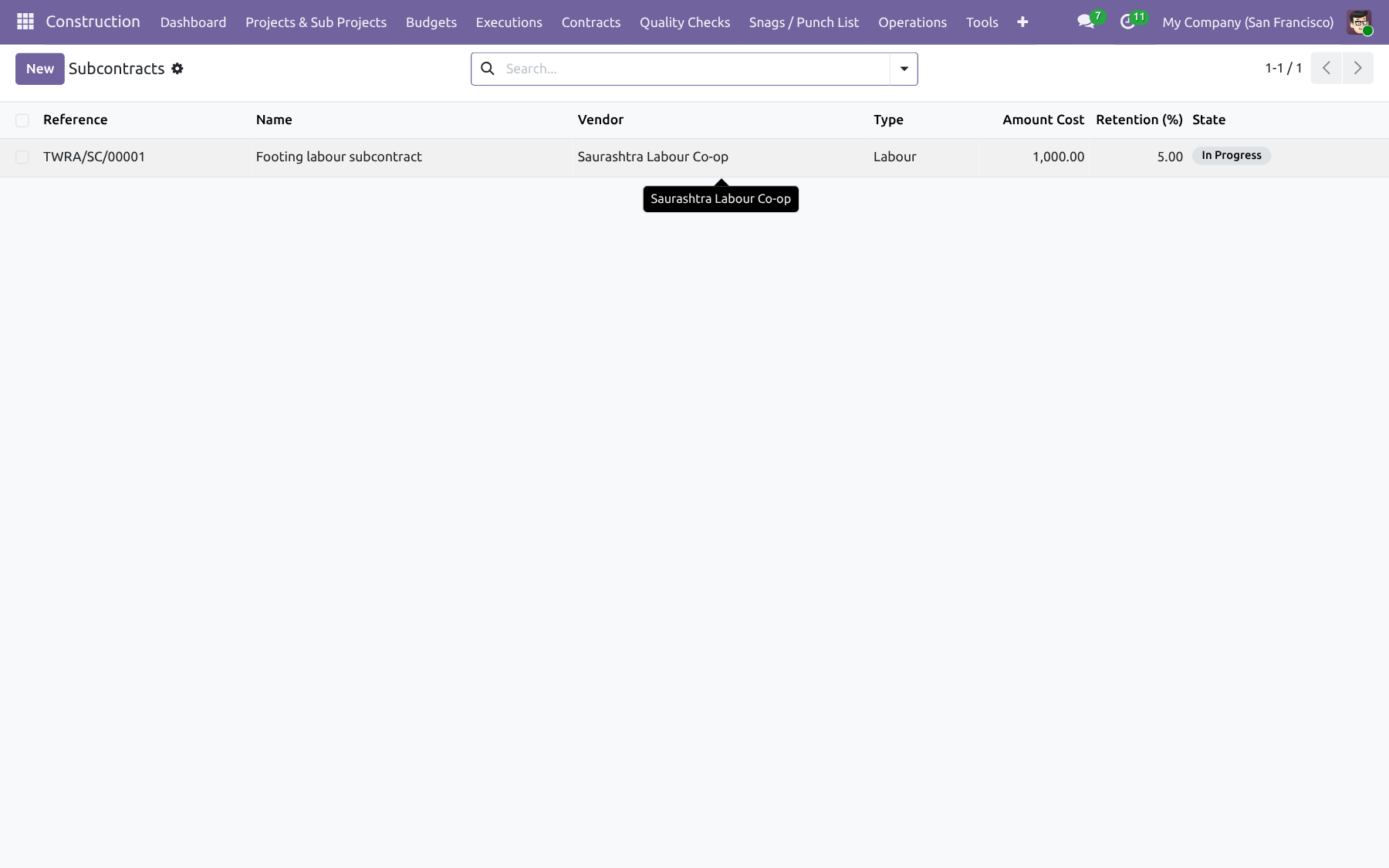
Subcontracts (Equipment / Labour / Overhead)

Issue vendor subcontracts by resource type with retention, linked to site progress and RA billing.

  • Equipment, labour, and overhead contract types
  • Retention percentage and release workflow
  • Linked to sub-project / work scope
Subcontracts (Equipment / Labour / Overhead) — Construction Management NexGen
Feature 14

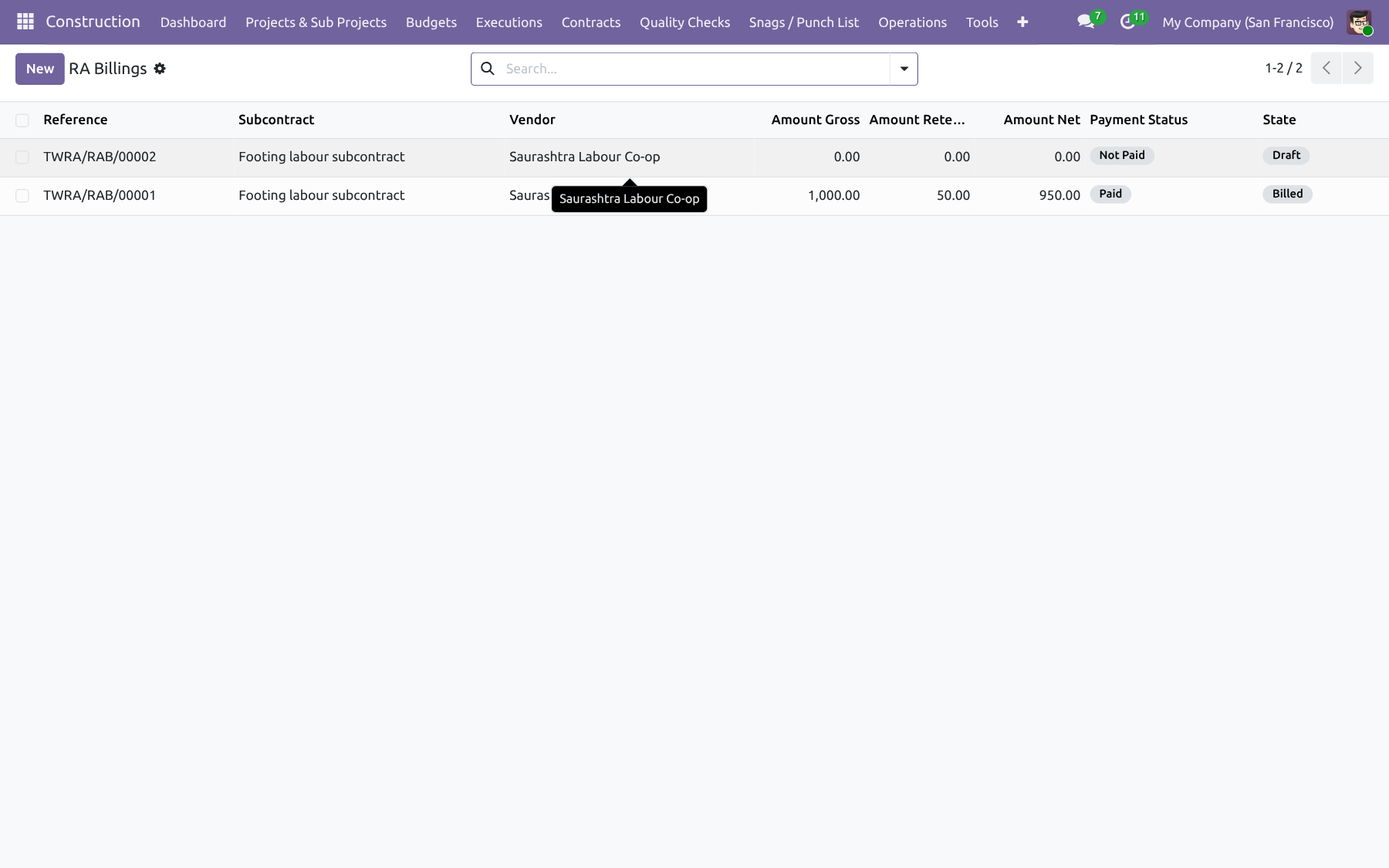
RA Bills & Vendor Portal

Running-account bills for subcontractors with PDF print, retention, and portal quantity submission.

  • RA bill lines and approvals
  • Portal: /my/construction/ra-bills
  • Vendors adjust quantities and submit
  • Printable RA bill report
RA Bills & Vendor Portal — Construction Management NexGen
Feature 15

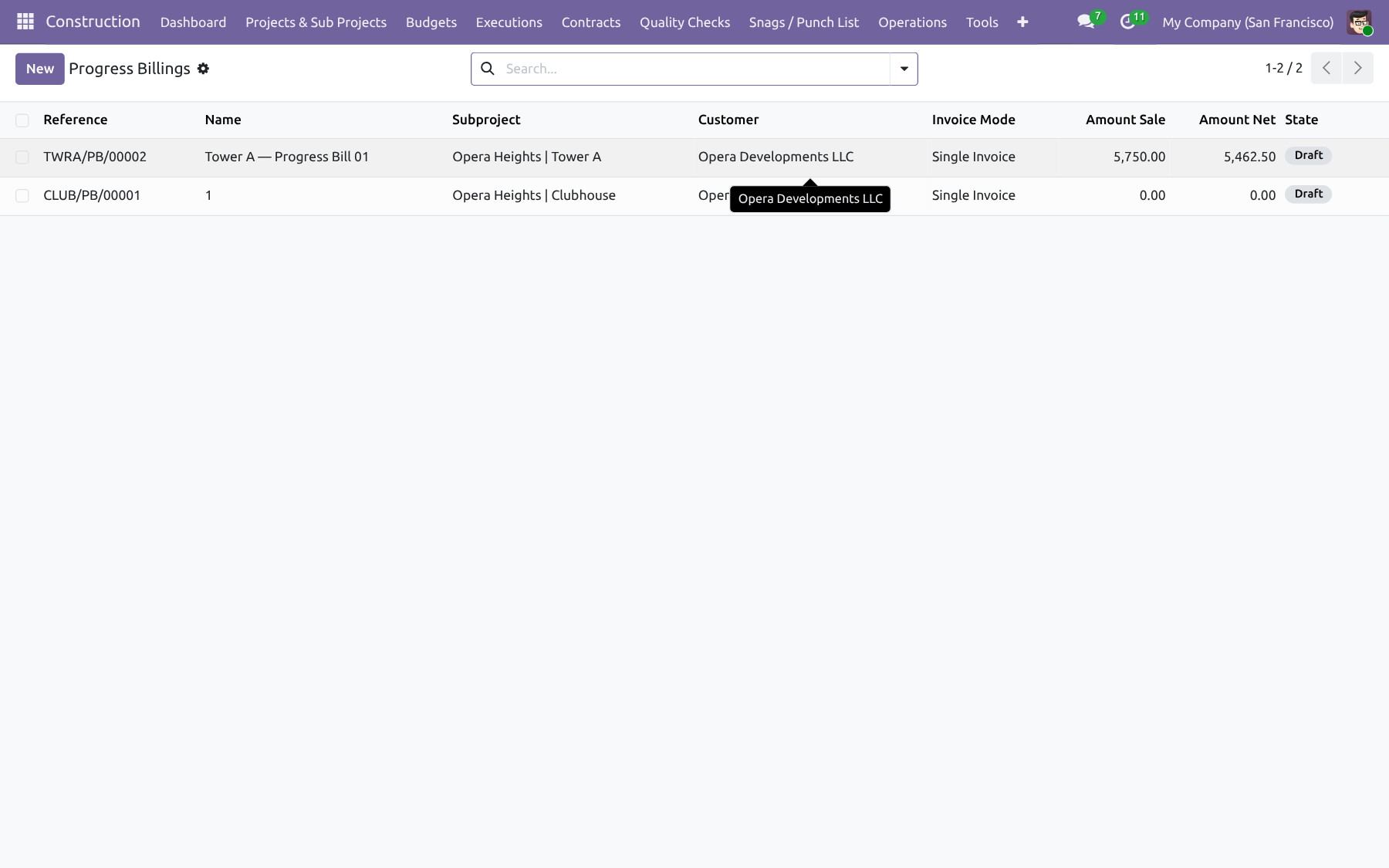
Customer Progress Billing

Invoice the customer for progress (single or type-wise) with retention and Work Completion Certificate.

  • Single or type-wise billing modes
  • Retention held and later released
  • Customer invoices via Accounting
  • WCC PDF for completion
Customer Progress Billing — Construction Management NexGen
Feature 16

Retention Release Wizard

Release vendor or customer retention when due, with a guided wizard from Contracts.

  • Vendor and customer retention
  • Release when milestones / dates allow
  • Accounting-ready follow-up
Retention Release Wizard — Construction Management NexGen
Feature 17

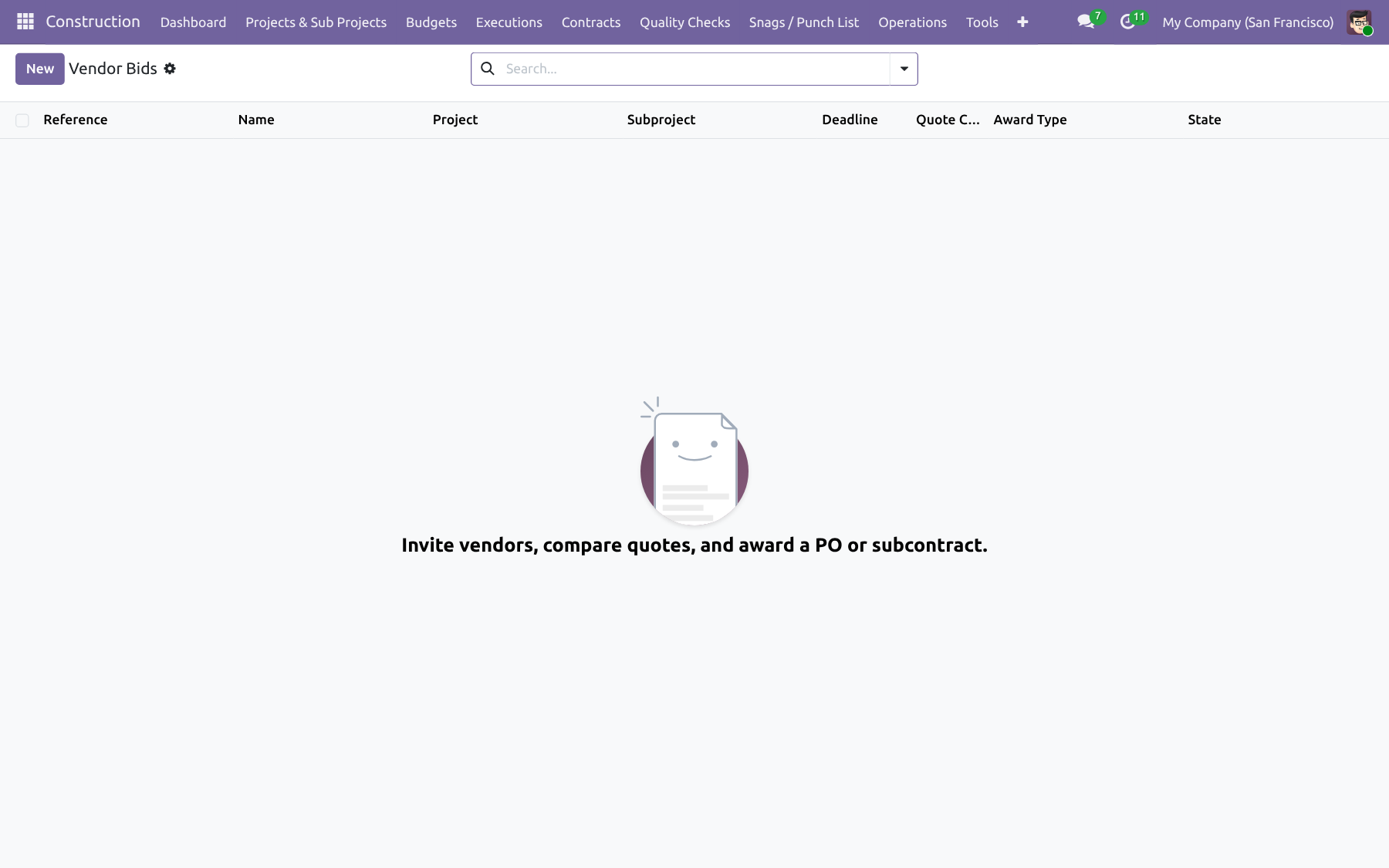
Vendor Bidding / RFQ

Invite vendors, compare quotes, and award to a purchase order or subcontract.

  • Bid invitations with due dates
  • Quote compare by price and lead time
  • Award creates PO or subcontract
  • Portal: /my/construction/bid-invites
Vendor Bidding / RFQ — Construction Management NexGen
Command Center & Control

Dashboard, planning, approvals and governance

OWL command center, Gantt/map/budget tree, approval matrix, snags, documents, and security.

Feature 18

OWL Command Center Dashboard

One OWL command center for KPIs, project states, dark/light theme, and deep links into site documents.

  • Dark / light theme
  • Batched project-state metrics
  • Quick navigation to open work
  • Onboarding tour for first-time users
OWL Command Center Dashboard — Construction Management NexGen
Feature 19

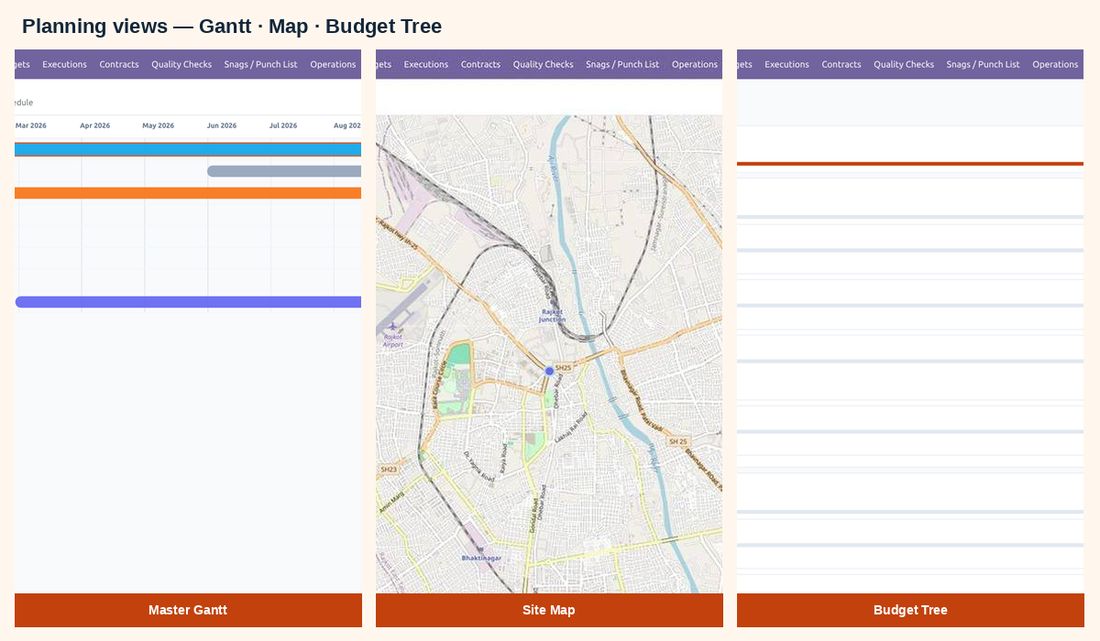
Master Gantt, Map & Budget Tree

Community-friendly OWL Gantt with dependencies and date drag, site map, and hierarchical budget tree.

  • Phase / WO bars with predecessor links
  • Drag to reschedule dates via RPC
  • Geo map of construction projects
  • Budget tree for cost structure
Master Gantt, Map & Budget Tree — Construction Management NexGen
Feature 20

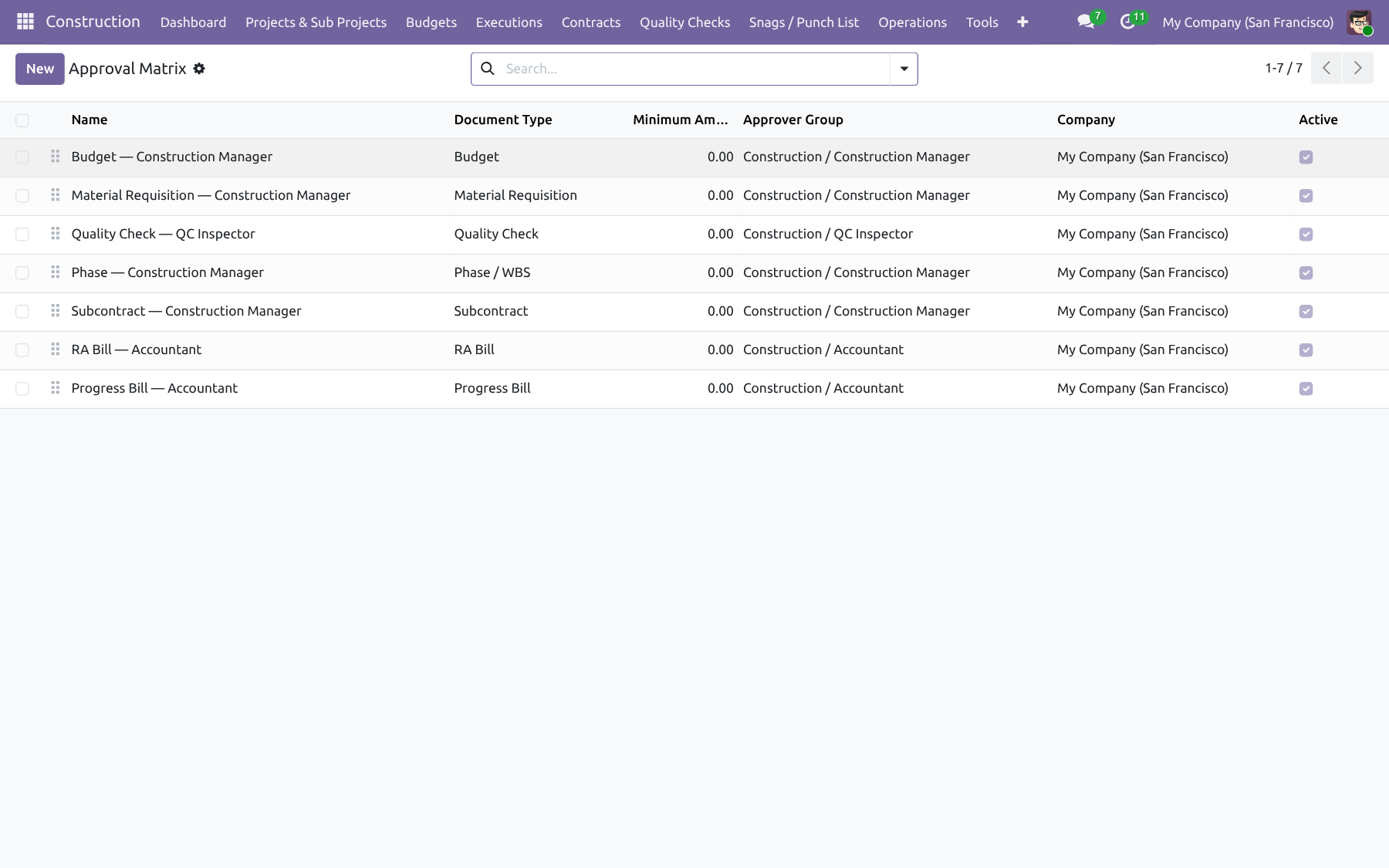
Approval Matrix

Configure approver groups by document type and amount; submissions send mail and activities.

  • Document type × amount × group rules
  • Mail templates + activities
  • Used by budget, MREQ, bills, and more
Approval Matrix — Construction Management NexGen
Feature 21

Snags / Punch List

Track defects with severity, photos, assignees, and close-out beyond day-to-day QC.

  • Severity and status workflow
  • Photos and chatter
  • Assignee and due tracking
Snags / Punch List — Construction Management NexGen
Feature 22

Document Hub

Store drawings, permits, and site files with folders, tags, and links to phases or work orders.

  • Folders and tags
  • Phase / WO links
  • Central Construction documents menu
Document Hub — Construction Management NexGen
Feature 23

Security, Roles, i18n & Hardening

Construction roles, multi-company rules, optional site scope, delete guards, archive filters, and translations.

  • Roles: Site Engineer, Purchase, Store Keeper, QC, Accountant, Manager, Admin
  • Multi-company record rules
  • Optional site-scoped access for project teams
  • Delete guards on operational docs; archive masters in use
  • Translations: AR, DE, ES, FR, IT, NL, RO
Security, Roles, i18n & Hardening — Construction Management NexGen
FAQ

FAQ

59 answers covering install, estimation, execution, billing, portal, dashboard, and support.

What does this app do?

It runs construction sites in Odoo 19: projects and sub-projects, rate analysis, BOQ, budgets, work orders, QC, consume/scrap, subcontracts, RA and progress billing, vendor bidding, snags, documents, vendor portal, and an OWL command center with Gantt, map, and budget tree.

Do I need Odoo Enterprise?

No. Construction Management NexGen targets Odoo 19 Community and ships OWL Gantt, Map, Budget Tree, and Dashboard instead of Enterprise-only widgets. It also works on Enterprise, Odoo.sh, and on-premise.

What is the technical name of the module?

The technical name is construction_management_nexgen. Install it from Apps after adding the module to your addons path.

Who is the author / publisher?

Author and maintainer: NexGen Solutions. Website: nexgensolutions.odoo.com. Support: nexgensolutionsodoo@gmail.com.

What license is used?

OPL-1 (Odoo Proprietary License v1.0). See the LICENSE and COPYRIGHT files in the module root.

What is the typical site workflow?

Create project and sub-project → rate analysis and BOQ → generate and approve budget → phases and work orders → MREQ / QC / consume → subcontracts and RA or progress bills → snags and documents → monitor the Command Center.

Does the module include demo data?

Yes. Demo data creates a sample site (for example Opera Heights) with sub-projects, rate analysis, budget, phases, work orders, and related documents so you can explore the Command Center immediately after install.

What Odoo apps does it depend on?

It depends on project, hr, hr_timesheet, stock, purchase, account, mail, contacts, analytic, purchase_stock, portal, and web_tour.

What is a Construction Project vs a Sub-Project?

A Construction Project is the site (customer, dates, team, geo location, permits, insurance). A Sub-Project is a tower/wing/zone under that site with its own warehouse, BOQ, budget, and progress.

Can I track site location on a map?

Yes. Set latitude/longitude on the project and open Map from Construction or the Command Center sidebar for a geo view of your sites.

How do permits and insurance work?

Projects hold permit and insurance lines. Records can be activated and expire automatically via a daily cron when end/expiry dates pass.

What is site-scoped access?

Optional setting that limits engineers and team users to projects where they are the project manager or on the project team, using record rules.

What are Work Types and Sub-Types?

Masters that classify construction work (for example Foundation / PCC Laying). They drive rate analysis, BOQ costing categories, and billing breakdowns. Archive them when used instead of deleting.

What is Rate Analysis?

A reusable cost/sale template with material, equipment, labour, and overhead lines, dual pricing, taxes, and Qty-per-Unit or Total-Required-Qty modes. Link it to BOQ lines for consistent costing.

Why is a Rate Analysis locked?

When a rate analysis is already used on budget lines, its quantity type is locked so changing it cannot corrupt calculated quantities. Create a new rate analysis if you need a different structure.

How does BOQ quantity work with L × W × H?

BOQ lines can use a direct quantity or optional length × width × height dimensions. Lines link to a rate analysis and feed budget generation and WBS phase remaining quantity.

How do I create a budget from BOQ?

On the sub-project / budget flow use Create / Update Budget from BOQ lines, then submit for approval. Extra lines can go through a confirmation workflow.

Can I export the budget?

Yes. From the budget form use Print PDF and Export Excel for statistic / commercial packs. A Budget Tree OWL view shows the hierarchical cost structure.

How are budget actuals (used qty) updated?

Consume and scrap orders write used quantity on the budget. Billable work-order timesheets can update labour used qty. Canceling consume/scrap reverses the budget usage.

How are WBS phases created?

Create phases from BOQ remaining quantity. Set predecessors so Master Gantt draws dependency links. Progress % reflects work-order / phase states.

Can I reschedule on the Master Gantt?

Yes. Drag phases or work orders on Master Gantt to update dates. Predecessor links stay visible for scheduling impact.

What does a Work Order include?

Execution document with checklist, timesheets, optional task templates, approvals, Job Sheet PDF, and Work Completion Certificate (WCC).

What are Task Templates?

Reusable templates under Configuration that spawn project tasks from a work order so site execution stays linked to the Project app.

How do Material Requisitions (MREQ) work?

Request materials against the budget. Approval matrix groups are notified by mail/activity. Confirming can create purchase orders and/or internal transfers. Printable MREQ report is available.

How does Quality Check gate stock issue?

QC inspections are linked to site work/materials. Consume orders are blocked until quality is approved, reducing bad issues to site.

What are Consume and Scrap orders?

Operational stock documents from the site warehouse. They update budget used quantity and can be printed. Cancel reverses the budget actuals.

Do work-order timesheets sync to HR?

Yes. Hours logged on the work order sync to HR timesheets / analytic lines. When Billable is on, labour budget used qty can update.

What subcontract types are supported?

Equipment, labour, and overhead subcontracts with retention, linked to sub-project scope and RA billing.

What is an RA Bill?

A running-account bill for subcontractors. Lines hold quantities and amounts, go through approval, support retention, and print as PDF. Vendors can submit quantities from the portal.

What is customer Progress Billing?

Invoice the customer for progress using single or type-wise modes, with retention held and later released. Integrates with Accounting customer invoices and WCC.

How do I release retention?

Use Contracts → Release Retention (wizard) for vendor or customer retention when milestones/dates allow.

How does Vendor Bidding / RFQ work?

Invite vendors, collect quotes (price and lead time), compare, and award to a purchase order or subcontract. Portal users quote from /my/construction/bid-invites.

Can subcontractors use the portal?

Yes. Portal users whose partner matches a vendor can open /my/construction/bid-invites to quote RFQs and /my/construction/ra-bills to submit RA quantities for approval.

How do approvals work?

Configure Configuration → Approval Matrix by document type and amount. Submitting budgets, MREQ, bills, and similar documents notifies matching groups by mail and activities.

What is the Command Center?

An OWL dashboard with KPIs, project pipeline/states, planned vs actual charts, dark/light theme, and deep links to projects, budgets, work orders, Gantt, map, and budget tree.

Is there a dark mode?

Yes. The Command Center includes a dark/light theme toggle for site monitoring preferences.

Is there an onboarding tour?

Yes. A Construction Dashboard tour (web_tour) guides first-time users through the Command Center after install.

What is the Snag / Punch List?

Defect tracking beyond day-to-day QC: severity, photos, assignees, due dates, and close-out workflow until the punch list is clear.

What is the Document Hub?

Store drawings, permits, and site files with folders, tags, and optional links to phases or work orders from the Construction documents menu.

Which PDFs / reports are included?

Budget PDF and Excel, Job Sheet, Work Completion Certificate (WCC), MREQ, Consume, Scrap, and RA Bill reports from the record or Construction → Tools.

Which security roles are included?

Site Engineer, Purchase, Store Keeper, QC Inspector, Accountant, Construction Manager, and Administrator — with multi-company rules and optional site scope.

Can I delete operational documents anytime?

No. Delete guards allow deletion only in draft or cancelled states for operational documents. Masters that are in use must be archived instead of deleted.

Is multi-company supported?

Yes. Construction documents include company record rules. Optional site-scoped access can further limit users to their project team sites.

Which languages are included?

Translation catalogs are included for Arabic, German, Spanish, French, Italian, Dutch, and Romanian. Activate languages in Odoo to use them.

Does canceling consume or scrap fix the budget?

Yes. Consume and scrap write used quantity on the budget; canceling those documents reverses the budget usage so actuals stay accurate.

Where is the user guide?

See doc/user_guide.md inside the module after install, and run the built-in Construction Dashboard tour for a guided first look.

Can I use this on Odoo.sh / on-premise?

Yes. It works on Community and Enterprise deployments on Odoo.sh and on-premise. Third-party Apps Store modules are not available on Odoo Online.

How is progress computed on sub-projects?

Sub-project progress is computed from linked phases and work-order states (readonly), so dashboards stay consistent without manual % entry.

What happens after I award a vendor bid?

Awarding creates the follow-up commercial document — a purchase order and/or subcontract — from the winning quote so procurement and site contracts stay aligned.

Can I manage internal transfers for site stock?

Yes. Material requisitions can create internal transfers to move stock to the site warehouse, and the Operations menu tracks transfers alongside MREQ, consume, and scrap.

Does the module create a site warehouse automatically?

When enabled on the sub-project, a site warehouse (and optionally a task board) can be created so stock and project tasks stay tied to that tower/wing.

How do extra expenses and insurance appear in budgets?

Extra expenses and insurance can be tracked on the project and contribute to planned vs actual visibility on the Command Center alongside material, equipment, labour, and overhead.

Can I print a Job Sheet and WCC?

Yes. From the work order print Job Sheet for site packs and Work Completion Certificate when work is complete / for billing evidence.

How do I invite a vendor to quote?

Create a Vendor Bid, add invited vendors and lines, send the invitation, then compare portal/manual quotes and award the winner.

What portal URLs do vendors use?

Vendors use /my/construction/bid-invites for RFQ quotes and /my/construction/ra-bills to adjust and submit RA bill quantities.

Does the approval matrix send activities?

Yes. Matching approver groups receive mail notifications and activities when documents are submitted, so approvals are visible in the Discuss / activity tray.

Can I customize the dashboard accent color?

Yes. Project theme color and Construction settings influence Command Center / Gantt / map accents so each site can keep a consistent visual identity.

Is there a soft-launch checklist?

Install with demo, open Dashboard, run one bid award and one snag close, print a Job Sheet, and walk the user guide. The onboarding tour covers the Command Center first look.

Support?

OPL-1 · 90 days free support after purchase. Email nexgensolutionsodoo@gmail.com.

✦ Business value · built into Odoo Benefits of construction management

Run every site from one Odoo workspace

Replace spreadsheets and disconnected tools with a single construction operating system: estimate, execute, bill, and monitor — with approvals, portal, and Community-ready OWL views.

🏗️

One site system

Projects, BOQ, budgets, work orders, QC, billing and snags share the same data model.

  • • No duplicate entry between estimate and site
  • • Budget actuals follow consume and timesheets
💸

Commercial control

Retention, RA bills, progress invoices and retention release keep cash flow aligned with progress.

  • • Vendor and customer retention
  • • Award bids to PO or subcontract
📈

Live command center

OWL dashboard, Gantt dependencies, map and budget tree give managers an immediate site picture.

  • • Dark / light theme
  • • Drag-reschedule on Master Gantt
🔒

Governed access

Roles, multi-company rules, optional site scope and approval matrix keep the right people in control.

  • • Mail + activity approvals
  • • Delete guards and archive filters
🌐

Vendor collaboration

Portal RFQ quotes and RA submissions reduce email back-and-forth with subcontractors.

  • • Bid invites
  • • RA quantity submit
📄

Printable evidence

Job Sheet, WCC, MREQ, consume, scrap, RA and budget PDF/Excel support audits and site packs.

  • • Operator user guide included
  • • Onboarding dashboard tour
⏱️

Faster close-out

Snags, documents and progress % help finish defects and hand over cleanly.

  • • Punch list with photos
  • • Document folders / tags
💰

Lower admin cost

One OPL-1 module instead of stitching estimation, execution and billing apps together.

  • • Community-first OWL views
  • • 90 days support
Included with purchase

90 days free support after purchase

Installation, configuration guidance, questions and bug fixing from NexGen Solutions.

Installation Configuration Bug fixes Best-practice tips
Contact support
More from NexGen

Explore our premium solutions

Complementary Odoo 19 apps from NexGen Solutions.

Ready to run construction sites in Odoo 19?

Full feature coverage for estimation, execution, billing, portal and command center — by NexGen Solutions.