Skip to Content
Advance Reordering for Odoo — inventory & replenishment overview

Have questions or need customization?

The NexGen Solutions team is here to help! Whether you need support, installation assistance, or a custom feature developed, we're just a click away.

NexGen Solutions
Published by
NexGen Solutions
Odoo 19 App
Odoo 19 · Community · Enterprise · Odoo.sh · On-Premise

Advance Reordering

Advance Reordering is the complete supply-chain replenishment suite for Odoo 19: history-driven order points, Real Demand with hub consolidation, warehouse replenishment, Inter-Warehouse Transfers (IWT), Inter-Company Transfers (ICT), sales forecast, audits and automated planners — documented feature-by-feature with live screenshots.

30 feature tiles 24 detailed demos IWT & ICT Forecast + Audits FAQ answers Author: NexGen Solutions
About this app

What does this app do in Odoo 19?

Advance Reordering removes guesswork from replenishment. It analyzes sales, purchase and transfer history, blends optional forecasts, applies Safety / Min / Max formulas and vendor MOQ, then creates the right documents — Purchase Orders, Inter-Warehouse Transfers, or Inter-Company Transfers — across warehouses and companies.

Technical name: advance_reordering_nexgen. Works on Odoo 19 Community, Enterprise, Odoo.sh and on-premise.

  • History-driven Min / Max order points with ADS, lead days, suggestions and multi-strategy fulfillment
  • Real Demand with warehouse groups, hub consolidation, hub redistribution and scheduled planners
  • Stock replenishment from fulfiller warehouses via IWT / ICT channels
  • Sales forecast process, fiscal periods, missing-forecast import and variance reports
  • Operational audits, analysis pivots, open IWT / ICT pipelines, batch / cron processing
  • Publisher: NexGen Solutions · Support: nexgensolutionsodoo@gmail.com
Main screen

Dashboard — operations at a glance

Monitor demand calculations, replenishments, pending IWT / ICT, planners, order points, products and warehouses from one workspace.
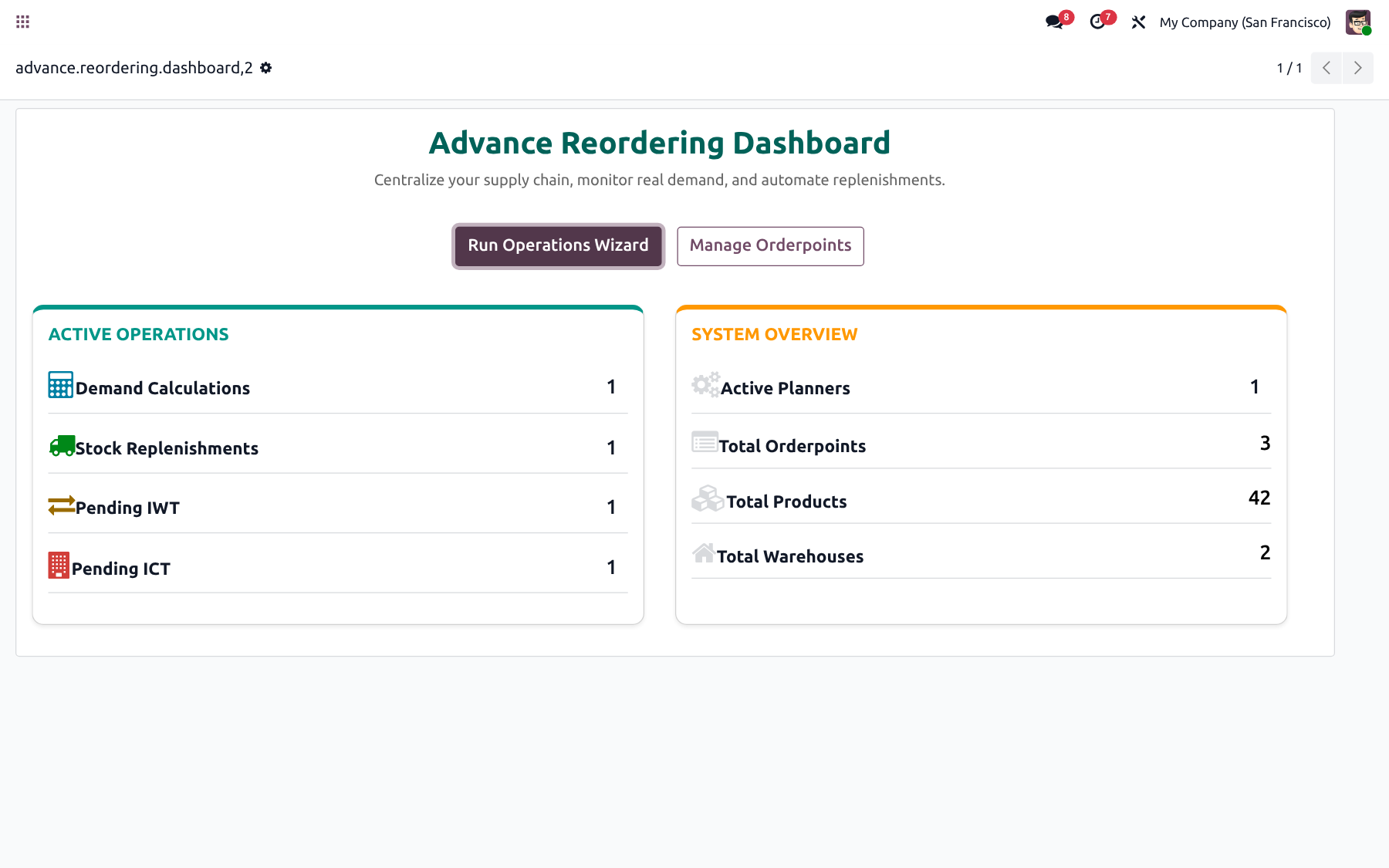
Advance Reordering module icon Advance Reordering Dashboard for Odoo 19
At a glance

Complete feature map

Every major capability is listed below and expanded with live Odoo 19 screenshots in the tabs.

📊Dashboard
📋Order Points
⏱️History Extraction
📥Sales History Import
📈Purchase / IWT History
🛒Fulfillment PO / IWT / ICT
🧮Safety / Min / Max formulas
🏢Warehouse Groups
📊Real Demand
🔄Hub Redistribution
🤖Demand Planners
🏭Vendor Strategy
📦Vendor MOQ & Rounding
🚚Stock Replenishment
🔄Inter-Warehouse (IWT)
🌐Inter-Company (ICT)
🧵Transfer Channels
👤Channel User Confirm
📅Sales Forecast
🗓️Fiscal Years / Periods
⚠️Missing Forecast Import
📊Forecast vs Actual
📈Order Point Analysis
🔍Real Demand Analysis
🧾Demand / Replenish Audits
🚦IWT / ICT Pipelines
⏱️Batch & Cron Processing
🔒Multi-company Security
📄CSV Transfer Import
⚙️Configuration & Settings
How it works

Configure once — replenish with confidence

Extract history, calculate demand, validate suggestions, then create POs or transfers automatically — manually or on a schedule.

1

Install

Install from Apps and open Advance Reordering.

2

Build history

Extract or import sales, purchase and IWT history.

3

Calculate

Run order points, real demand or replenishment.

4

Fulfill

Create PO, IWT or ICT and track pipelines.

Workspace

Unified supply-chain dashboard

Jump into the operations wizard or order points, and see live counts for demand, replenishments, IWT / ICT, planners, products and warehouses.
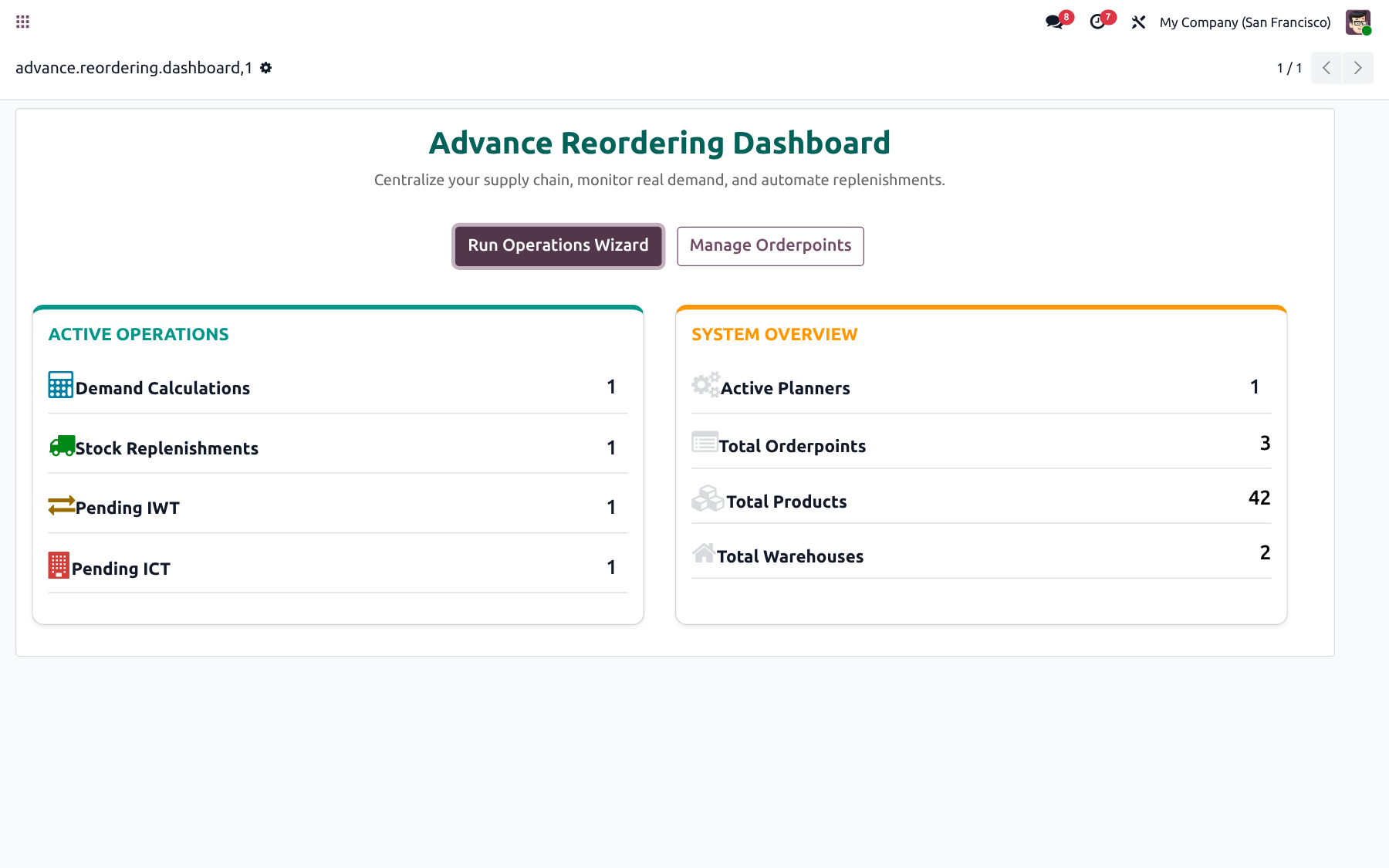
✓ Active operations KPIs
✓ System overview cards
✓ One-click wizards
✓ Multi-warehouse ready
Advance Reordering Dashboard
Configuration

Company settings that scale

Tune history intervals, batch sizes, planner automation, product / warehouse Advance fields and company-level options without custom code.
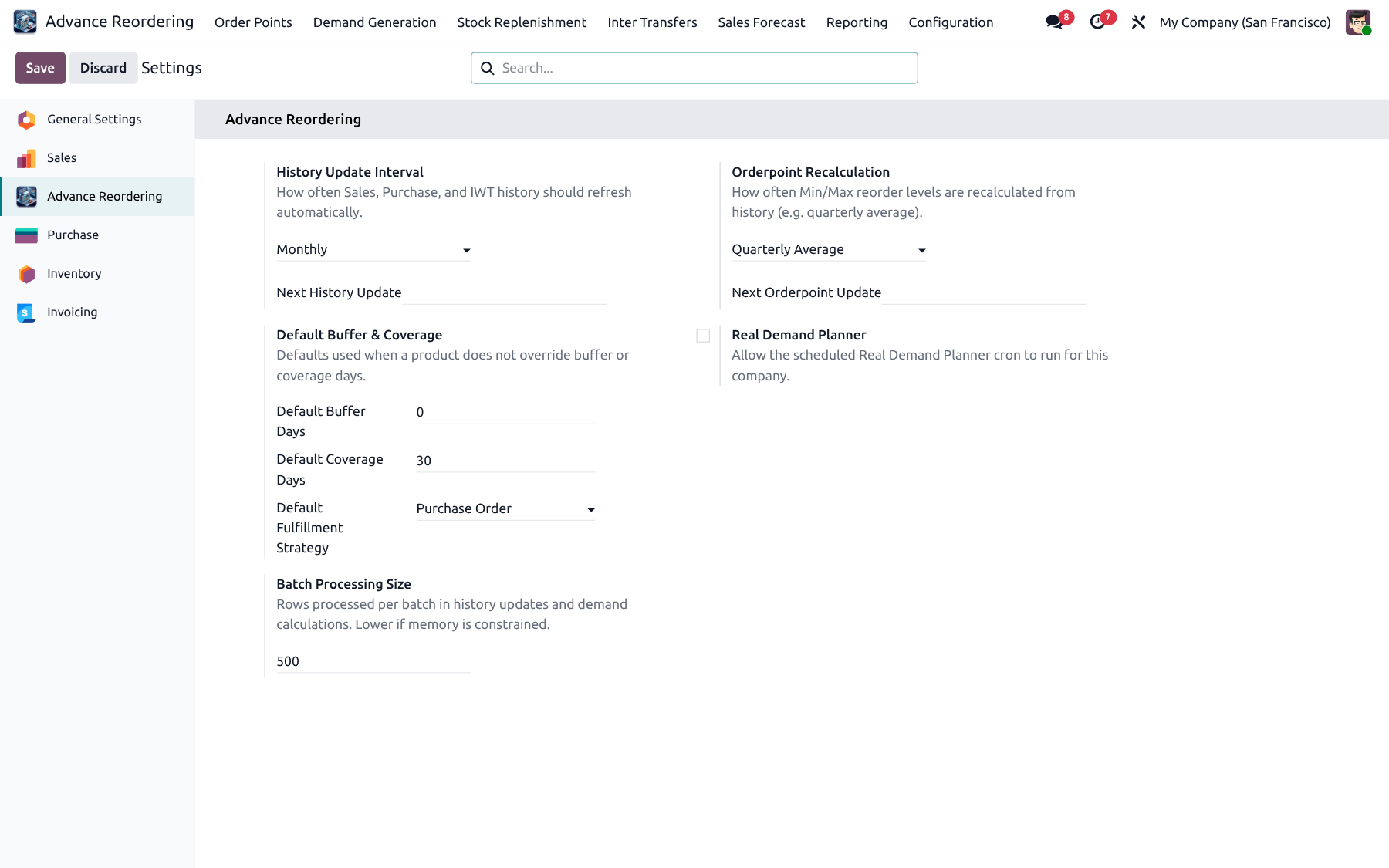
✓ History intervals
✓ Planner automation
✓ Batch processing
✓ Multi-company rules
✓ Product & warehouse fields
✓ Security groups
Advance Reordering Settings
Order Points

History-driven reordering rules

Extract history, import sales CSV, calculate Safety / Min / Max, then fulfill with PO, IWT, ICT or Odoo default.

Feature 01

Reordering with Order Points

Manage advanced order points with On Hand, Forecast, Min / Max, To Order, ADS and suggested quantities — grouped by warehouse for planner-friendly reviews.
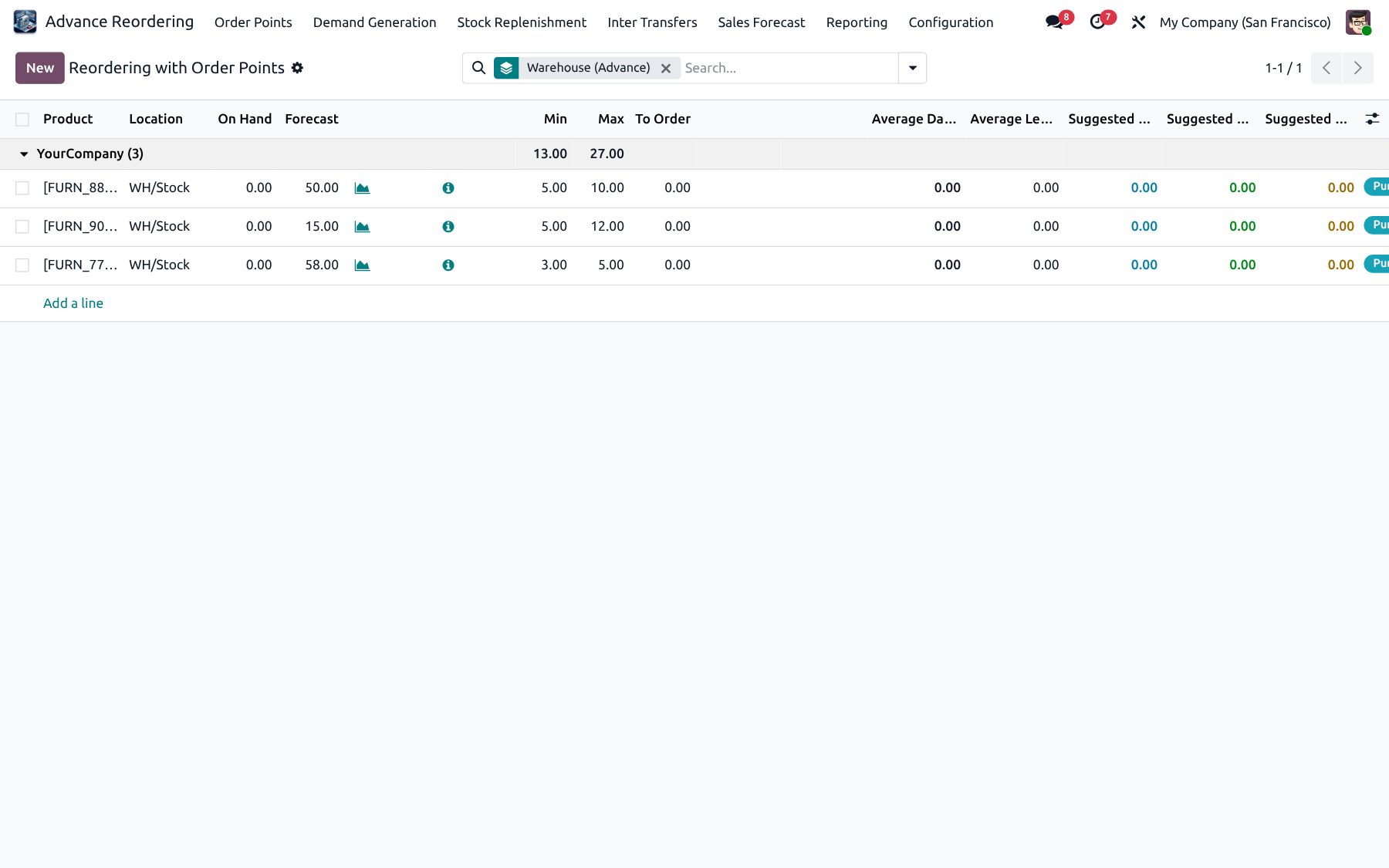
✓ Warehouse grouping
✓ Suggested Min / Max
✓ Average daily sales
✓ Lead-time aware
✓ On Hand & Forecast qty
✓ To Order column
Reordering with Order Points list
Feature 02

Order point form — Advance tab

Open any rule to review metrics, Calculate Data, Update Order Point Data and Run Fulfillment with PO / IWT / ICT / Odoo default strategies.
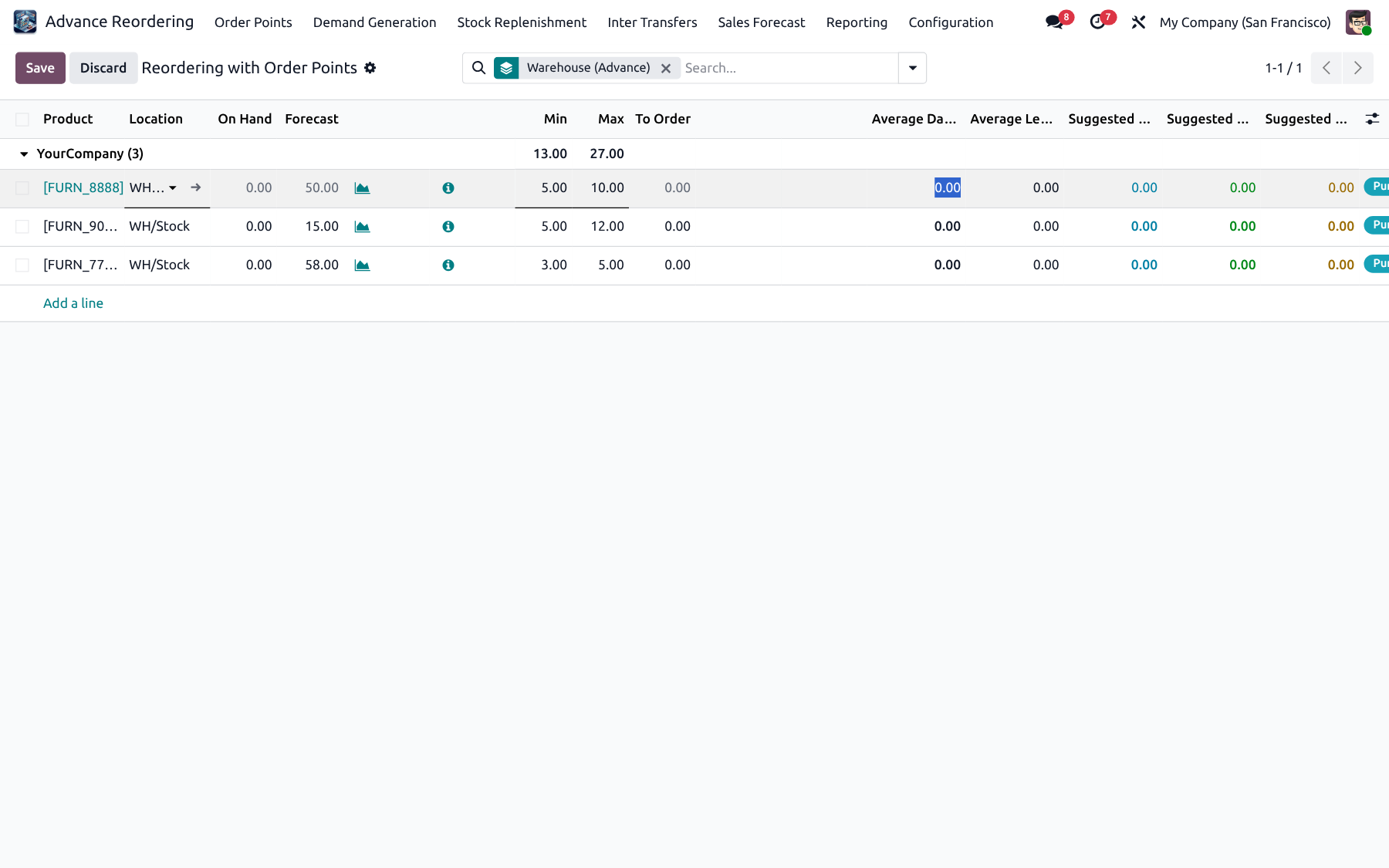
✓ Calculate Data
✓ Update Order Point
✓ Run Fulfillment
✓ Strategy per rule
✓ Safety / Min / Max formulas
✓ Buffer & coverage days
Order Point form Advance Reordering
Feature 03

Create / Update Histories & Rules

One operations wizard to extract Sales, Purchase or IWT history, apply metrics to order points, and create or refresh rules for scoped products and warehouses.
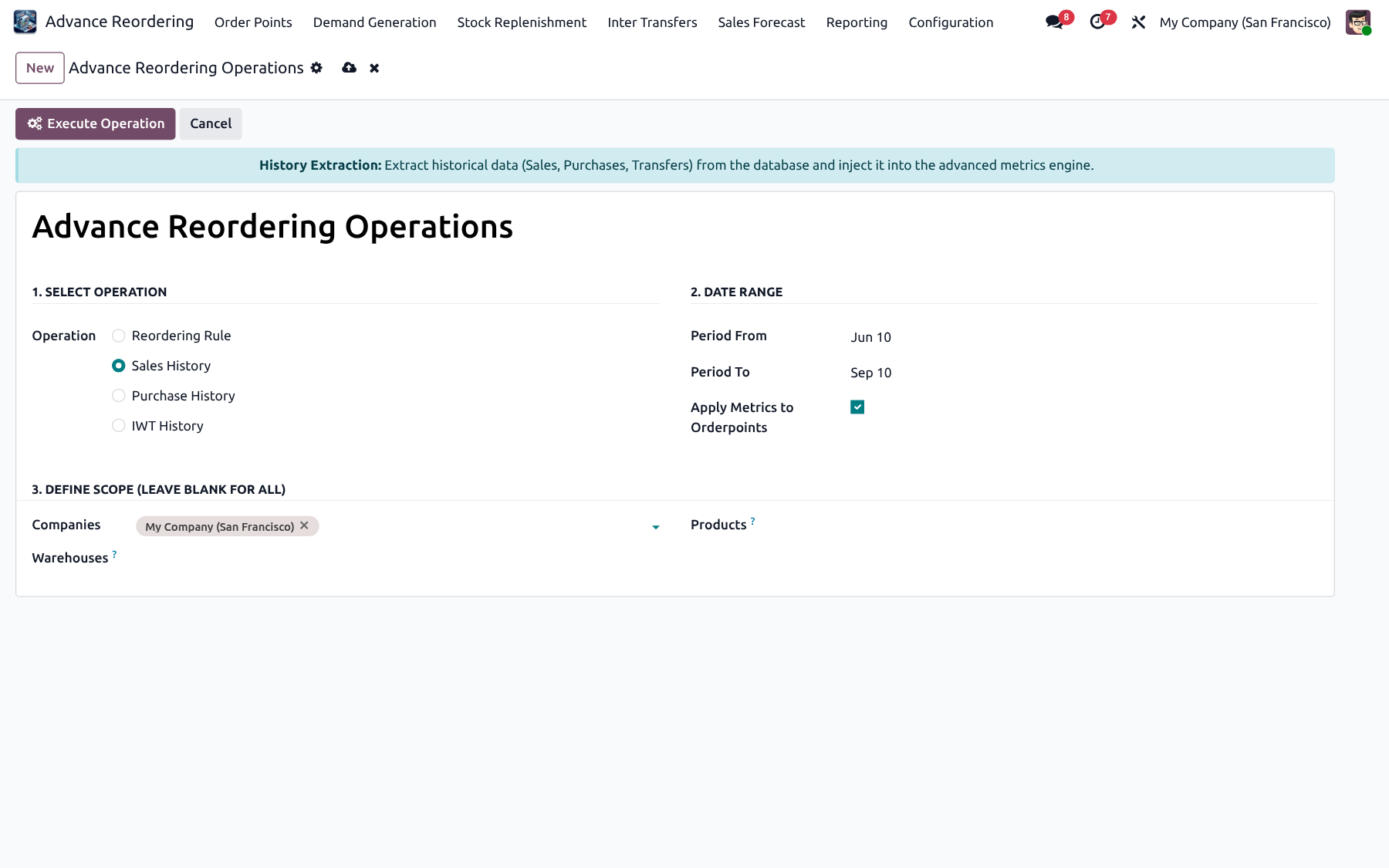
✓ Sales / Purchase / IWT ops
✓ Date range filter
✓ Company / product scope
✓ Apply to orderpoints
✓ Create or update rules
✓ Batch-friendly extraction
Advance Reordering Operations wizard
Feature 04

Sales / Purchase / IWT History

Inspect extracted history lines that feed ADS and suggestions. Trace which sales, purchases or transfers drove each metric.
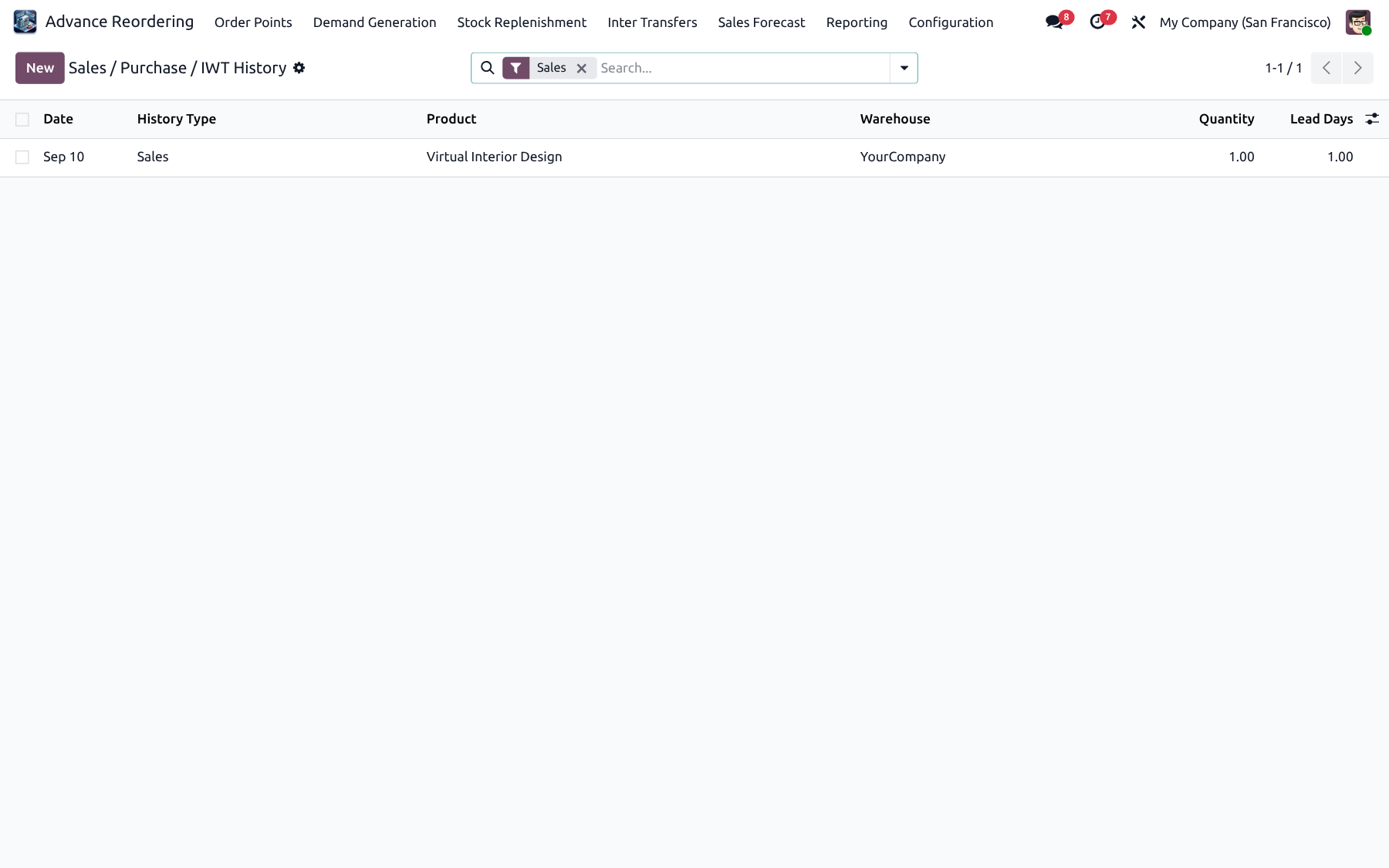
✓ Traceable history lines
✓ Sales / Purchase / IWT types
✓ Product & warehouse linked
✓ Feeds ADS & suggestions
Sales Purchase IWT History
Feature 05

Import Sales History (CSV)

Bootstrap or enrich historical sales with a CSV wizard when you need clean history without waiting for live extraction cycles.
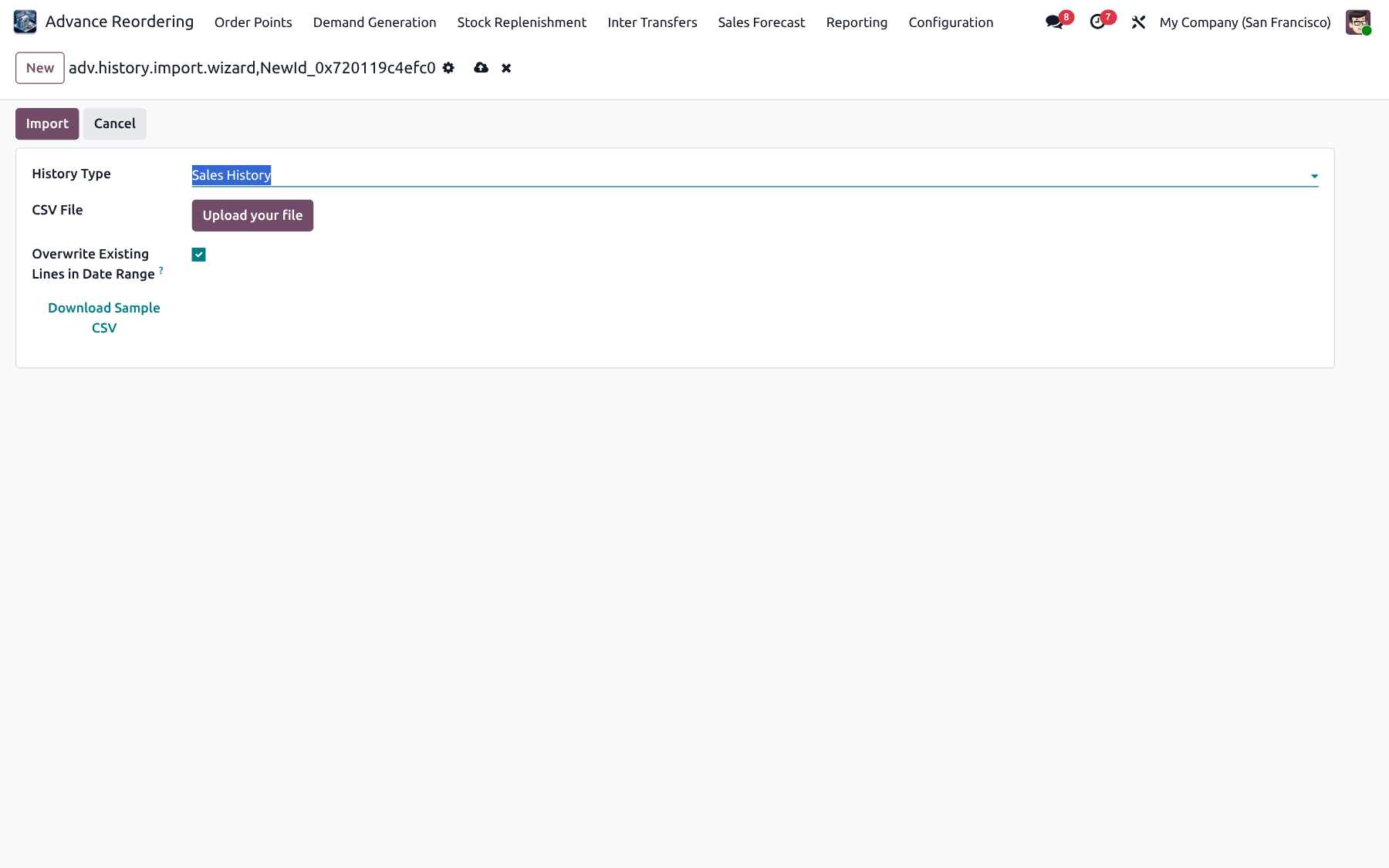
✓ CSV upload wizard
✓ Manager-controlled
✓ Fast bootstrap
✓ Works with live extraction
Import Sales History wizard
Demand Generation

Real Demand + Stock Replenishment

Buy at the hub with consolidated POs and MOQ, redistribute with hub replenishment, or move surplus from fulfiller warehouses.

Feature 06

Reorder with Real Demand

Draft → Calculate → Validate → Done. Choose History Sales or Forecast Sales, set coverage days, vendor and warehouse group, then generate line-level demand with ADS, free qty, incoming, lead and transit days. Create Hub Replenishment to redistribute.
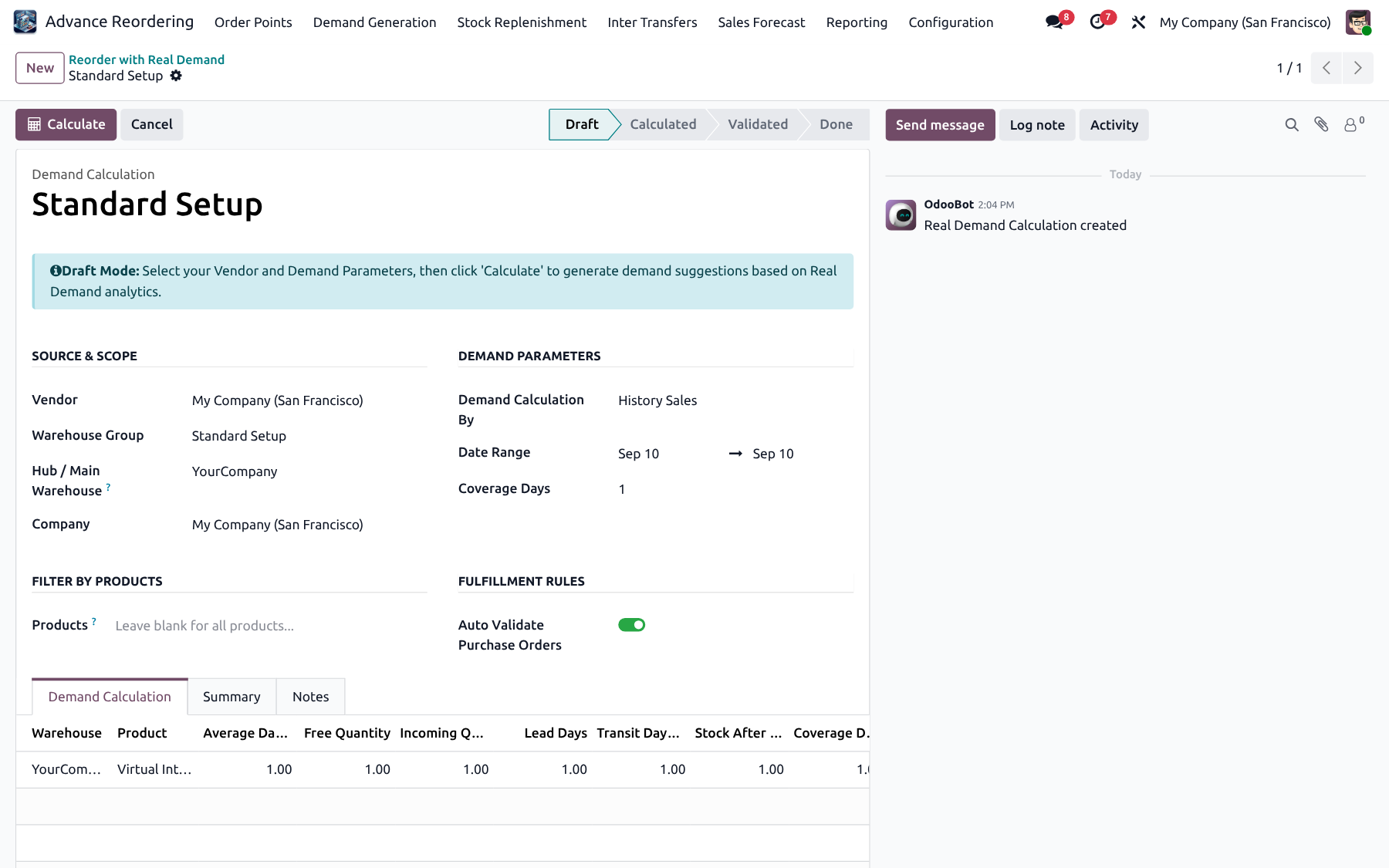
✓ History or Forecast source
✓ Hub consolidation POs
✓ Vendor MOQ & rounding
✓ Auto-validate PO option
✓ Missing forecast tab + Import
✓ Create Hub Replenishment
✓ Summary & Notes tabs
Real Demand calculation form
Feature 07

Warehouse Groups

Define a hub and member warehouses with lead days from hub. Default destinations are prioritized during hub distribution and surplus allocation.
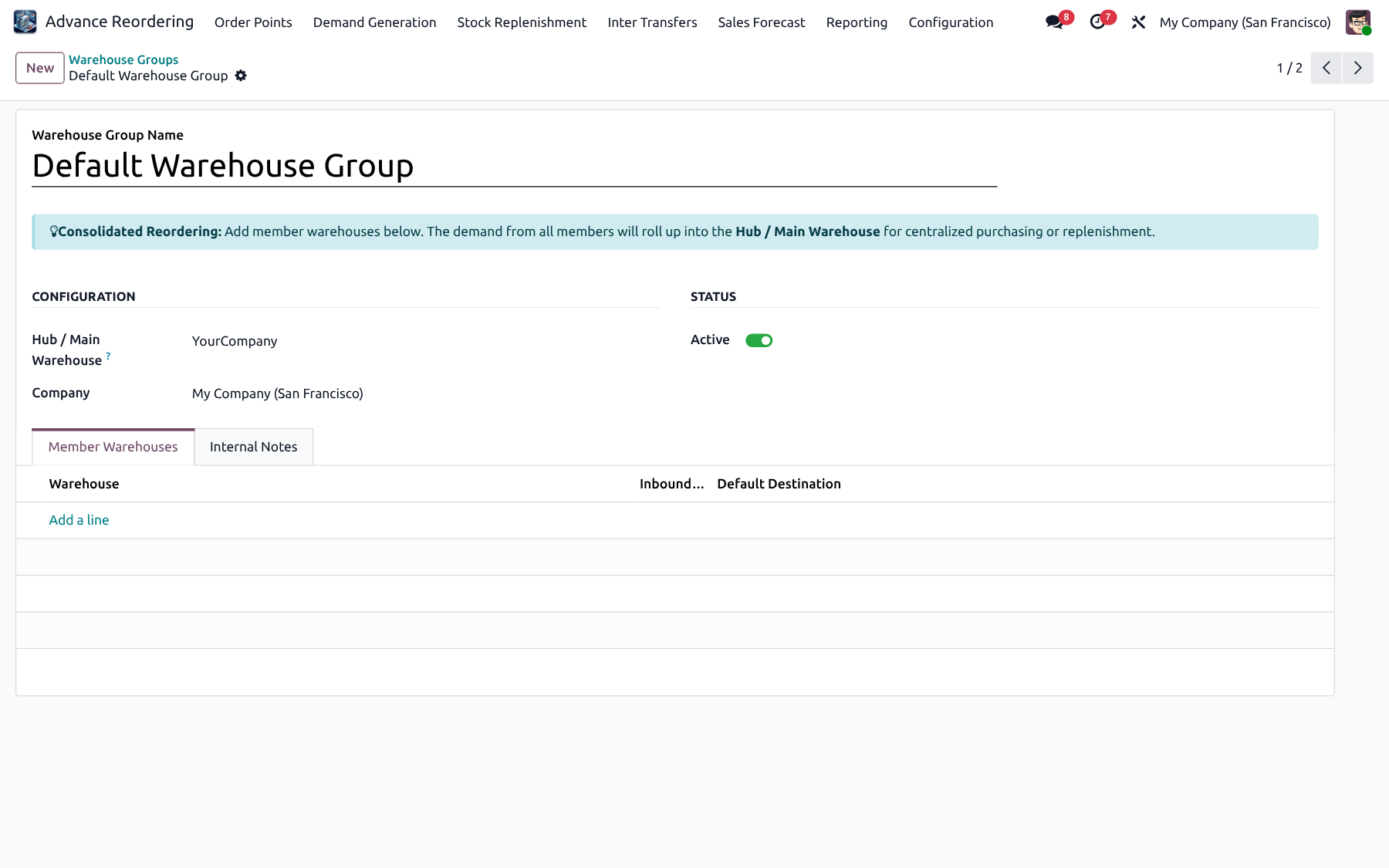
✓ Hub warehouse
✓ Member lead days
✓ Default destination order
✓ Used by Real Demand
✓ Used by Replenishment
Warehouse Group form
Feature 08

Real Demand Planners

Schedule recurring demand runs for warehouse groups and product scopes. Set vendor strategy (Cheapest / Quickest / Specific) and optionally auto-validate so POs are created without manual clicks.
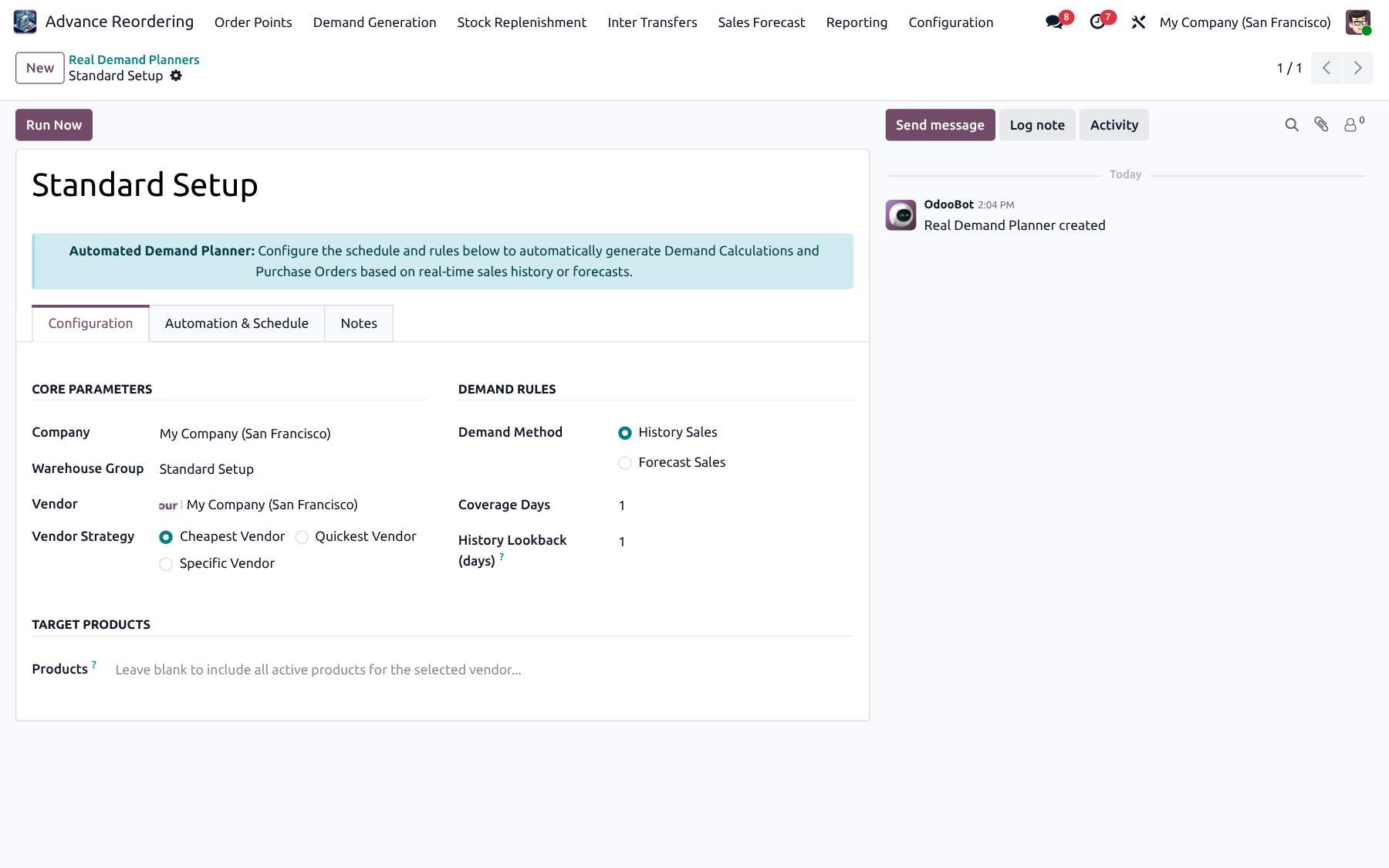
✓ Cron / schedule ready
✓ Auto validate
✓ Vendor strategy
✓ Product / WH scope
✓ Manager controlled
✓ Company planner flag
Real Demand Planner form
Feature 09

Replenishment from Warehouse

Move stock from a fulfiller warehouse to destinations. Prefer available surplus, calculate required qty, validate, then create IWT or ICT transfers with smart-button traceability. Linked to warehouse groups and demand calculations when created from hub redistribution.
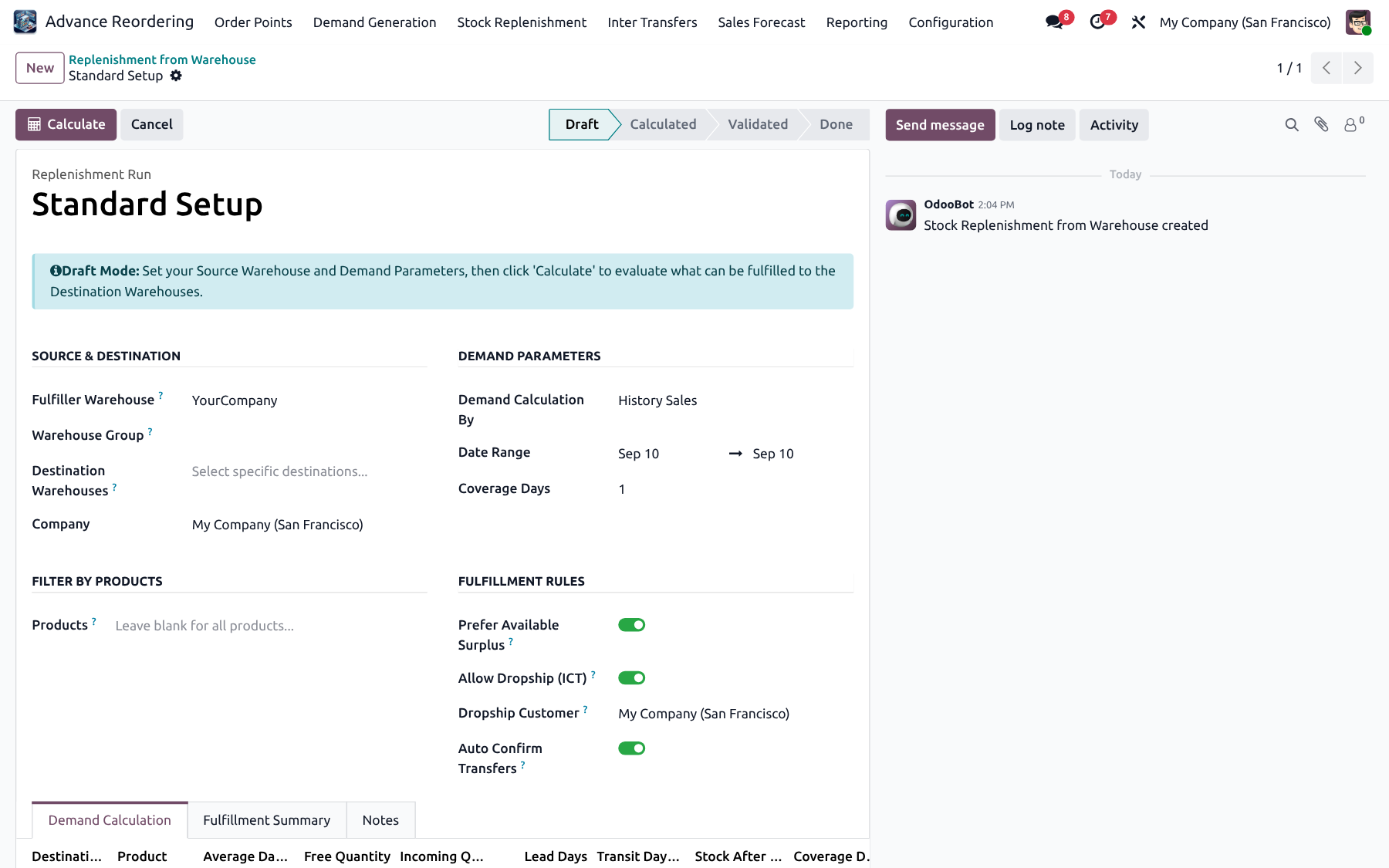
✓ Fulfiller surplus cap
✓ Multi-destination
✓ Create Transfers
✓ Same or cross company
✓ Prefer available surplus
✓ Linked demand calc
Stock Replenishment form
Inter Transfers

Inter-Warehouse & Inter-Company

Priority channels, automatic document creation, optional dropship, reverse transfers, channel user confirmation and CSV import.

Feature 10

Inter Warehouse Transfers (IWT)

Move stock between warehouses in the same company with full transaction tracking, routes, status workflow and linked stock pickings.
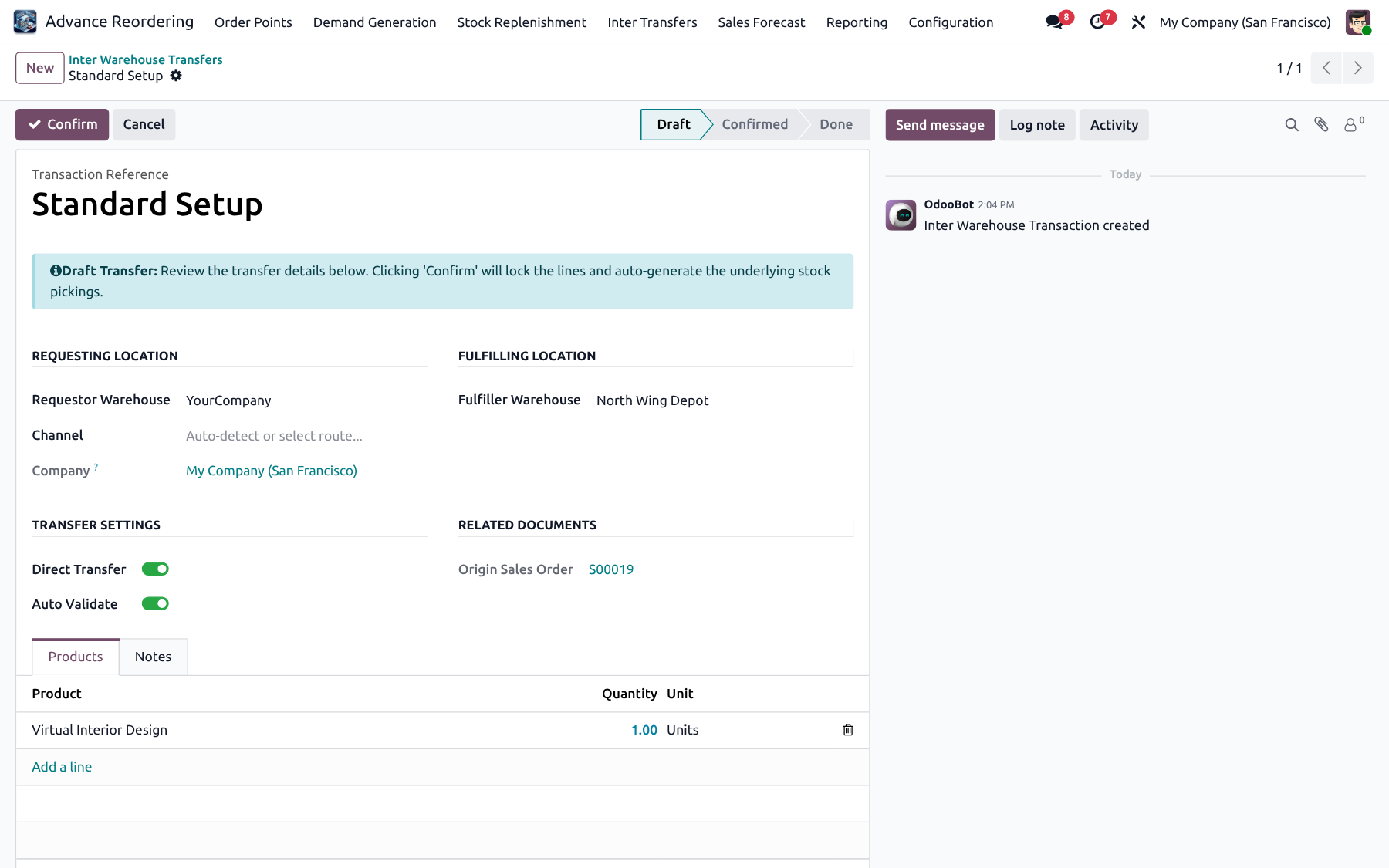
✓ Source → destination WH
✓ Line-level products
✓ Linked stock pickings
✓ Status workflow
✓ Open IWT pipeline
✓ Created from replenishment
Inter Warehouse Transfer form
Feature 11

Inter Company Transfers (ICT)

Cross-company replenishment with matching sale / purchase documents, optional dropship and reverse flows between sister companies.
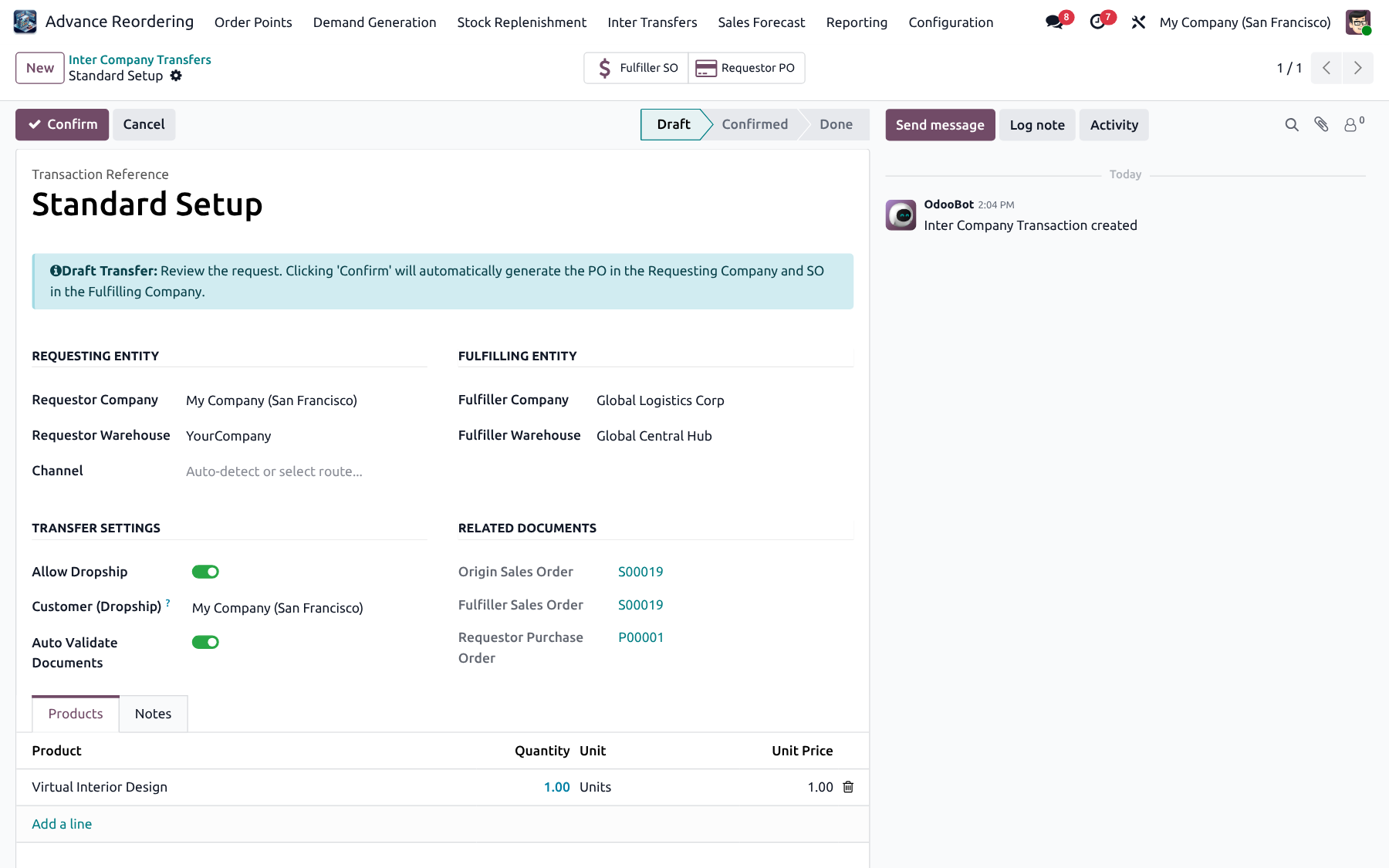
✓ Multi-company docs
✓ Dropship option
✓ Reverse transfers
✓ Open ICT pipeline
✓ Channel-driven automation
✓ Commercial document match
Inter Company Transfer form
Feature 12

Inter Warehouse Channels

Configure priority IWT channels that decide how same-company transfers are routed and which documents are created automatically.
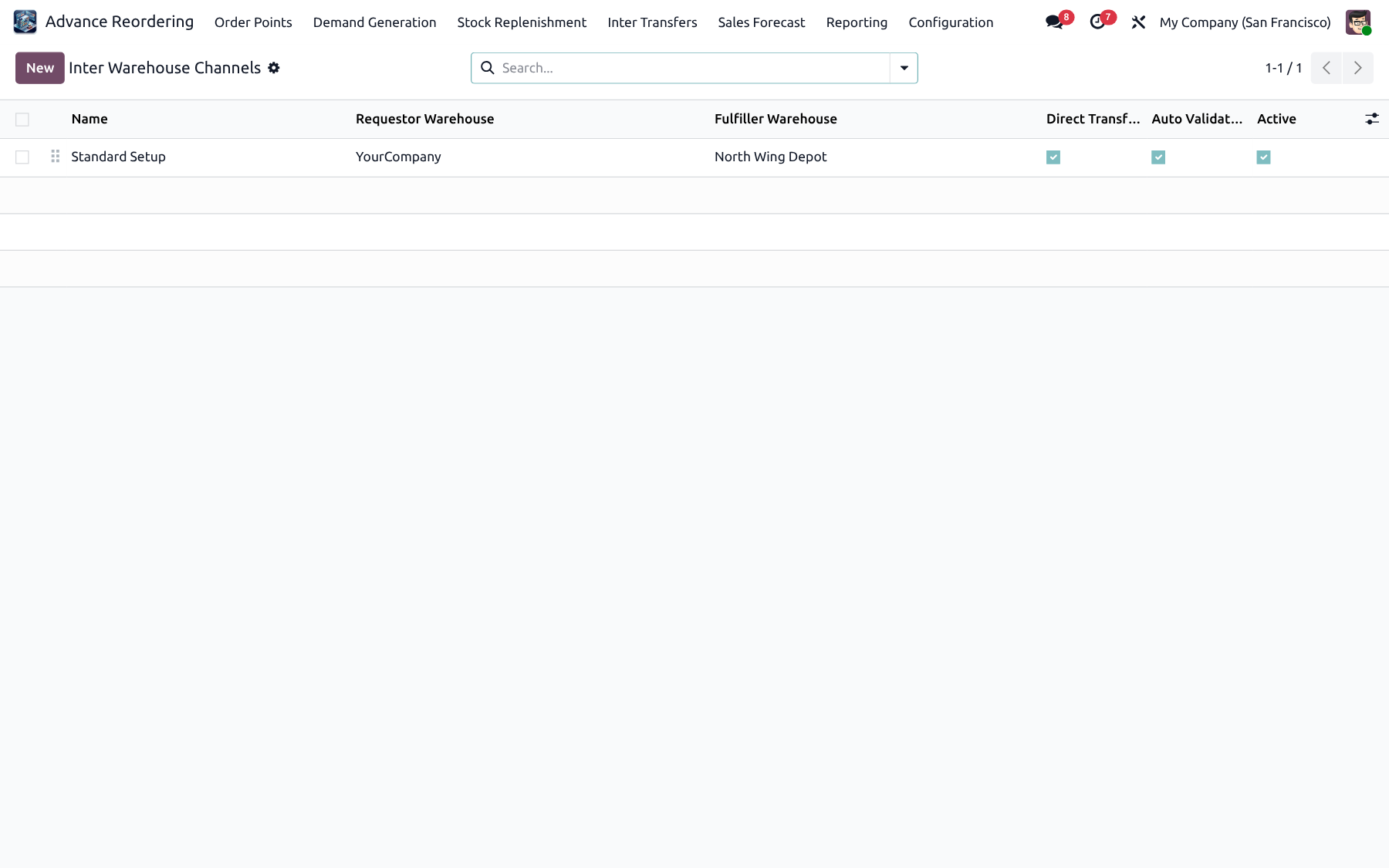
✓ Priority routing
✓ Auto document creation
✓ Warehouse pairs
✓ Manager configuration
Inter Warehouse Channels
Feature 13

Inter Company Channels

Configure ICT channels for sister companies, including optional channel user so confirmations run with the correct ownership and access.
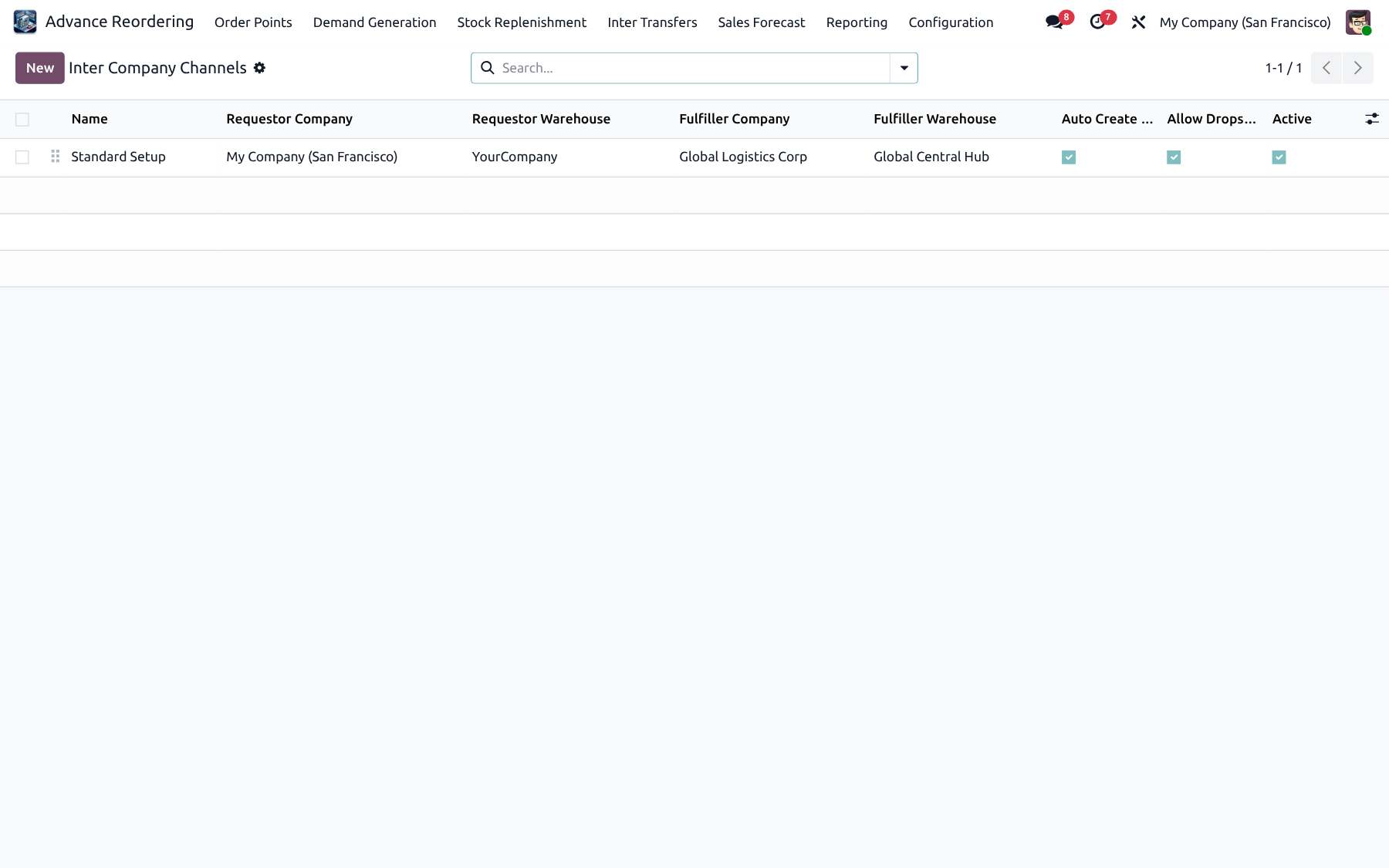
✓ Cross-company channels
✓ Channel user on confirm
✓ Priority routing
✓ Auto SO / PO creation
Inter Company Channels
Forecast & Reporting

Plan ahead — then measure every gap

Fiscal periods, forecast process, variance pivots, analysis menus and operational audits for demand, replenishment and transfer pipelines.

Feature 14

Sales Forecast Process

Import CSV forecasts, auto-create Normal or Seasonal lines from History or Forecast sources, export, and update actual sales on closed periods.
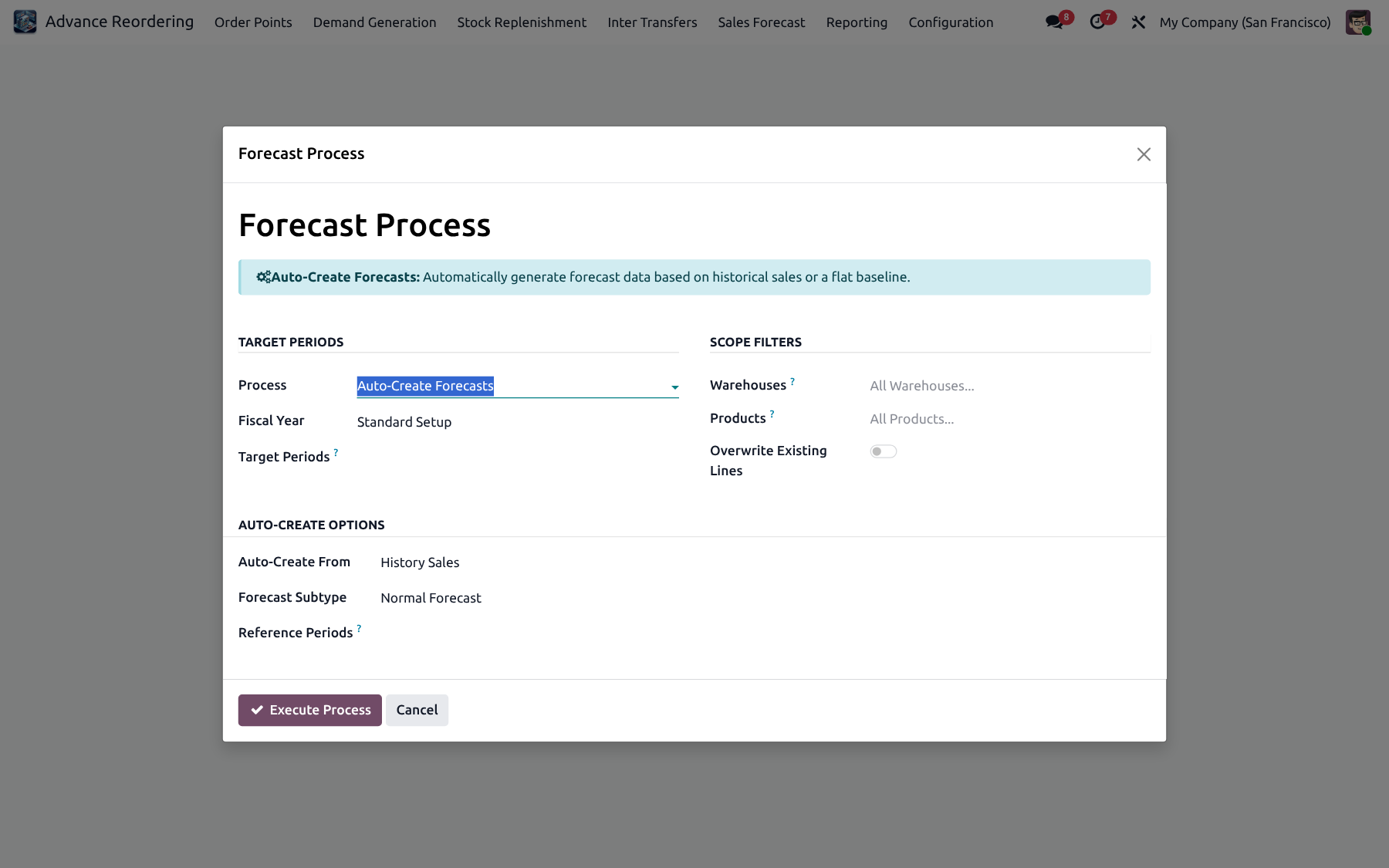
✓ CSV import / export
✓ Normal & Seasonal
✓ History or Forecast source
✓ Update actuals
✓ Fiscal years / periods
✓ Sample format guided
Sales Forecast Process wizard
Feature 15

Forecast Lines

Maintain product × warehouse × period forecast lines that Real Demand and Replenishment can consume. Fill gaps via Missing Forecast Import.
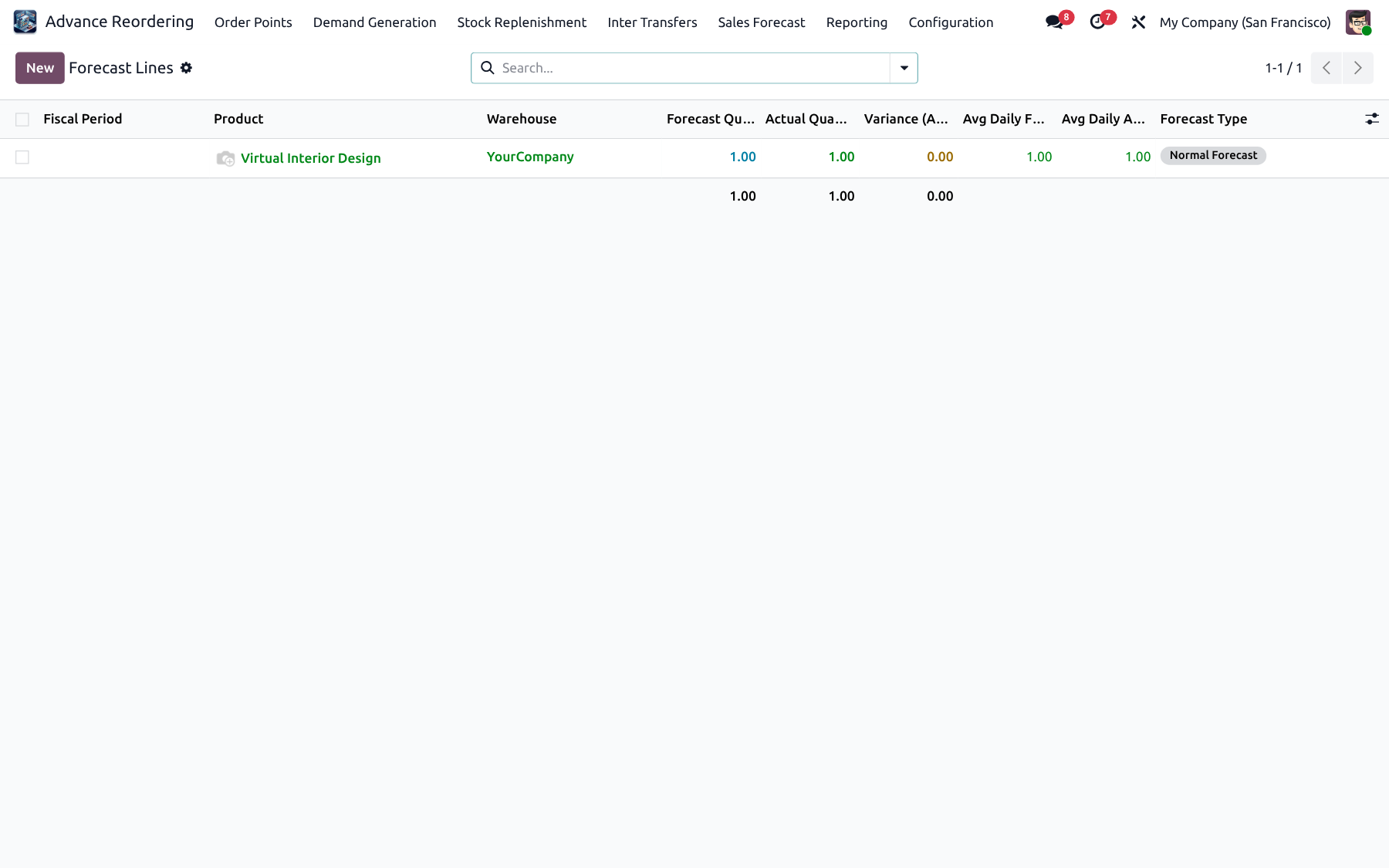
✓ Product / warehouse / period
✓ Shared by demand engines
✓ Editable quantities
✓ Missing forecast import
Forecast Lines list
Feature 16

Order Point Analysis

Graph and pivot analysis of order points so planners can spot gaps between suggested and applied Min / Max values and related metrics.
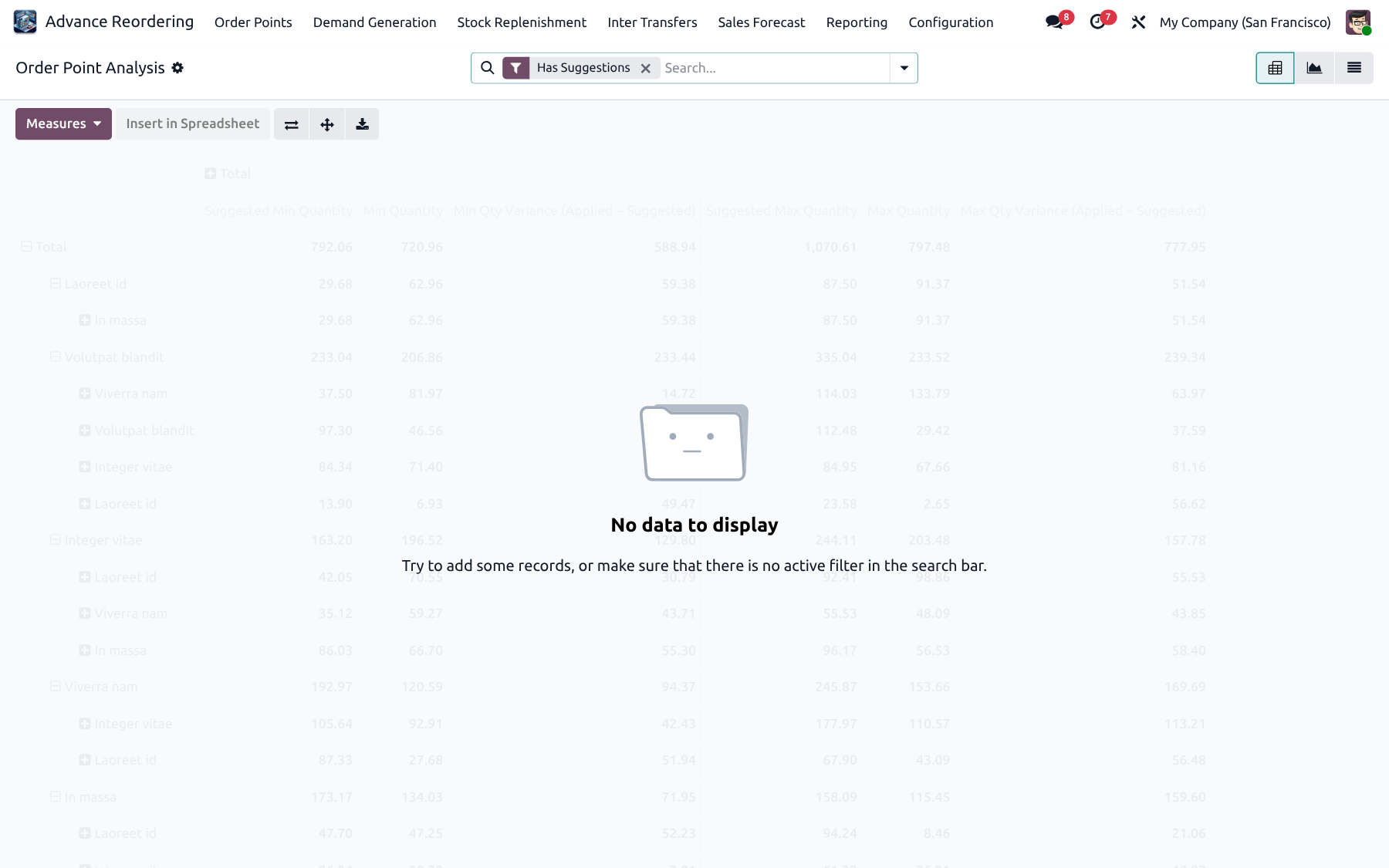
✓ Graph & pivot
✓ Suggestion audit
✓ Warehouse / product slices
✓ Planner-friendly views
Order Point Analysis
Feature 17

Sales Forecast Report

Review forecast pivots and graphs by year / period buckets to understand planned demand before buying or transferring.
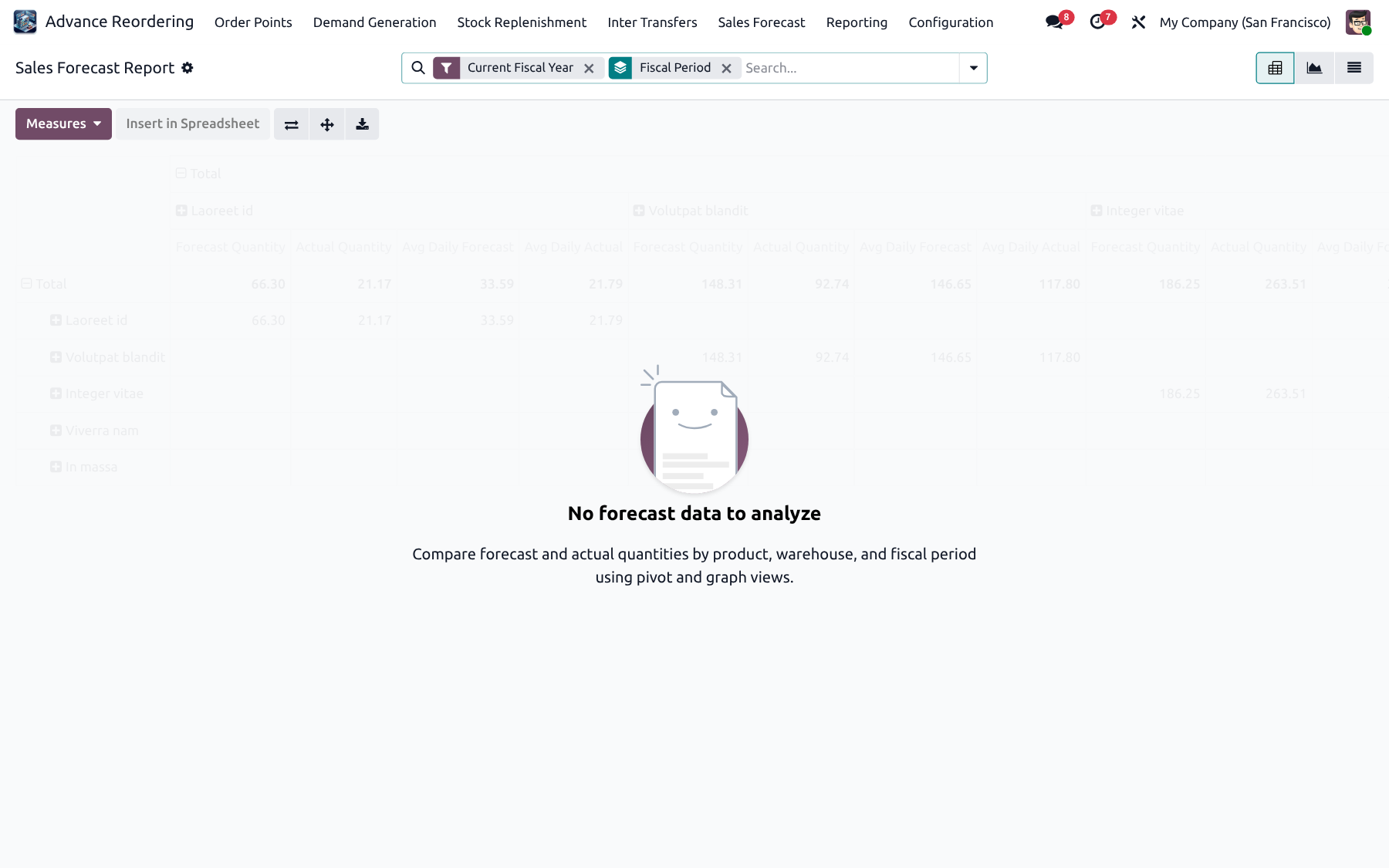
✓ Pivot / graph report
✓ Year / period filters
✓ Planner visibility
Sales Forecast Report
Feature 18

Forecast vs Actual

Compare forecast against actual sales to explain over- or under-forecast products and tighten next period planning.
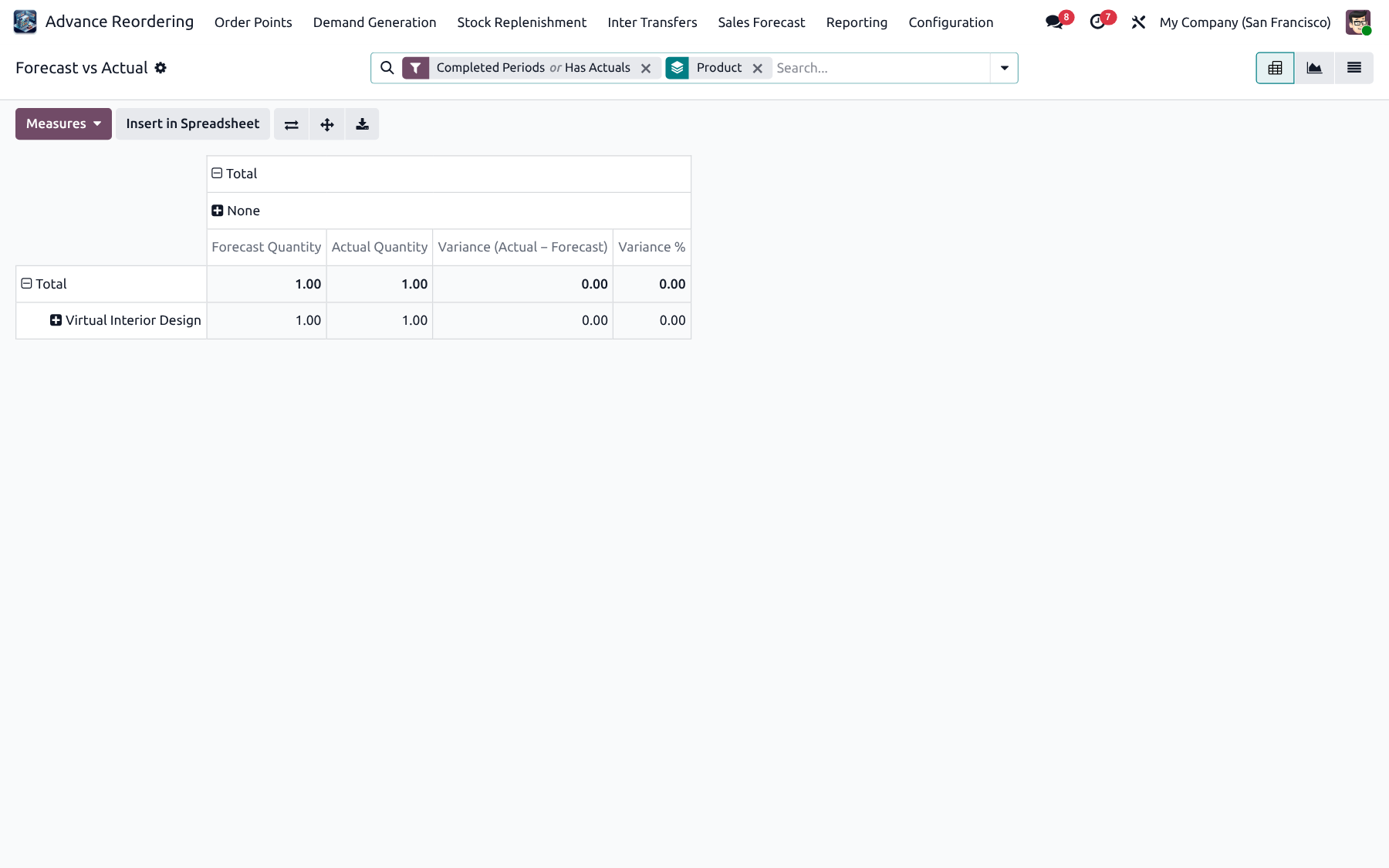
✓ Variance analysis
✓ Period comparisons
✓ Product deep-dives
Forecast vs Actual
Feature 19

Real Demand Run Audit

Audit Real Demand runs for managers — who calculated, validated and created POs, and what quantities were proposed.
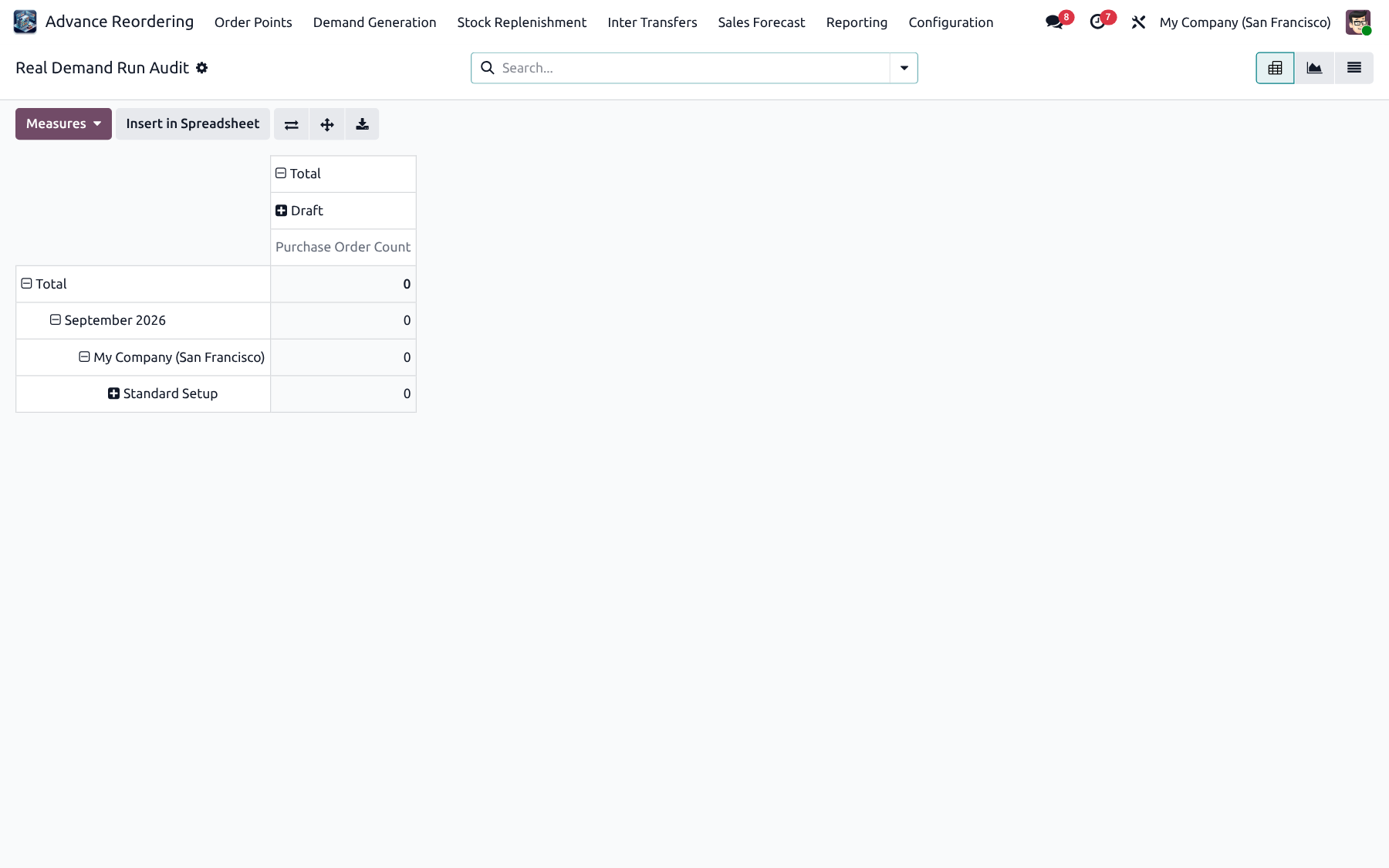
✓ Run-level audit
✓ Manager access
✓ Traceability
Real Demand Run Audit
Feature 20

Stock Replenishment Audit

Review replenishment calculations and created transfers for operational control and post-run validation.
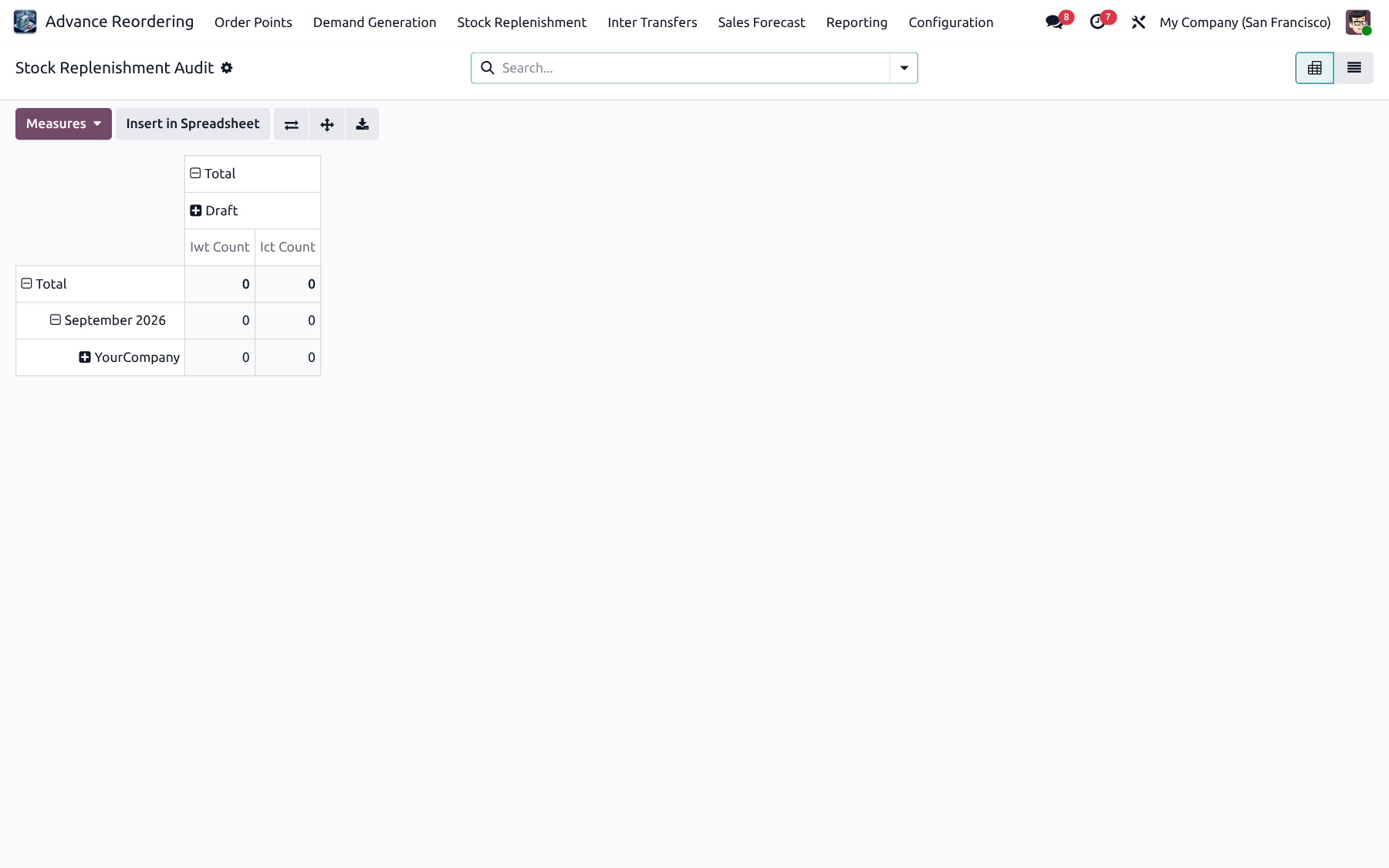
✓ Replenishment audit
✓ Transfer linkage
✓ Manager access
Stock Replenishment Audit
Feature 21

Open IWT Pipeline

Operational backlog of open inter-warehouse transfers so warehouse teams can clear in-transit and pending work.
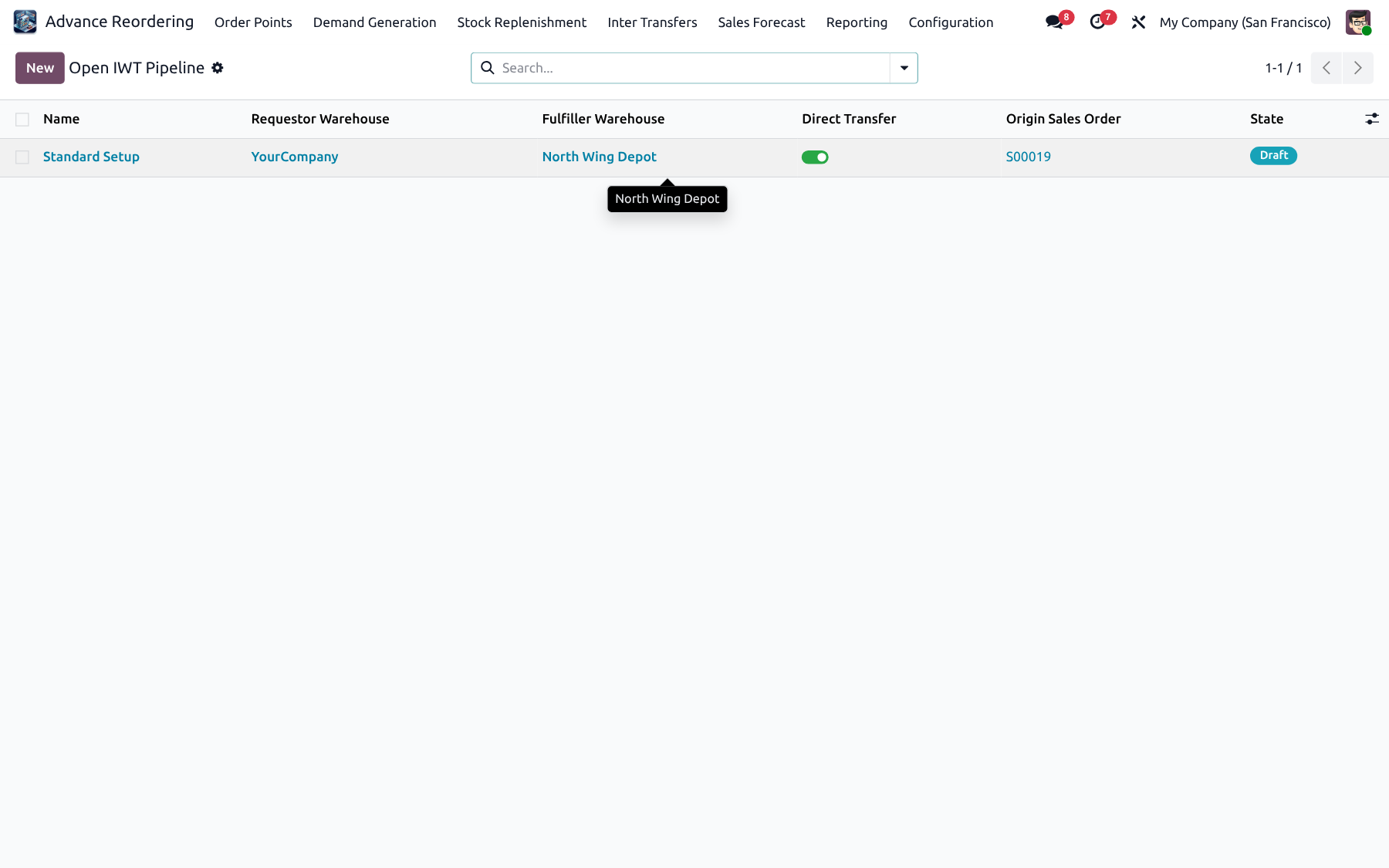
✓ Open IWT backlog
✓ Operational focus
✓ Quick navigation
Open IWT Pipeline
Feature 22

Open ICT Pipeline

Operational backlog of open inter-company transfers across sister companies until documents and stock moves are complete.
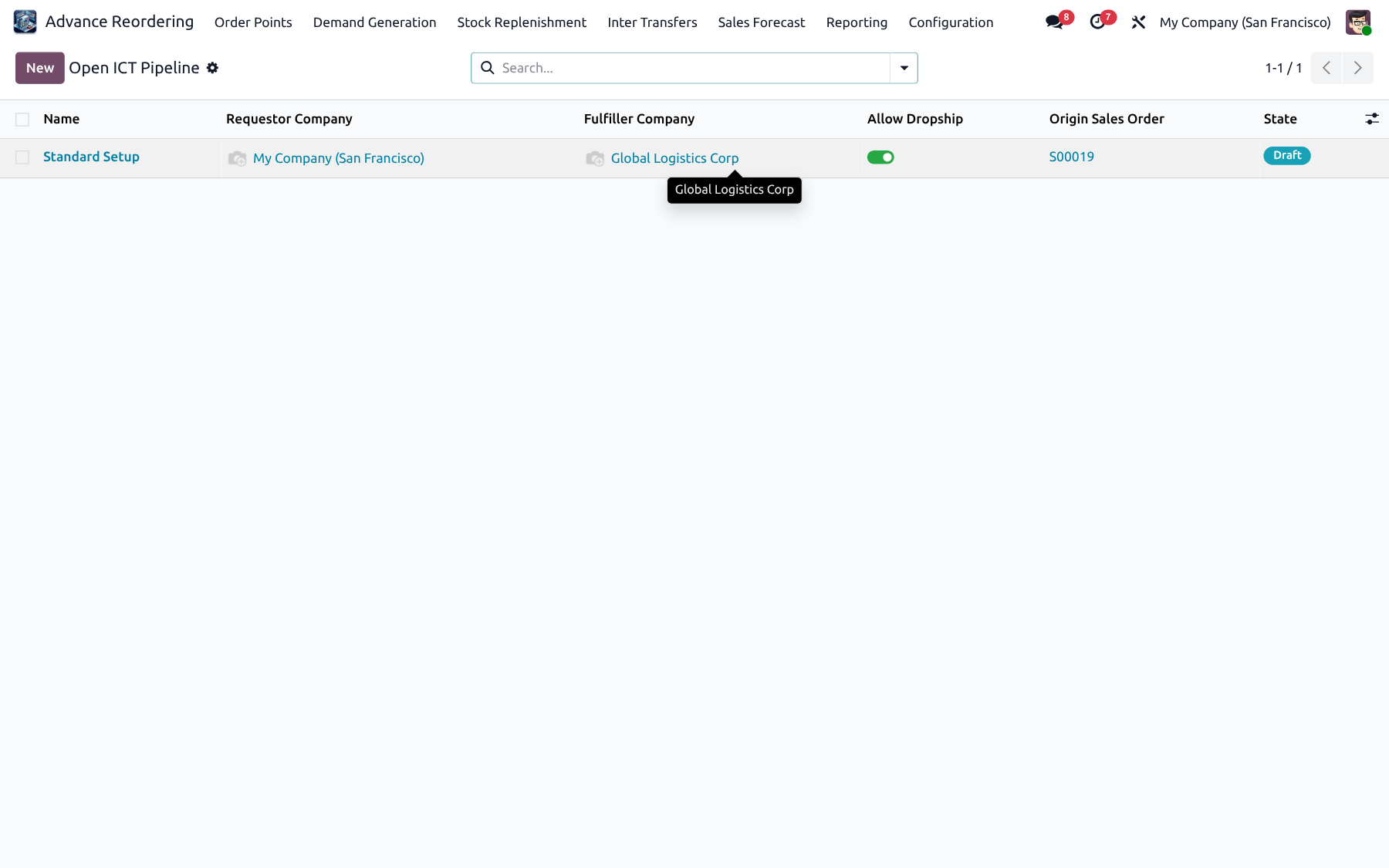
✓ Open ICT backlog
✓ Cross-company visibility
✓ Clear pending work
Open ICT Pipeline
FAQ

FAQ

Install, workflows, IWT / ICT, forecast, security, crons, MOQ and go-live guidance.

Which Odoo editions are supported?

Odoo 19 Community and Enterprise, including Odoo.sh and on-premise. Depends on Stock, Purchase, Sales, Accounting and Mail.

What is the technical name of this module?

Technical name: advance_reordering_nexgen. Inter-transfer features ship with the module’s IWT / ICT models and menus (Inter Transfers).

What does Advance Reordering do in one sentence?

It turns sales / purchase / transfer history and optional forecasts into intelligent Min / Max rules, purchase orders, inter-warehouse transfers and inter-company transfers.

What is the difference between Order Points and Real Demand?

Order Points manage per-product location Min / Max and suggestions. Real Demand consolidates demand for a warehouse group at a hub and can create consolidated POs (and hub replenishment).

What is Stock Replenishment used for?

Move surplus stock from a fulfiller warehouse to one or more destination warehouses, creating IWT (same company) or ICT (cross company) documents.

When should I use IWT vs ICT?

Use IWT between warehouses of the same company. Use ICT when source and destination belong to different companies and you need matching commercial documents.

How do history metrics get into order points?

Use Create / Update Histories & Rules to extract Sales, Purchase or IWT history for a date range and optionally apply metrics to order points.

Can I import historical sales from CSV?

Yes. Open Order Points → Import Sales History and upload a CSV to bootstrap or enrich sales history without waiting for live extractions.

Which fulfillment strategies are available on order points?

Run Advance Fulfillment with strategies such as Purchase Order, IWT, ICT, or fall back to Odoo default replenishment, depending on configuration.

How are Safety Stock, Min and Max calculated?

Formulas use average daily sales (ADS), coverage / buffer days, lead times, transit times and incoming quantities to suggest Safety / Min / Max values you can apply.

What is a Warehouse Group?

A group with one hub warehouse and member warehouses (with lead days from hub). Real Demand buys at the hub and can redistribute to members.

What does Create Hub Replenishment do?

From a validated Real Demand calculation, create a linked Stock Replenishment to redistribute purchased / hub stock to member warehouses.

How does Real Demand Calculation By work?

Choose History Sales (past demand) or Forecast Sales (future projections). Missing forecast gaps appear on the Missing Forecast tab with Import Forecast.

Does Real Demand respect vendor MOQ?

Yes. Suggested purchase quantities honor vendor minimum order quantities and rounding strategies when creating POs.

What are Real Demand Planners?

Scheduled planners that repeatedly run Real Demand for a warehouse group / product scope, with optional auto-validate so POs are created without manual clicks.

What is Planner Vendor Strategy?

On planners, choose Cheapest, Quickest, or a Specific vendor so automated runs pick suppliers consistently.

Can I prefer available surplus during replenishment?

Yes. Replenishment can cap transfers by fulfiller free quantity so you only move surplus that actually exists.

What are IWT / ICT Channels?

Configurable priority channels that decide how transfers are routed and which documents are created automatically for IWT or ICT flows.

What is Channel User on confirm?

When a channel has a user set, IWT / ICT confirmation can run as that user for correct document ownership and access.

Can I import transfers from CSV?

Yes. Configuration includes Import Transfers (CSV) for bulk IWT / ICT creation when migrating or bootstrapping pipelines.

How do Sales Forecasts work?

Define fiscal years and monthly periods, then use Forecast Process to import CSV, auto-create Normal / Seasonal lines, export, or update actual sales.

What is the difference between Normal and Seasonal forecast?

Auto-create supports Normal and Seasonal patterns, sourced from History or Forecast inputs, so promotional / seasonal demand can be modeled separately.

How do I update forecast actuals at month end?

Open Sales Forecast → Forecast Process → Update Actual Sales for closed periods so variance reports stay accurate.

Which reports are included?

Sales Forecast Report, Forecast vs Actual, Orderpoint Suggestions vs Applied, Order Point Analysis, Real Demand Analysis, Real Demand Run Audit, Stock Replenishment Audit, Open IWT Pipeline and Open ICT Pipeline.

What does Forecast vs Actual show?

Pivot / graph variance between forecasted and actual sales so planners can explain over- or under-forecast products by period.

What does Order Point Analysis show?

Graph and pivot analysis of order points, helping compare suggested vs applied Min / Max and related metrics.

What are Open IWT / ICT Pipelines?

Operational backlog views of open inter-warehouse and inter-company transfers so warehouse teams can clear in-transit work.

Does the app support multi-company?

Yes. Record rules keep users on their company data. ICT is designed for sister-company replenishment across companies.

Which security groups exist?

User (view / work day-to-day), Manager (wizards, validate, fulfillment), Configurator (settings, fiscal calendar, warehouse groups, channels with Stock Manager). ICT has its own user / manager groups.

Are there automated cron jobs?

Yes. History refresh, orderpoint processing, planner execution and related jobs use scheduled actions with batch / chunk processing for large catalogs.

How does batch processing help performance?

History creation and large runs use batched create / chunked cron processing so big product sets do not time out on a single transaction.

Can I run fulfillment from the list view?

Yes. Managers can use the list server action Run Advance Fulfillment on selected order points.

Does it work with standard Odoo reordering rules?

Yes. It extends stock.warehouse.orderpoint with Advance Reordering fields, calculations and fulfillment, while keeping Odoo’s native Min / Max model.

Which product and warehouse settings matter?

Products and warehouses include Advance Reordering fields (allow update, buffers, lead / transit related options). Configure them under Inventory and Advance Reordering Configuration.

Is forecast XLSX supported?

Forecast import uses CSV format in the current release. XLSX templates may be added later; convert spreadsheets to CSV for import.

Does it require queue_job?

No. Scalability uses Odoo cron chunking / batch helpers instead of an external job queue.

Can Real Demand and Replenishment use the same forecast?

Yes. Forecast lines are shared. Real Demand and Stock Replenishment can both consume forecast sales when configured to do so.

What happens if forecast lines are missing?

The Missing Forecast tab lists gaps. Use Import Forecast there (or Forecast Process) to fill the required product / warehouse / period lines.

Is there a dashboard?

Yes. The Advance Reordering Dashboard shows active demand calculations, replenishments, pending IWT / ICT, planners, order points, products and warehouses with quick actions.

How do I install or upgrade safely?

Install advance_reordering_nexgen from Apps (or -i advance_reordering_nexgen). Upgrade with -u advance_reordering_nexgen. Test in staging first, then enable crons after configuration.

Where is user training documented?

Use the in-app menus and this page’s demos for Order Points, Demand, Replenishment, Forecast, Reporting and Configuration. Contact NexGen Solutions for guided onboarding.

What license applies?

OPL-1 · 90 days free support. Published by NexGen Solutions. Email nexgensolutionsodoo@gmail.com.

Who should I contact for implementation help?

Contact NexGen Solutions at nexgensolutionsodoo@gmail.com or visit nexgensolutions.odoo.com.

Does ICT create accounting / commercial documents?

ICT creates the operational and commercial documents configured by your channels and Odoo inter-company setup. Exact accounting behavior follows standard Odoo intercompany + channel configuration.

Can dropship or reverse ICT be used?

Yes. Inter-company flows support optional dropship and reverse transfers depending on channel / transaction configuration.

How do I clear a stuck open transfer?

Use Reporting → Open IWT Pipeline or Open ICT Pipeline, open the transaction, and complete / cancel linked stock moves according to warehouse process.

Will this replace standard Inventory replenishment entirely?

It complements and extends standard replenishment. You can still use Odoo defaults where needed, while Advance Reordering adds history, forecast, hub demand and IWT / ICT automation.

Is demo data included?

Demo XML is available for training databases. Production deployments typically start with live history extraction and configuration instead of demo records.

✦ Business value · built into Odoo Benefits of advance reordering

Buy and move the right stock at the right time

Advance Reordering turns inventory policy into a practical operating system inside Odoo. Reduce stockouts and excess, replenish from history and forecasts, and automate PO, IWT and ICT flows across warehouses and companies.

📊

Fewer stockouts & less excess

Suggest Safety / Min / Max from ADS, coverage, lead and transit days so planners order what demand actually needs.

  • • History-driven suggestions
  • • Forecast-aware buying
🏢

Hub consolidation that scales

Buy once at the hub for a warehouse group, respect vendor MOQ, then redistribute to members with hub replenishment.

  • • Consolidated POs
  • • Member lead-day aware
🚚

Move surplus before you buy

Replenish destinations from fulfiller free stock with IWT or ICT instead of creating unnecessary purchase orders.

  • • Prefer available surplus
  • • Multi-destination transfers
🌐

Same-company & sister-company

Run IWT inside one company and ICT across companies with channels, optional dropship, reverse flows and channel-user confirm.

  • • Priority channels
  • • Open transfer pipelines
📅

Forecast with accountability

Import or auto-create Normal / Seasonal forecasts, update actuals, and review Forecast vs Actual before the next buy cycle.

  • • Fiscal years & periods
  • • Variance visibility
⏱️

Automation that keeps running

Schedule Real Demand Planners with vendor strategy and auto-validate, plus batch / cron processing for large catalogs.

  • • Cheapest / Quickest / Specific
  • • Chunked history & runs
🔍

Audit & analysis ready

Prove what was suggested vs applied with order-point analysis, demand / replenishment audits and open IWT / ICT pipelines.

  • • Run-level traceability
  • • Operational backlogs
💰

Lower replenishment cost

Replace spreadsheets and split tools with one Odoo-native suite for order points, demand, transfers, forecast and reporting.

  • • One connected workflow
  • • Built on standard stock / purchase
01

Measure demand

Extract or import history and optional forecasts into metrics.

02

Calculate & validate

Run order points, Real Demand or replenishment with MOQ and surplus rules.

03

Fulfill & improve

Create PO / IWT / ICT, track pipelines, then tighten forecasts and rules.

Why this module

One purchase vs typical split suites

Stop stacking separate reordering, forecast, IWT and ICT apps. Get history-driven rules, Real Demand, warehouse replenishment, transfers, forecast and audits in one connected Odoo module.

Best value — one purchase

Advance Reordering

One module. One price. Full replenishment stack for Odoo 19.

  • Order points + Real Demand + Replenishment
  • IWT & ICT channels included
  • Sales forecast + variance reports
  • Planners, audits, pipelines & dashboard
Compared to split suites

Typical multi-app approach

Buy several apps, then stitch history, forecast and transfers yourself.

  • Base reordering + extra paid modules
  • Fragmented config & higher total cost
  • Hub demand / IWT / ICT often incomplete
  • Forecast, audits and pipelines usually separate
🧩

All-in-one coverage

Rules, demand, transfers, forecast and audits together.

Faster setup

Wizards, warehouse groups and channels — no custom glue.

🤖

Planner automation

Scheduled Real Demand with vendor strategy.

📊

Built to scale

Multi-company, batch crons, audits and pipelines.

Capability-by-capability comparison

See exactly what you get in one purchase versus buying features separately.

More value in one purchase
Capability Advance Reordering Typical split suites
History-driven Min / Max order points + fulfillment Included Base app
Real Demand + warehouse groups + hub redistribution Included Often 2nd paid app
Stock replenishment from fulfiller surplus Included Often 3rd paid app
IWT + ICT channels, dropship, reverse, channel user Included Often 4th paid app
Sales forecast + fiscal periods + Forecast vs Actual Included Usually missing
Real Demand Planners + vendor strategy + auto-validate Included Usually missing
Audits, analysis, dashboard, open IWT / ICT pipelines Included Usually missing
CSV history / forecast / transfer import + batch crons Included Usually missing

One connected platform — order points, demand, IWT / ICT, forecast, planners and audits together.

Included with purchase

90 days free support after purchase

Installation, configuration guidance, questions and bug fixing from NexGen Solutions.

Installation Configuration Bug fixes Best-practice tips
Contact support
More Apps

Explore our premium solutions

Elevate your Odoo workspace with meticulously crafted modules from the NexGen Solutions catalog (27 apps).

Ready to replenish smarter in Odoo 19?

30 feature tiles · 24 detailed demos · FAQ answers — with live screenshots.

Contact NexGen Solutions

© NexGen Solutions · Advance Reordering · Odoo 19 · OPL-1